How to create a bootable USB drive from an ISO image on Linux
Bootable USB media is usually created by writing a downloaded installer or rescue ISO to the entire removable drive. A raw image write keeps the boot records, partition table, and filesystems from the image intact so the target computer can start from the USB device instead of the local disk.
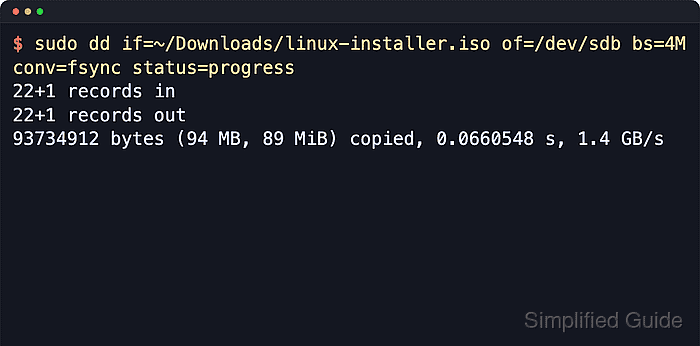
Most current Linux installer images are hybrid ISO files, which means the same file can boot from optical media or from a block device. dd does not build a filesystem or copy individual files during this workflow; it copies the image bytes directly onto the whole USB disk node.
The write destroys the existing contents of the target drive, including every partition on that device. Confirm the removable whole-disk path such as /dev/sdb before running dd, verify the downloaded file when the vendor publishes checksums, and use the vendor's own writer when the release notes say the image is not meant for raw USB writing.
Steps to create a bootable USB drive from an ISO image on Linux:
- List block devices and identify the removable USB drive.
$ lsblk --paths --list --output PATH,SIZE,MODEL,TRAN,TYPE,MOUNTPOINTS
PATH       SIZE MODEL            TRAN TYPE MOUNTPOINTS
/dev/sda  477G Samsung SSD           disk
/dev/sda1 512M                       part /boot/efi
/dev/sda2 476G                       part /
/dev/sdb  7.5G Flash Disk       usb  disk
/dev/sdb1 7.5G                       part /media/user/LIVEUSB
Use the whole device such as /dev/sdb in the write command, not a partition such as /dev/sdb1. Writing to the wrong disk destroys its contents.
- Confirm that the source file is a bootable ISO image.
$ file ~/Downloads/linux-installer.iso
/home/user/Downloads/linux-installer.iso: ISO 9660 CD-ROM filesystem data (DOS/MBR boot sector) 'alpine-virt 3.23.4 x86_64' (bootable)
The label depends on the downloaded image. The important signals are ISO 9660 CD-ROM filesystem data and (bootable).
- Unmount the mounted partition on the target USB drive.
$ sudo umount /dev/sdb1
Repeat the unmount for any other mounted child partitions shown under the same whole disk. The dd write must target the whole disk after its filesystems are no longer mounted.
Related: How to unmount a disk in Linux
- Write the ISO image to the whole USB device.
$ sudo dd if=~/Downloads/linux-installer.iso of=/dev/sdb bs=4M conv=fsync status=progress
16+1 records in
16+1 records out
70254592 bytes (70 MB, 67 MiB) copied, 0.140111 s, 502 MB/s
Check both if= and of= before pressing Enter. The of= path must be the removable whole-disk device, because dd overwrites it immediately.
bs=4M uses larger blocks, conv=fsync flushes the final write before dd exits, and status=progress shows transfer progress on longer writes.
Related: How to check dd progress in Linux - Flush any remaining kernel write buffers.
$ sync
No output means the queued writes have been flushed. Keep the drive connected until the prompt returns and any device activity light stops blinking.
- Confirm that the written USB drive reports the image filesystem.
$ sudo blkid /dev/sdb
/dev/sdb: BLOCK_SIZE="2048" UUID="2026-04-15-04-51-27-00" LABEL="alpine-virt 3.23.4 x86_64" TYPE="iso9660" PTUUID="47034a9a" PTTYPE="dos"
TYPE=“iso9660” with the installer label confirms that the device now exposes the written image instead of the previous filesystem. If the old layout still appears, unplug and reconnect the USB drive before checking again.
- Remove the USB drive and boot the target computer from it.
Select the USB device from the firmware boot menu or boot-order screen. If it is not listed, confirm that the downloaded image supports raw USB writing for the target firmware mode.