How to check CPU information in Linux
CPU information explains why one Linux host exposes a different instruction set, core layout, or virtual CPU shape than another. That matters when checking software compatibility, sizing virtual machines, or confirming that the kernel can see the processor resources that firmware or the hypervisor should expose.
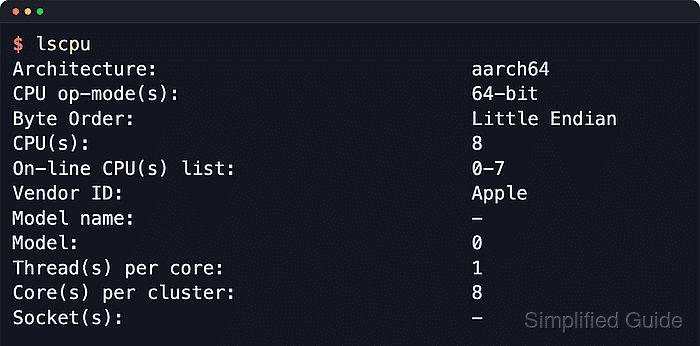
lscpu reads kernel processor data and formats it as a readable summary or a topology table. The default summary is useful for interactive checks, while named-column output keeps the table predictable when notes or automation need the same fields every time.
The example output below comes from an Ubuntu ARM64 container, so it reports cluster topology and leaves some x86_64-style fields blank. Virtual machines, containers, and some ARM64 systems can legitimately show - for Model name, Socket(s), or NUMA node(s), and virtual hardware can expose a CPU layout that differs from the physical host.
Steps to check CPU information with lscpu in Linux:
- Open a terminal.
- Display the full processor summary with lscpu.
$ lscpu
Architecture:                            aarch64
CPU op-mode(s):                          64-bit
Byte Order:                              Little Endian
CPU(s):                                  8
On-line CPU(s) list:                     0-7
Vendor ID:                               Apple
Model name:                              -
Model:                                   0
Thread(s) per core:                      1
Core(s) per cluster:                     8
Socket(s):                               -
Cluster(s):                              1
Stepping:                                0x0
BogoMIPS:                                48.00
Flags:                                   fp asimd evtstrm aes pmull sha1 sha2 crc32 atomics fphp asimdhp cpuid asimdrdm jscvt fcma lrcpc dcpop sha3 asimddp sha512 asimdfhm dit uscat ilrcpc flagm sb paca pacg dcpodp flagm2 frint i8mm bf16 bti
Vulnerability Gather data sampling:      Not affected
Vulnerability Indirect target selection: Not affected
Vulnerability Itlb multihit:             Not affected
Vulnerability L1tf:                      Not affected
Vulnerability Mds:                       Not affected
Vulnerability Meltdown:                  Not affected
##### snipped #####
The summary is the quickest single view of architecture, logical CPU count, vendor or implementer, topology, instruction flags, and vulnerability status.
- Show each logical CPU and the topology fields that the kernel currently exports.
$ lscpu --extended=cpu,core,socket,node,online
CPU CORE SOCKET NODE ONLINE
  0    0      0    -    yes
  1    1      0    -    yes
  2    2      0    -    yes
  3    3      0    -    yes
  4    4      0    -    yes
  5    5      0    -    yes
  6    6      0    -    yes
  7    7      0    -    yes
Named columns keep the table predictable. Unsupported topology fields stay in the output and show - instead of silently disappearing.
- Print the same topology data in parse-friendly form when it needs to be pasted into notes or read by another tool.
$ lscpu --parse=cpu,core,socket,node,online
# The following is the parsable format, which can be fed to other
# programs. Each different item in every column has an unique ID
# starting usually from zero.
# CPU,Core,Socket,Node,Online
0,0,0,,Y
1,1,0,,Y
2,2,0,,Y
3,3,0,,Y
4,4,0,,Y
5,5,0,,Y
6,6,0,,Y
7,7,0,,Y
The parse format keeps one logical CPU per line and avoids the spacing changes that a terminal-friendly table can introduce.
- Match the reported layout to the platform before treating blank fields as a problem.
x86_64 systems often show Model name and Core(s) per socket, while current ARM64 systems can report Core(s) per cluster and leave Socket(s) blank. In guests and containers, the result describes the CPU layout exposed to that environment rather than the physical host.