How to benchmark CPU performance on Linux
CPU-bound builds, data jobs, and virtual machines can slow down after firmware, kernel, power-profile, or cooling changes. A repeatable sysbench CPU benchmark gives the same host a comparable score before and after the change instead of relying on load averages or subjective shell responsiveness.
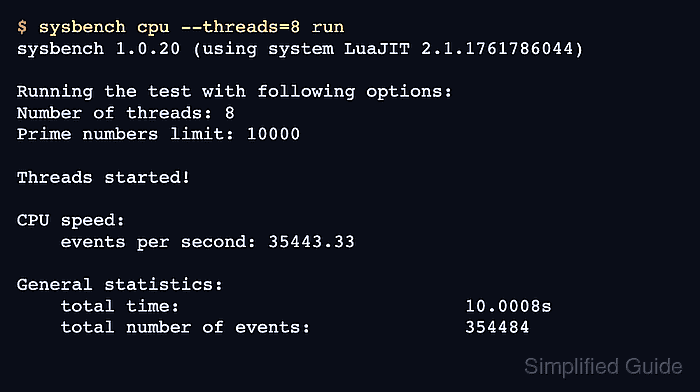
sysbench cpu calculates prime numbers with one or more worker threads and reports throughput as events per second. Running the default single-thread test first shows per-thread responsiveness, while a run that matches the available logical CPUs shows how much throughput the current environment can expose.
Keep the benchmark conditions consistent when comparing results. Use the same threads value, test length, prime limit, power mode, and cooling state, and avoid running it beside other CPU-heavy workloads because contention changes the reported event rate and latency percentiles.
Related: How to benchmark memory speed in Linux
Related: How to benchmark disk speed in Linux
Steps to benchmark CPU performance in Linux with sysbench:
- Check how many CPU threads the current environment exposes.
$ nproc
8
Use this value for all-thread runs so the workload matches the CPUs currently exposed to the host, guest, or container.
- Run the single-thread baseline.
$ sysbench cpu run
sysbench 1.0.20 (using system LuaJIT 2.1.1761786044)

Running the test with following options:
Number of threads: 1
Initializing random number generator from current time


Prime numbers limit: 10000

Initializing worker threads...

Threads started!

CPU speed:
    events per second:  8759.85

General statistics:
    total time:                          10.0006s
    total number of events:              87619

Latency (ms):
         min:                                    0.09
         avg:                                    0.11
         max:                                   16.87
         95th percentile:                        0.14
         sum:                                 9975.97

Threads fairness:
    events (avg/stddev):           87619.0000/0.00
    execution time (avg/stddev):   9.9760/0.00
The default sysbench cpu run uses one worker thread for 10 seconds with a prime limit of 10000.
- Run the same benchmark across all exposed threads.
$ sysbench cpu --threads=8 run
sysbench 1.0.20 (using system LuaJIT 2.1.1761786044)

Running the test with following options:
Number of threads: 8
Initializing random number generator from current time


Prime numbers limit: 10000

Initializing worker threads...

Threads started!

CPU speed:
    events per second: 35443.33

General statistics:
    total time:                          10.0008s
    total number of events:              354484

Latency (ms):
         min:                                    0.10
         avg:                                    0.23
         max:                                   43.60
         95th percentile:                        0.51
         sum:                                79871.73

Threads fairness:
    events (avg/stddev):           44310.5000/922.47
    execution time (avg/stddev):   9.9840/0.00
Replace 8 with the value reported by nproc. Compare this result with the single-thread baseline to see how well the workload scales across the available threads.
- Run a longer all-thread benchmark with the same thread count.
$ sysbench cpu --threads=8 --time=15 run
sysbench 1.0.20 (using system LuaJIT 2.1.1761786044)

Running the test with following options:
Number of threads: 8
Initializing random number generator from current time


Prime numbers limit: 10000

Initializing worker threads...

Threads started!

CPU speed:
    events per second: 37305.40

General statistics:
    total time:                          15.0005s
    total number of events:              559641

Latency (ms):
         min:                                    0.10
         avg:                                    0.21
         max:                                  126.37
         95th percentile:                        0.48
         sum:                               119776.43

Threads fairness:
    events (avg/stddev):           69955.1250/948.29
    execution time (avg/stddev):   14.9721/0.01
Longer all-core runs can expose power limits, clock reductions, and thermal throttling, so sustained scores may differ from short burst scores on the same hardware.
Related: How to view CPU temperature
Related: How to check CPU speed throttling in Linux - Compare the events per second, total number of events, and 95th percentile from each run.
Keep threads and time identical between repeated runs so the results stay comparable.