How to check the LangChain version
A LangChain project can contain several closely related Python packages, and each package may move at a different release pace. Checking the active environment before debugging imports or v1 behavior shows whether the code is loading the package set the project expects.
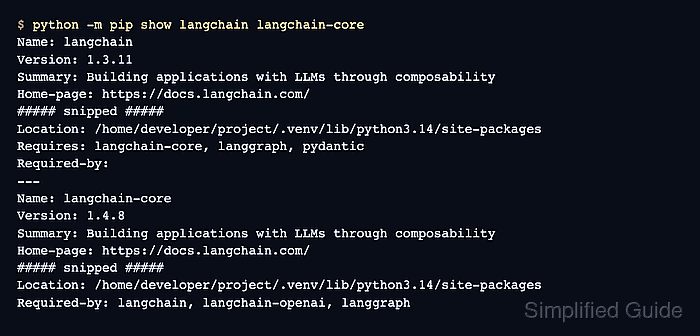
The current LangChain versioning documentation exposes the runtime library version through langchain_core.__version__, while pip package metadata shows the installed distribution version, dependency ownership, and filesystem location. Using python -m pip ties the metadata query to the same interpreter that imports the package.
Provider integrations such as langchain-openai and compatibility packages such as langchain-classic are separate distributions. Check each distribution that appears in the project imports instead of assuming the langchain package version covers every integration.
Steps to check the LangChain version:
- Open the Python environment used by the LangChain project.
$ source .venv/bin/activate
Skip activation only when the project intentionally uses the system or container interpreter.
- Confirm the active Python version.
$ python --version
Python 3.14.4
LangChain requires Python 3.10+. Use the same python command for every package and import check.
- Confirm that pip belongs to the active environment.
$ python -m pip --version
pip 26.1.2 from /home/developer/project/.venv/lib/python3.14/site-packages/pip (python 3.14)
- Show the installed LangChain package records.
$ python -m pip show langchain langchain-core
Name: langchain
Version: 1.3.11
Summary: Building applications with LLMs through composability
Home-page: https://docs.langchain.com/
##### snipped #####
Location: /home/developer/project/.venv/lib/python3.14/site-packages
Requires: langchain-core, langgraph, pydantic
Required-by:
---
Name: langchain-core
Version: 1.4.8
Summary: Building applications with LLMs through composability
Home-page: https://docs.langchain.com/
##### snipped #####
Location: /home/developer/project/.venv/lib/python3.14/site-packages
Required-by: langchain, langchain-openai, langgraph
The langchain and langchain-core versions can differ. The Location lines should point to the project environment, not a different system or user site-packages directory.
- Print the runtime version exposed by LangChain Core.
$ python -c 'import langchain_core; print(langchain_core.__version__)'
1.4.8
The printed value should match the langchain-core package version from pip show.
- Check the provider package used by the project.
$ python -m pip show langchain-openai
Name: langchain-openai
Version: 1.3.3
Summary: An integration package connecting OpenAI and LangChain
Home-page: https://docs.langchain.com/oss/python/integrations/providers/openai
##### snipped #####
Location: /home/developer/project/.venv/lib/python3.14/site-packages
Requires: langchain-core, openai, tiktoken
Replace langchain-openai with the provider or compatibility package used by the project, such as langchain-anthropic, langchain-ollama, or langchain-classic.