How to configure a text splitter in LangChain
Long documents need smaller chunks before retrieval or RAG indexing because embeddings and model context windows work on bounded text units. In LangChain, a text splitter turns a Document into chunked Document objects while preserving metadata that downstream retrievers can still use.
The splitter integrations live in langchain-text-splitters and import from langchain_text_splitters. RecursiveCharacterTextSplitter is the default choice for generic text because it tries larger separators first and only moves down to smaller separators when a section exceeds the configured size.
chunk_size and chunk_overlap are targets, not a promise that every chunk will have identical length or identical overlap. Separator boundaries, document structure, and the chosen length function affect the final chunks, so inspect the output before sending chunks into embeddings or a vector store.
Steps to configure a LangChain text splitter:
- Open an activated Python project environment.
LangChain requires Python 3.10 or newer. Keep the splitter check in the same environment that will build the retrieval index.
Related: How to create a virtual environment for LangChain
Related: How to install LangChain with pip - Install or update the text splitter package.
$ python -m pip install --upgrade langchain-text-splitters
Collecting langchain-text-splitters
Collecting langchain-core<2.0.0,>=1.2.31
##### snipped #####
Successfully installed langchain-core-1.4.8 langchain-text-splitters-1.1.2
langchain-text-splitters installs langchain-core as a dependency, so no provider package or model API key is needed for this splitter smoke test.
- Create split_support_chunks.py with a sample document and splitter settings.
- split_support_chunks.py
from langchain_core.documents import Document
from langchain_text_splitters import RecursiveCharacterTextSplitter

source = Document(
    page_content=(
        "checkout incidents page the on-call engineer immediately "
        "checkout incidents use priority P1 and send status updates every fifteen minutes "
        "billing questions use priority P3 and route to finance support "
        "password reset requests use priority P4 and route to the help desk"
    ),
    metadata={"source": "support-runbook"},
)

splitter = RecursiveCharacterTextSplitter(
    chunk_size=75,
    chunk_overlap=22,
    separators=["\n\n", "\n", " ", ""],
    add_start_index=True,
)

chunks = splitter.split_documents([source])

print(f"chunk_count={len(chunks)}")
for number, chunk in enumerate(chunks, start=1):
    previous = chunks[number - 2] if number > 1 else None
    if previous is None:
        overlap = "n/a"
    else:
        previous_end = previous.metadata["start_index"] + len(previous.page_content)
        overlap = previous_end - chunk.metadata["start_index"]
    print(
        f"chunk_{number}: chars={len(chunk.page_content)} "
        f"start={chunk.metadata['start_index']} "
        f"overlap_from_previous={overlap} "
        f"source={chunk.metadata['source']}"
    )
    print(chunk.page_content)

assert len(chunks) == 5
assert all(len(chunk.page_content) <= 75 for chunk in chunks)
assert all("start_index" in chunk.metadata for chunk in chunks)
assert all(
    chunks[i - 1].metadata["start_index"] + len(chunks[i - 1].page_content)
    > chunks[i].metadata["start_index"]
    for i in range(1, len(chunks))
)
chunk_size uses the splitter's length_function, which defaults to Python len(). add_start_index records each chunk's original character position in metadata.
- Run the splitter script and check the chunk boundaries.
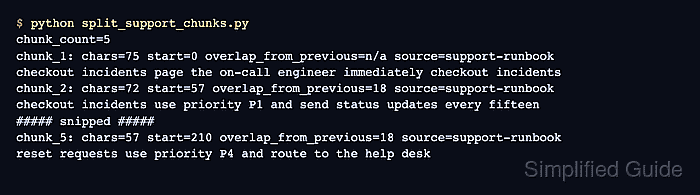
$ python split_support_chunks.py
chunk_count=5
chunk_1: chars=75 start=0 overlap_from_previous=n/a source=support-runbook
checkout incidents page the on-call engineer immediately checkout incidents
chunk_2: chars=72 start=57 overlap_from_previous=18 source=support-runbook
checkout incidents use priority P1 and send status updates every fifteen
chunk_3: chars=73 start=108 overlap_from_previous=21 source=support-runbook
updates every fifteen minutes billing questions use priority P3 and route
chunk_4: chars=68 start=160 overlap_from_previous=21 source=support-runbook
priority P3 and route to finance support password reset requests use
chunk_5: chars=57 start=210 overlap_from_previous=18 source=support-runbook
reset requests use priority P4 and route to the help desk
Every chars value is at or below chunk_size=75. Positive overlap_from_previous values show adjacent chunks sharing text before indexing.
- Remove the temporary splitter test script.
$ rm split_support_chunks.py