How to port-forward a Kubernetes Service
A Kubernetes Service gives clients one name and one port for Pods that can be replaced at any time. kubectl port-forward can attach a local TCP port on a workstation to that Service, so an operator can check an internal endpoint before exposing it through Ingress, Gateway, NodePort, or LoadBalancer.
When kubectl port-forwards a Service, it selects a matching backend Pod and connects the requested local port to the Service port or named port. The session stays in the foreground and handles traffic only while that terminal remains open; rerun the command if the selected Pod terminates.
A successful session needs kubectl access, at least one ready backend endpoint, and a free local port on the workstation. Local port 8080 to Service port 80 is a common HTTP mapping; use the namespace and port numbers that match the target Service.
Steps to port-forward a Kubernetes Service:
- Check the Service name and exposed port.
$ kubectl get service web
NAME   TYPE        CLUSTER-IP     EXTERNAL-IP   PORT(S)   AGE
web    ClusterIP   10.96.29.162   <none>        80/TCP    0s
Add -n app when the Service is in another namespace. Create the Service first if no matching row appears.
Related: How to create a Kubernetes Service
- Check that the Service has endpoints.
$ kubectl get endpointslice -l kubernetes.io/service-name=web
NAME        ADDRESSTYPE   PORTS   ENDPOINTS    AGE
web-slsvf   IPv4          80      10.244.0.2   0s
No endpoint rows means the Service selector does not match ready Pods, so the port-forward has no backend to reach.
- Start the Service port-forward.
$ kubectl port-forward service/web 8080:80
Forwarding from 127.0.0.1:8080 -> 80
Forwarding from [::1]:8080 -> 80
8080:80 maps local port 8080 to Service port 80. Use a named Service port such as https in place of 80 when the Service defines named ports, and leave this terminal open while testing. The default listener is localhost; avoid --address 0.0.0.0 unless other hosts should reach the workstation port.
- Request the forwarded local port from another terminal.
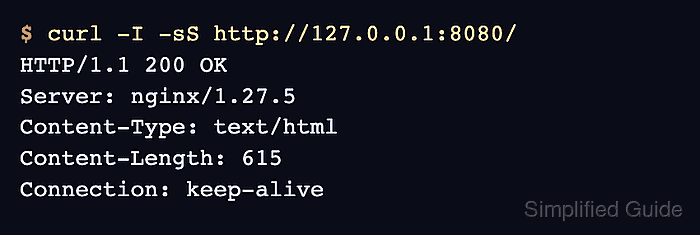
$ curl -I -sS http://127.0.0.1:8080/
HTTP/1.1 200 OK
Server: nginx/1.27.5
Content-Type: text/html
Content-Length: 615
Connection: keep-alive
Use the path and protocol that the backend actually serves. HTTP headers are enough for an HTTP smoke test because they prove the local request reached the Service backend.
- Check the port-forward terminal for a handled connection.
Forwarding from 127.0.0.1:8080 -> 80
Forwarding from [::1]:8080 -> 80
Handling connection for 8080
- Stop the port-forward session when testing is finished.
^C