How to install a Helm chart on Kubernetes
Helm packages Kubernetes manifests into charts so operators can install application releases with one named command instead of applying each object by hand. A chart install is useful when the application ships its Deployment, Service, labels, and default values as a reusable release unit.
A Helm release is the installed copy of a chart in a namespace. The release name, chart reference, namespace, and values decide which objects are created and how Helm records later upgrades or rollbacks.
Release web in namespace web uses the Bitnami NGINX chart for a concrete install path. Setting service.type=ClusterIP lets the chart reach a ready state on local and private clusters that do not provide an external load balancer.
Steps to install a Helm chart on Kubernetes:
- Open a terminal with kubectl access to the target cluster and Helm available on PATH.
- Add the chart repository.
$ helm repo add bitnami https://charts.bitnami.com/bitnami
"bitnami" has been added to your repositories
Helm stores repository names in the local Helm configuration. Use a repository name that matches the chart source your team trusts.
- Refresh the local chart index.
$ helm repo update
Hang tight while we grab the latest from your chart repositories...
...Successfully got an update from the "bitnami" chart repository
Update Complete.
- Confirm the chart reference before installing.
$ helm search repo bitnami/nginx
NAME                            	CHART VERSION	APP VERSION	DESCRIPTION
bitnami/nginx                   	25.0.11      	1.31.2     	NGINX Open Source is a web server that can be a...
bitnami/nginx-ingress-controller	12.0.7       	1.13.1     	NGINX Ingress Controller is an Ingress controll...
bitnami/nginx-intel             	2.1.15       	0.4.9      	DEPRECATED NGINX Open Source for Intel is a lig...
The chart version and app version change as the repository publishes new releases. Pin a chart with --version when change control requires repeatable installs.
- Install the chart as release web.
$ helm install web bitnami/nginx --namespace web --create-namespace --set service.type=ClusterIP --wait --timeout 5m
NAME: web
LAST DEPLOYED: Fri Jun 26 20:42:45 2026
NAMESPACE: web
STATUS: deployed
REVISION: 1
##### snipped #####
--namespace selects the release namespace, --create-namespace creates it when absent, --set overrides a chart value, and --wait keeps the command open until supported resources are ready or --timeout is reached.
Related: How to create a Kubernetes namespace - Check the Helm release status.
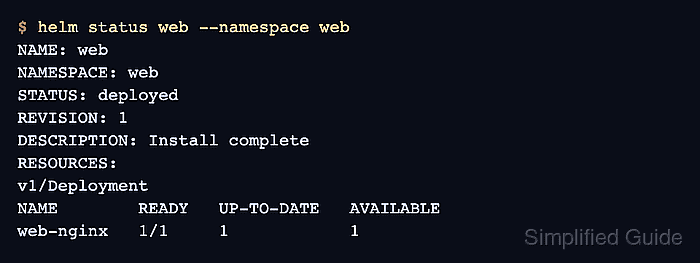
$ helm status web --namespace web
NAME: web
LAST DEPLOYED: Fri Jun 26 20:42:45 2026
NAMESPACE: web
STATUS: deployed
REVISION: 1
DESCRIPTION: Install complete
RESOURCES:
==> v1/Deployment
NAME        READY   UP-TO-DATE   AVAILABLE   AGE
web-nginx   1/1     1            1           15s
##### snipped #####
Chart notes may include access instructions and chart-specific warnings. Read them before exposing the service externally or reusing the same values in production.
- Confirm the first release revision.
$ helm history web --namespace web
REVISION	UPDATED                 	STATUS  	CHART        	APP VERSION	DESCRIPTION
1       	Fri Jun 26 20:42:45 2026	deployed	nginx-25.0.11	1.31.2     	Install complete
Revision 1 with status deployed confirms Helm recorded the install as the first release revision.
Related: How to upgrade a Helm release on Kubernetes
Related: How to roll back a Helm release on Kubernetes - Wait for the installed workload rollout.
$ kubectl rollout status deployment/web-nginx --namespace web --timeout=180s
deployment "web-nginx" successfully rolled out
- List the release-owned resources.
$ kubectl get deployment,service,pod --namespace web --selector app.kubernetes.io/instance=web
NAME                        READY   UP-TO-DATE   AVAILABLE   AGE
deployment.apps/web-nginx   1/1     1            1           2m

NAME                TYPE        CLUSTER-IP      EXTERNAL-IP   PORT(S)          AGE
service/web-nginx   ClusterIP   10.96.104.245   <none>        80/TCP,443/TCP   2m

NAME                             READY   STATUS    RESTARTS   AGE
pod/web-nginx-6fd7df5bbd-727fw   1/1     Running   0          2m
The release selector shows the Deployment, Service, and Pod that belong to this Helm install. The installed chart remains in place for application use, later upgrades, or rollback testing.