How to deploy an application to a Kubernetes cluster
Application releases in Kubernetes are only complete when the cluster accepts the workload, creates ready Pods, and routes traffic through a Service. A manifest-driven deployment gives operators a repeatable path from YAML to a reachable HTTP endpoint instead of a pod that merely exists.
A two-replica nginx Deployment and a ClusterIP Service with matching labels keep the release small enough to inspect while still covering the normal workload-to-traffic handoff. A server-side dry run asks the API server to validate the objects without saving them, while rollout status and EndpointSlice output confirm that the controllers created running backends.
Start from a kubeconfig that points at the target cluster and a namespace where you can create Deployments and Services. Replace the image, labels, replica count, resource values, and security settings before using the pattern for a real workload, especially in namespaces that enforce quota or Pod Security Admission policy.
Related: How to create a Kubernetes Deployment
Related: How to create a Kubernetes Service
Steps to deploy an application with Kubernetes manifests:
- Create a manifest for the Deployment and Service.
apiVersion: apps/v1
kind: Deployment
metadata:
  name: web
  labels:
    app: web
spec:
  replicas: 2
  selector:
    matchLabels:
      app: web
  template:
    metadata:
      labels:
        app: web
    spec:
      containers:
        - name: nginx
          image: nginx:1.29-alpine
          ports:
            - name: http
              containerPort: 80
          readinessProbe:
            httpGet:
              path: /
              port: http
          resources:
            requests:
              cpu: 50m
              memory: 64Mi
            limits:
              memory: 128Mi
---
apiVersion: v1
kind: Service
metadata:
  name: web
  labels:
    app: web
spec:
  type: ClusterIP
  selector:
    app: web
  ports:
    - name: http
      port: 80
      targetPort: http
The Service selector must match the Deployment pod labels, and targetPort: http points at the named container port.
Tool: Kubernetes Deployment Generator - Validate the manifest with a server-side dry run.
$ kubectl apply --dry-run=server -f app.yaml
deployment.apps/web created (server dry run)
service/web created (server dry run)
--dry-run=server sends the objects to the API server for validation without storing them.
- Apply the manifest to the current namespace.
$ kubectl apply -f app.yaml
deployment.apps/web created
service/web created
- Wait for the Deployment rollout to finish.
$ kubectl rollout status deployment/web
Waiting for deployment "web" rollout to finish: 0 of 2 updated replicas are available...
Waiting for deployment "web" rollout to finish: 1 of 2 updated replicas are available...
deployment "web" successfully rolled out
- Check the Deployment, Pods, and Service selected by the app label.
$ kubectl get deployment,pods,service -l app=web
NAME                  READY   UP-TO-DATE   AVAILABLE   AGE
deployment.apps/web   2/2     2            2           2s

NAME                       READY   STATUS    RESTARTS   AGE
pod/web-7bb48c8b59-mmkqq   1/1     Running   0          2s
pod/web-7bb48c8b59-zgjnv   1/1     Running   0          2s

NAME          TYPE        CLUSTER-IP      EXTERNAL-IP   PORT(S)   AGE
service/web   ClusterIP   10.96.160.125   <none>        80/TCP    2s
The READY and AVAILABLE counts should match the replica count before traffic is tested.
- Confirm that the Service has EndpointSlice backends.
$ kubectl get endpointslice -l kubernetes.io/service-name=web
NAME        ADDRESSTYPE   PORTS   ENDPOINTS                AGE
web-vtdt4   IPv4          80      10.244.0.9,10.244.0.10   2s
- Start a local port-forward to the Service.
$ kubectl port-forward service/web 8080:80
Forwarding from 127.0.0.1:8080 -> 80
Forwarding from [::1]:8080 -> 80
Leave the port-forward running while the HTTP check runs from another terminal. If the selected pod terminates, run the port-forward command again.
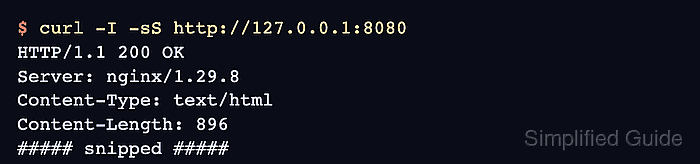
- Request the forwarded application endpoint from another terminal.
$ curl -I -sS http://127.0.0.1:8080
HTTP/1.1 200 OK
Server: nginx/1.29.8
Content-Type: text/html
Content-Length: 896
##### snipped #####
- Remove the sample resources when the deployment was only a test.
$ kubectl delete -f app.yaml
deployment.apps "web" deleted from default namespace
service "web" deleted from default namespace
Skip this cleanup for a real application that should stay deployed.