How to configure a Precise Throughput Timer in JMeter
Rate-based load tests often need sample starts to follow a target arrival pattern instead of running as fast as virtual users can loop. In JMeter, a Precise Throughput Timer adds calculated waits before affected samplers so a thread group can aim for a chosen number of samples during a chosen period.
The timer uses a randomized Poisson-style schedule rather than evenly spaced departures. Target throughput and Throughput period define the rate, Test duration tells the timer how much schedule to build at a time, and a nonzero Random seed makes the timing pattern repeatable for comparison runs.
The timer only releases existing threads; it does not create virtual users or make slow samplers finish faster. Keep enough active threads available, set the paced thread group ramp-up and startup delay to zero when the timer should own the arrival pattern, and keep login, setup, or cleanup samplers outside the timed scope when they should not consume the target rate.
Steps to configure a JMeter Precise Throughput Timer:
- Open the test plan in the JMeter GUI and select the Thread Group or controller that owns the sampler starts to pace.
- Add the timer from Add → Timer → Precise Throughput Timer.
- Name the timer for the traffic it controls.
Name: Precise Throughput Timer - checkout pacing
- Enter the target sample count and period.
Target throughput: 12
Throughput period (seconds): 6
The example target is 12 samples in 6 seconds, or about 2.0 samples per second. Use business-facing pairs such as 60 and 3600 when the requirement is expressed as samples per hour.
- Enter the timer schedule duration.
Test duration (seconds): 6
Test duration is a scheduling hint for the timer, not a test stop setting. Set the Thread Group scheduler or loop count separately when the whole test must stop after a fixed window.
- Keep single departures unless the workload must start users in bursts.
Number of threads in the batch (threads): 1
Delay between threads in the batch (ms): 0
- Set a nonzero random seed for repeatable pacing.
Random seed: 42
A seed of 0 makes each run use a different random schedule. Use different nonzero seeds for separate timers or thread groups that should not release samples at the same moments.
- Confirm the paced thread group has enough active threads.
Number of Threads (users): 6
Ramp-up Period (seconds): 0
Delay Thread creation until needed: cleared
For the short verification target, six active threads can cover twelve samples over six seconds while some threads wait inside the timer. If observed throughput stays below target, add threads or reduce sampler response time before raising the timer target.
- Save the test plan.
precise-throughput-timer-demo.jmx
- Run the saved plan in non-GUI mode with a fresh result file.
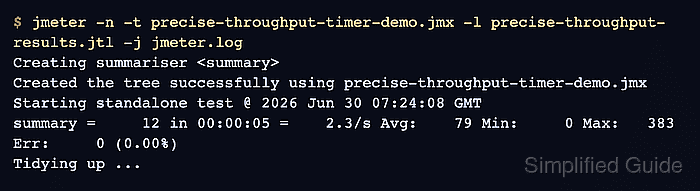
$ jmeter -n -t precise-throughput-timer-demo.jmx -l precise-throughput-results.jtl -j jmeter.log
Creating summariser <summary>
Created the tree successfully using precise-throughput-timer-demo.jmx
Starting standalone test @ 2026 Jun 30 07:24:08 GMT
Waiting for possible Shutdown/StopTestNow/HeapDump/ThreadDump message on port 4445
summary =     12 in 00:00:05 =    2.3/s Avg:    79 Min:     0 Max:   383 Err:     0 (0.00%)
Tidying up ...
... end of run
- Check the generated schedule line in jmeter.log.
2026-06-30 07:24:08,330 INFO o.a.j.t.p.ConstantPoissonProcessGenerator: Generated 12 timings (Precise Throughput Timer - 12 in 6 seconds 12 required, rate 2.0, duration 6) in 0 ms.
- Compare the run summary with the configured rate.
Target:   12 samples / 6 seconds = 2.0/s
Observed: summary = 12 in 00:00:05 = 2.3/s, Err: 0 (0.00%)
Short runs can land slightly above or below the exact displayed rate because the first scheduled departure does not have to occur at zero. A result near the target with zero errors confirms the timer is pacing sample starts; a much lower rate points to thread count, sampler latency, server capacity, or other timers.