How to migrate a JMeter BeanShell script to JSR223
Older JMeter test plans often carry BeanShell samplers, preprocessors, postprocessors, or assertions that were written before Groovy-backed JSR223 elements became the normal scripting path. Migrating one script at a time keeps the test-plan behavior visible while moving the code to a scripting engine that supports current Java syntax and compiled-script reuse.
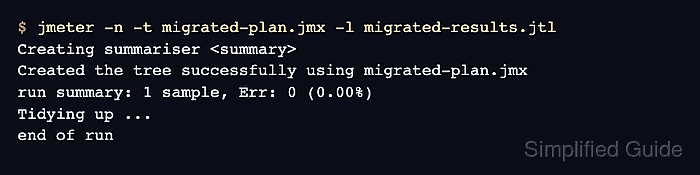
The safest migration keeps the original element as a reference, adds the matching JSR223 element beside it, and compares the saved result fields before deleting the legacy copy. The element type matters because a sampler, preprocessor, postprocessor, and assertion run at different points in the sample lifecycle.
Use Groovy as the JSR223 language and enable compiled-script caching when the element runs repeatedly. Cached scripts should read JMeter variables through calls such as vars.get('token') instead of direct ${token} replacement, because direct replacement can freeze the first substituted value in the compiled script.
Steps to migrate a JMeter BeanShell script to JSR223 Groovy:
- Save a copy of the test plan before editing the legacy element.
$ cp login-test.jmx login-test.beanshell-backup.jmx
Keep the backup until the migrated plan has passed the same functional check as the BeanShell version.
- Copy the BeanShell script and note which JMeter objects it changes.
- legacy-beanshell.bsh
String status = vars.get("legacy_status");
if ("OK".equals(status)) {
    vars.put("migration_result", "legacy-ok");
    ResponseCode = "200";
    ResponseMessage = vars.get("migration_result");
    IsSuccess = true;
} else {
    Failure = true;
    FailureMessage = "Unexpected status: " + status;
}
vars, props, ctx, log, and the previous sample object are common migration points. Record any custom parameters or shared variables before changing the element.
- Add the matching JSR223 element next to the BeanShell element in the test plan.
Replace a BeanShell Sampler with a JSR223 Sampler, a BeanShell PreProcessor with a JSR223 PreProcessor, and so on. Keeping the same element type preserves when the script runs.
- Set the JSR223 language to groovy.
- Enable Cache compiled script if available on inline scripts, or move longer code into a script file.
Use a script file or a unique script compilation cache key for heavily reused elements. Do not put direct ${varName} replacements inside cached script text.
- Convert the BeanShell code to Groovy syntax.
- migrated-jsr223.groovy
def status = vars.get('legacy_status')
if (status == 'OK') {
    vars.put('migration_result', 'legacy-ok')
    SampleResult.setResponseCode('200')
    SampleResult.setResponseMessage(vars.get('migration_result'))
    SampleResult.setSuccessful(true)
} else {
    SampleResult.setSuccessful(false)
    SampleResult.setResponseMessage("Unexpected status: ${status}")
    throw new AssertionError("Unexpected status: ${status}")
}
A JSR223 Sampler can set SampleResult directly. A postprocessor usually reads or changes prev, while an assertion should set the assertion failure state for that element.
- Disable the original BeanShell element without deleting it.
- Run the backed-up BeanShell plan in non-GUI mode.
$ jmeter -n -t login-test.beanshell-backup.jmx -l beanshell-results.jtl
Creating summariser <summary>
Created the tree successfully using login-test.beanshell-backup.jmx
summary =      1 in 00:00:00 =   25.6/s Avg:     7 Min:     7 Max:     7 Err:     0 (0.00%)
Tidying up ...
... end of run
- Run the migrated JSR223 plan in non-GUI mode.
$ jmeter -n -t login-test.jmx -l migrated-results.jtl
Creating summariser <summary>
Created the tree successfully using login-test.jmx
summary =      1 in 00:00:01 =    1.5/s Avg:   658 Min:   658 Max:   658 Err:     0 (0.00%)
Tidying up ...
... end of run
- Check the saved BeanShell result fields.
$ cat beanshell-results.jtl
timeStamp,elapsed,label,responseCode,responseMessage,threadName,dataType,success,failureMessage,##### snipped #####
1782767699733,7,Legacy BeanShell sampler,200,legacy-ok,Thread Group 1-1,text,true,,##### snipped #####
- Check the saved JSR223 result fields.
$ cat migrated-results.jtl
timeStamp,elapsed,label,responseCode,responseMessage,threadName,dataType,success,failureMessage,##### snipped #####
1782767702283,658,Migrated JSR223 sampler,200,legacy-ok,Thread Group 1-1,text,true,,##### snipped #####
The labels and elapsed time can differ. The migrated element should keep the expected response code, message, variable effect, assertion state, or downstream sampler behavior.
- Remove the BeanShell element after the migrated plan passes the same result check and any application-specific smoke test.