How to run JavaScript tests with Vitest
Project tests give JavaScript changes a fast feedback loop before code reaches a browser, server, or build pipeline. Vitest runs unit tests from an npm project and reports each matching .test. or .spec. file in the terminal.
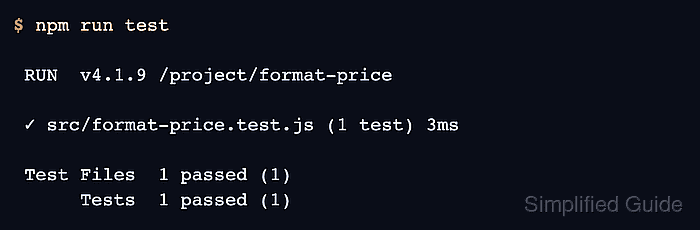
Keep Vitest as a project development dependency and call it through the test script in package.json. The script uses vitest run so the command exits after one run instead of staying in watch mode, which fits terminal checks and CI jobs.
Start from a directory that already has package.json and Node.js 20 or newer. The sample function and test stay small so the npm run test summary proves that Vitest loaded the test file, ran the assertion, and exited successfully.
Steps to run JavaScript tests with Vitest:
- Install Vitest as a development dependency.
$ npm install --save-dev vitest

added 44 packages, and audited 45 packages in 10s

17 packages are looking for funding
  run `npm fund` for details

found 0 vulnerabilities
- Create the function to test.
- src/format-price.js
export function formatPrice(cents) {
  return `$${(cents / 100).toFixed(2)}`;
}
- Create the Vitest test file.
- src/format-price.test.js
import { describe, expect, test } from "vitest";
import { formatPrice } from "./format-price.js";

describe("formatPrice", () => {
  test("formats cents as dollars", () => {
    expect(formatPrice(1299)).toBe("$12.99");
  });
});
Keep .test. or .spec. in the filename so Vitest discovers the file by default.
Related: How to use JavaScript import and export - Save an npm test script that performs one Vitest run.
$ npm pkg set scripts.test="vitest run"
vitest run performs a single run without watch mode. Use plain vitest only when the terminal should keep watching for file changes.
- Run the saved test script.
$ npm run test

> format-price@1.0.0 test
> vitest run


 RUN  v4.1.9 /project/format-price

 ✓ src/format-price.test.js (1 test) 3ms

 Test Files  1 passed (1)
      Tests  1 passed (1)
   Start at  23:41:22
   Duration  151ms (transform 21ms, setup 0ms, import 35ms, tests 3ms, environment 0ms)