How to cancel fetch requests with AbortController
Cancelable fetch() requests stop a page from applying late data after the user has moved on, clicked a different option, or hit a timeout. AbortController gives each request an AbortSignal that fetch() listens to, so the same code path can cancel an in-flight request before its response updates the interface.
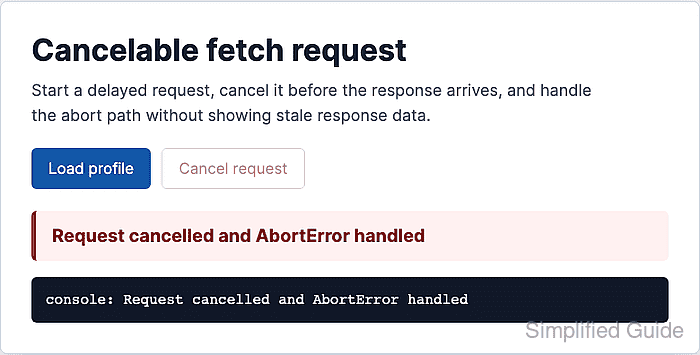
A controller is a one-use object. Create a new controller immediately before starting a request, pass its signal into fetch(), and discard that controller when the request finishes or aborts. Reusing a signal that already aborted makes the next request reject immediately.
A small browser handler can keep the active controller near the pending request, disable the cancel button when no request is running, clear timeout timers in finally, and treat AbortError differently from HTTP or network failures. HTTP error status codes still need normal response checks because fetch() only rejects for network failures, aborts, and similar request-level problems.
Steps to cancel a fetch request with AbortController:
- Add controls for starting and canceling the request.
<button id="load" type="button">Load profile</button>
<button id="cancel" type="button" disabled>Cancel request</button>
<p id="status" aria-live="polite">Idle</p>
The aria-live status text gives both the browser UI and assistive technology a visible place to confirm the cancellation path.
- Create references and a helper that accepts an AbortSignal.
const loadButton = document.querySelector("#load");
const cancelButton = document.querySelector("#cancel");
const statusText = document.querySelector("#status");

let controller = null;

function setStatus(message) {
  statusText.textContent = message;
}

async function loadProfileData(signal) {
  const response = await fetch("/api/profile", { signal });

  if (!response.ok) {
    throw new Error(`HTTP ${response.status}`);
  }

  return response.json();
}
Passing signal in the fetch options connects the request to whichever AbortController created that signal.
- Start each request with a fresh controller and timeout cleanup.
async function loadProfile() {
  controller = new AbortController();
  const timeoutId = setTimeout(() => controller.abort(), 8000);

  loadButton.disabled = true;
  cancelButton.disabled = false;
  setStatus("Request started");

  try {
    const profile = await loadProfileData(controller.signal);
    setStatus(`Loaded ${profile.name}`);
  } catch (error) {
    if (error.name === "AbortError") {
      setStatus("Request cancelled and AbortError handled");
      return;
    }

    setStatus(`Request failed: ${error.message}`);
  } finally {
    clearTimeout(timeoutId);
    controller = null;
    loadButton.disabled = false;
    cancelButton.disabled = true;
  }
}

loadButton.addEventListener("click", loadProfile);
The timeout uses the same abort path as the cancel button. If timeout reporting must be separate from user cancellation, use a separate timeout signal and handle that reason explicitly.
- Abort the active controller from the cancel action.
cancelButton.addEventListener("click", () => {
  if (controller) {
    controller.abort();
  }
});
Calling abort() after a request already completed is harmless, but keeping the button disabled outside active requests avoids confusing duplicate clicks.
- Test against a delayed response and cancel before the response arrives.
Request started
Request cancelled and AbortError handled
Cancel button disabled after cleanup: true
The page should stay on the cancellation status and should not later change to a loaded profile after the delayed response handler finishes.