How to check the installed Java version on Linux
A Linux host can have several Java runtimes installed, and the version that matters is the one reached when the shell runs java. Checking only the package list can miss a manually installed runtime, a changed PATH entry, or an alternatives selection that points applications at a different executable.
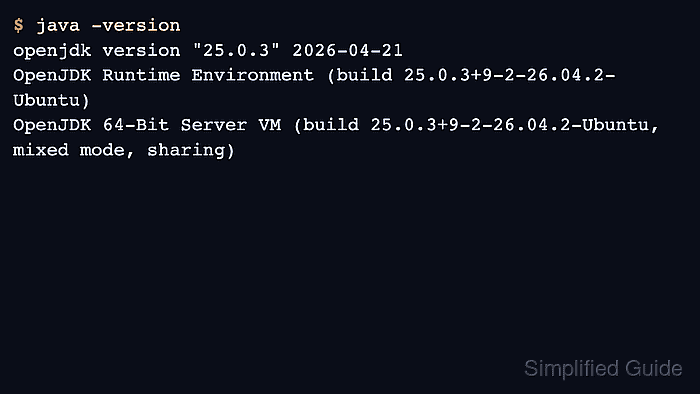
The Java launcher prints the product version, runtime build, and virtual machine line. The traditional java -version form writes that output to the error stream, while java --version writes to the output stream and is easier to capture in scripts.
Command validation used an Ubuntu 26.04 container with the distribution default-jre-headless package, which installed an OpenJDK runtime. Use the path check first, then read the version output, because the same host may have package-managed, manually unpacked, and project-local runtimes available at the same time.
Steps to check the installed Java version on Linux:
- Confirm that the shell can find java.
$ command -v java
/usr/bin/java
If the command prints nothing or the shell reports java: command not found, install a runtime or fix the shell PATH before checking a version.
- Resolve the executable behind the shell path.
$ readlink -f /usr/bin/java
/usr/lib/jvm/java-25-openjdk-arm64/bin/java
Use the path printed by command -v java if it is not /usr/bin/java. A path under /usr/lib/jvm/ usually belongs to a package-managed runtime, while a path under /opt/, /usr/local/, or a project directory often points to a manually installed runtime.
- Print the active Java runtime version.
$ java -version
openjdk version "25.0.3" 2026-04-21
OpenJDK Runtime Environment (build 25.0.3+9-2-26.04.2-Ubuntu)
OpenJDK 64-Bit Server VM (build 25.0.3+9-2-26.04.2-Ubuntu, mixed mode, sharing)
The first line gives the implementation family and version number. The runtime and virtual machine lines show the build and VM variant used by the active launcher.
- Use the stdout form when a script needs to capture the version text.
$ java --version
openjdk 25.0.3 2026-04-21
OpenJDK Runtime Environment (build 25.0.3+9-2-26.04.2-Ubuntu)
OpenJDK 64-Bit Server VM (build 25.0.3+9-2-26.04.2-Ubuntu, mixed mode, sharing)
Current Java launchers print --version output to stdout and exit. java -version remains the common terminal check and prints to stderr, so visible version output is not a failure by itself.
- Identify the Debian or Ubuntu package that owns the active binary when the runtime came from packages.
$ dpkg -S /usr/lib/jvm/java-25-openjdk-arm64/bin/java
openjdk-25-jre-headless:arm64: /usr/lib/jvm/java-25-openjdk-arm64/bin/java
Use the resolved executable path from the earlier step. On RPM-based Linux distributions, query the same path with the native package database when the runtime was installed from packages.
- Decide whether the active runtime matches the application requirement.
If the required version is installed but not selected, switch the default java alternative or set the application-specific environment, such as JAVA_HOME, instead of uninstalling other runtimes.
Related: How to set the default Java version on Ubuntu
Related: How to set JAVA_HOME on Linux