Java build tools, application launch scripts, and service wrappers can choose the wrong runtime when JAVA_HOME is unset or points at a JRE, a bin directory, or an older JDK. Setting it to the intended JDK home gives those tools a stable directory to use instead of guessing from PATH.
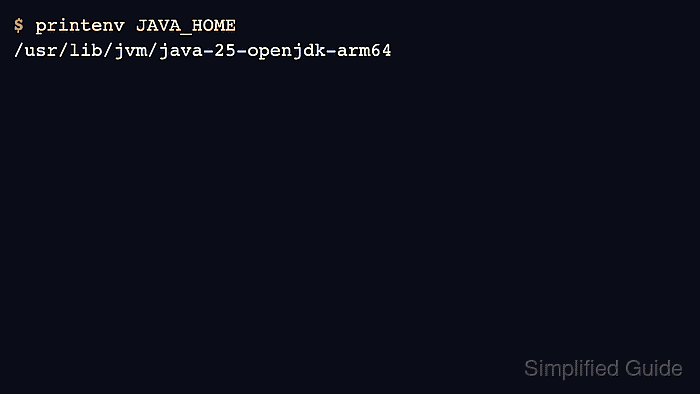
The value should be the directory that contains bin/java, such as /usr/lib/jvm/java-25-openjdk-arm64, not the java executable itself. On many Linux distributions, packaged JDKs live under /usr/lib/jvm, and readlink -f /usr/bin/java can show the active Java binary when the system uses alternatives.
A user-level profile sets JAVA_HOME for shell sessions started by that account. Systemd services, cron jobs, sudo sessions, IDEs, and build daemons may use their own environment, so set the same JDK path in that runtime layer when the Java process does not inherit the user's shell profile.
Steps to set JAVA_HOME on Linux:
- Find the Java binary currently reached through /usr/bin/java.
$ readlink -f /usr/bin/java
/usr/lib/jvm/java-25-openjdk-arm64/bin/java
Use the JDK directory above /bin/java as JAVA_HOME. In this example, the value is /usr/lib/jvm/java-25-openjdk-arm64.
- Test the value in the current shell before saving it.
$ export JAVA_HOME=/usr/lib/jvm/java-25-openjdk-arm64
$ printenv JAVA_HOME
/usr/lib/jvm/java-25-openjdk-arm64
Replace the example path with the directory from the previous step. Do not append /bin to JAVA_HOME.
- Confirm that the Java launcher under JAVA_HOME runs.
$ "$JAVA_HOME/bin/java" --version
openjdk 25.0.3 2026-04-21
OpenJDK Runtime Environment (build 25.0.3+9-2-26.04.2-Ubuntu)
OpenJDK 64-Bit Server VM (build 25.0.3+9-2-26.04.2-Ubuntu, mixed mode, sharing)
If this command fails with No such file or directory, JAVA_HOME points to the wrong directory or the selected package does not provide a Java runtime under that path.
- Confirm that the JDK compiler under JAVA_HOME runs.
$ "$JAVA_HOME/bin/javac" --version
javac 25.0.3
If javac is missing, install a JDK package instead of a JRE-only package before using JAVA_HOME with build tools.
Related: How to install JDK on Ubuntu
- Open the user's profile file.
$ vi ~/.profile
Bash login shells read ~/.bash_profile, ~/.bash_login, or ~/.profile, while non-login Bash terminals read ~/.bashrc. Put the same lines in the startup file that the target shell actually reads.
- Add the JAVA_HOME export and put its bin directory first in PATH.
- ~/.profile
export JAVA_HOME=/usr/lib/jvm/java-25-openjdk-arm64
export PATH="$JAVA_HOME/bin:$PATH"
Use the specific JDK directory when a project needs one Java release. On Debian or Ubuntu, /usr/lib/jvm/default-java can track the distro default JDK instead, but it may not reflect a manual alternatives selection.
- Load the profile in the current terminal.
$ source ~/.profile
Open a new terminal or sign in again if the shell does not support source, or if the target program starts from a desktop session that was already running.
- Verify that the saved shell environment exposes the intended JDK home.
$ printenv JAVA_HOME
/usr/lib/jvm/java-25-openjdk-arm64
- Verify the Java tools through JAVA_HOME again after the profile change.
$ "$JAVA_HOME/bin/java" --version
openjdk 25.0.3 2026-04-21
OpenJDK Runtime Environment (build 25.0.3+9-2-26.04.2-Ubuntu)
OpenJDK 64-Bit Server VM (build 25.0.3+9-2-26.04.2-Ubuntu, mixed mode, sharing)
$ "$JAVA_HOME/bin/javac" --version
javac 25.0.3
For a systemd-managed Java application, set JAVA_HOME in the service unit or an override file and restart that service instead of relying on a user profile.

Mohd Shakir Zakaria is a cloud architect with deep roots in software development and open-source advocacy. Certified in AWS, Red Hat, VMware, ITIL, and Linux, he specializes in designing and managing robust cloud and on-premises infrastructures.


