How to configure a basic stateful firewall with iptables
A basic stateful host firewall with iptables lets a server accept only the inbound traffic it needs while still allowing replies for connections the server started or already accepted. This baseline fits a Linux host that needs loopback traffic, SSH administration, one application port, and a default-deny inbound policy.
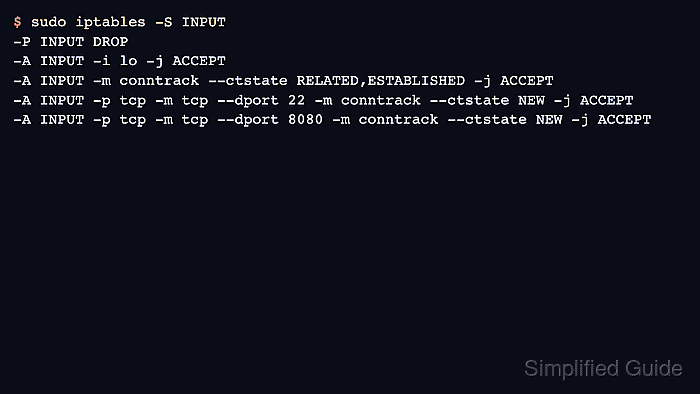
iptables evaluates packets through ordered chains in the kernel. The INPUT chain handles packets addressed to the local host, and the conntrack match lets one rule accept RELATED and ESTABLISHED packets so return traffic does not need a separate service rule.
Changing a remote firewall can disconnect the same SSH session needed to repair it. Keep a console path or second administrative session open, save a rollback file first, and confirm whether the host is managed by direct iptables commands, iptables-persistent, ufw, firewalld, or native nftables before making the runtime policy durable.
Related: How to back up and restore iptables rules
Related: How to save iptables rules permanently
Related: How to list iptables rules with counters
Tool: iptables Rule Generator
Steps to configure a basic stateful firewall with iptables:
- Keep console access or a second SSH session open before changing the live firewall.
Do not set a default-deny INPUT policy from the only active remote session unless another recovery path is already available.
- Save the current runtime rules as a rollback file.
$ sudo iptables-save > ~/iptables.before-stateful-firewall.rules
- List the current INPUT chain before adding the baseline rules.
$ sudo iptables -S INPUT
-P INPUT ACCEPT
Review existing allow, deny, log, or manager-created rules before adding a default-deny baseline to a host that already has firewall policy.
- Allow loopback traffic.
$ sudo iptables -A INPUT -i lo -j ACCEPT
Loopback traffic stays inside the host and is commonly required by local services that connect to 127.0.0.1.
- Allow inbound packets that belong to established or related connections.
$ sudo iptables -A INPUT -m conntrack --ctstate ESTABLISHED,RELATED -j ACCEPT
iptables may print the state list as RELATED,ESTABLISHED when the rule is listed later; that is the same match set.
- Allow new SSH management connections before changing the default policy.
$ sudo iptables -A INPUT -p tcp --dport 22 -m conntrack --ctstate NEW -j ACCEPT
Change --dport 22 if SSH listens on another port, and add a -s source match when administration should be limited to a known IP address or CIDR.
- Allow new connections to the application port.
$ sudo iptables -A INPUT -p tcp --dport 8080 -m conntrack --ctstate NEW -j ACCEPT
Replace 8080 with the TCP port that should accept new inbound client connections. Add separate rules for additional service ports.
- Change the INPUT policy to DROP after the allow rules are present.
$ sudo iptables -P INPUT DROP
Packets that do not match an earlier INPUT rule are now dropped. Keep the rollback file available until all required access tests pass.
- Review the resulting INPUT chain.
$ sudo iptables -S INPUT
-P INPUT DROP
-A INPUT -i lo -j ACCEPT
-A INPUT -m conntrack --ctstate RELATED,ESTABLISHED -j ACCEPT
-A INPUT -p tcp -m tcp --dport 22 -m conntrack --ctstate NEW -j ACCEPT
-A INPUT -p tcp -m tcp --dport 8080 -m conntrack --ctstate NEW -j ACCEPT
- Test the SSH management port from a separate client.
$ nc -zv -w 2 server.example.net 22
Connection to server.example.net (203.0.113.10) 22 port [tcp/ssh] succeeded!
- Test the application port from a separate client.
$ nc -zv -w 2 server.example.net 8080
Connection to server.example.net (203.0.113.10) 8080 port [tcp/http-alt] succeeded!
- Test an unused inbound port from a separate client.
$ nc -zv -w 2 server.example.net 9090
nc: connect to server.example.net (203.0.113.10) port 9090 (tcp) timed out: Operation now in progress
The timeout confirms that a new inbound connection without an allow rule reaches the default DROP policy.
- Restore the rollback file if a required access test fails.
$ sudo iptables-restore < ~/iptables.before-stateful-firewall.rules
Run the restore command from console access or from a session that still works after the firewall change.
- Export the tested ruleset after the required access tests pass.
$ sudo iptables-save > ~/iptables.stateful-firewall.rules
Use the exported file with iptables-restore, or hand the tested ruleset to the host's persistence mechanism before relying on it after reboot. Related: How to save iptables rules permanently