How to block an IP address with iptables
Blocking a source address with iptables stops one client or network from reaching services on a Linux host while other traffic keeps following the existing firewall policy. The rule has to land in the chain that sees the packet, and it has to appear before any earlier rule that would accept the same traffic.
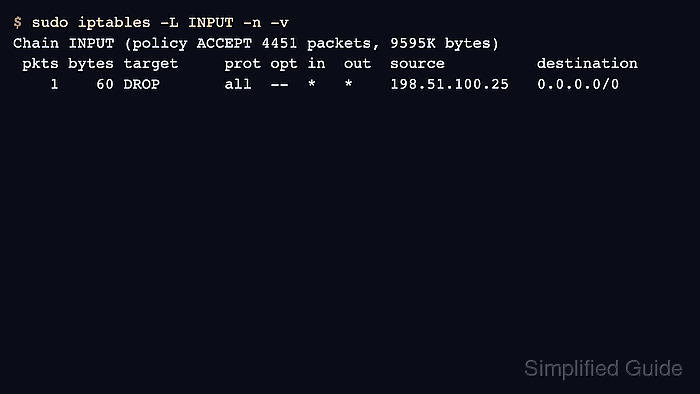
The default filter table uses the INPUT chain for packets addressed to the local host. A source block rule matches the sender with -s and sends matching packets to DROP, which ends rule traversal without returning a response to the client.
Runtime iptables changes are not automatically durable after reboot, and current Ubuntu systems may expose iptables syntax through the nf_tables compatibility backend. Check the active backend first, keep a rollback command ready when remote access is involved, and use ip6tables separately when the unwanted traffic reaches the host over IPv6.
Related: Check the active iptables backend
Related: List iptables rules with counters
Related: Save iptables rules permanently
Tool: iptables Rule Generator
Steps to block a source IP address with iptables:
- Print the active iptables backend before changing rules.
$ iptables --version
iptables v1.8.11 (nf_tables)
(nf_tables) means the command uses the nftables compatibility backend. (legacy) means it uses the older xtables backend.
- List the INPUT chain with line numbers and numeric addresses.
$ sudo iptables --list INPUT --line-numbers --numeric --verbose
Chain INPUT (policy ACCEPT 0 packets, 0 bytes)
num   pkts bytes target     prot opt in     out     source               destination
Use FORWARD instead of INPUT when the host routes traffic for another system. Add -t nat, -t mangle, or another table only when the rule belongs outside the default filter table.
- Insert the source block rule before broader allow rules.
$ sudo iptables -I INPUT 1 -s 203.0.113.25 -j DROP
Replace 203.0.113.25 with the address or CIDR block to block. A broad CIDR can block legitimate users behind the same provider, VPN, office gateway, or NAT device.
- Check that the exact rule exists.
$ sudo iptables -C INPUT -s 203.0.113.25 -j DROP
No output means the exact rule is present. A nonzero exit means the rule specification did not match the current chain.
- Confirm the rule order and counter columns.
$ sudo iptables --list INPUT --line-numbers --numeric --verbose
Chain INPUT (policy ACCEPT 4451 packets, 9595K bytes)
num   pkts bytes target     prot opt in     out     source               destination
1        0     0 DROP       all  --  *      *       203.0.113.25        0.0.0.0/0
The rule must appear before any rule that would accept the same source, interface, service port, or connection state.
- Test the protected service from the blocked source.
$ nc -vz -w 3 server.example.com 443
nc: connect to server.example.com port 443 (tcp) timed out: Operation now in progress
A silent timeout is expected with DROP. Use REJECT only when clients should receive an immediate error response instead of waiting for a timeout.
- Test the same service from an unaffected source.
$ nc -vz -w 3 server.example.com 443
Connection to server.example.com 443 port [tcp/https] succeeded!
If the unaffected test also fails, review rule order, chain selection, source address, service health, and any upstream firewall before saving the change.
- List the chain again and confirm the source block counter increased.
$ sudo iptables --list INPUT --line-numbers --numeric --verbose
Chain INPUT (policy ACCEPT 4451 packets, 9595K bytes)
num   pkts bytes target     prot opt in     out     source               destination
1        1    60 DROP       all  --  *      *       203.0.113.25        0.0.0.0/0
The pkts and bytes counters increase only when packets match the rule. Use ip6tables for a separate IPv6 source block and counter check.
- Keep the rollback command ready until the block is confirmed.
$ sudo iptables -D INPUT -s 203.0.113.25 -j DROP
Run the delete command only to remove the block. Deleting by exact match is safer than deleting by line number after other rules have been inserted or removed.
- Save the tested rule through the host firewall persistence method when the block should survive reboot.
$ sudo netfilter-persistent save
run-parts: executing /usr/share/netfilter-persistent/plugins.d/15-ip4tables save
run-parts: executing /usr/share/netfilter-persistent/plugins.d/25-ip6tables save
Debian and Ubuntu use netfilter-persistent when iptables-persistent is installed. Other firewall managers may replace direct runtime rules during reload, so save or hand off the rule through the manager that owns the host policy.