How to replace an iptables rule
Replacing an iptables rule in place fits changes where the rule's position controls packet matching. The -R operation changes one numbered rule while leaving the surrounding rules in the same order, so a wrong port, source, interface, or target can be corrected without deleting the rule and appending a new one at the end.
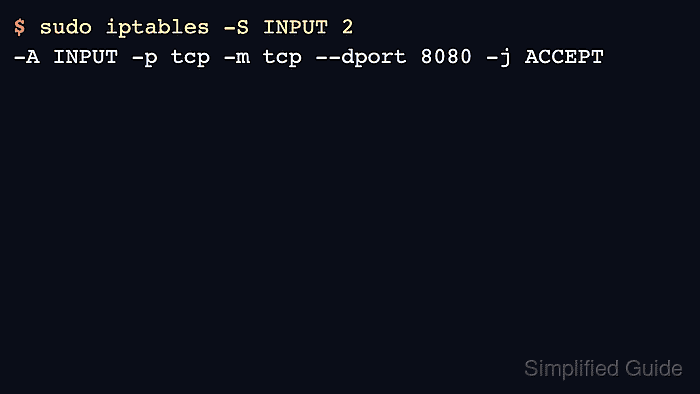
Rule numbers are chain-local and start at 1. The examples use the IPv4 INPUT chain in the default filter table and replace line 2 from a silent DROP on TCP port 8080 to an ACCEPT rule. Use the same pattern with -t nat, FORWARD, OUTPUT, or a user-defined chain only when that is where the rule already lives.
Line numbers can change whenever another rule is inserted, deleted, or replaced, so list the chain immediately before running -R and keep the previous rule specification available for rollback. Use a console or an existing management session on remote hosts, repeat the equivalent ip6tables change for IPv6 services, and save the rules only after the traffic test matches the intended behavior.
Steps to replace an iptables rule:
- Print the active iptables backend.
$ iptables --version
iptables v1.8.11 (nf_tables)
(nf_tables) means the command uses the nftables compatibility backend. (legacy) means it uses the older xtables backend. Related: How to check the active iptables backend
- List the target chain with line numbers immediately before replacing the rule.
$ sudo iptables --list INPUT --line-numbers --numeric --verbose
Chain INPUT (policy ACCEPT 0 packets, 0 bytes)
num   pkts bytes target     prot opt in     out     source               destination
1        0     0 ACCEPT     tcp  --  *      *       0.0.0.0/0            0.0.0.0/0            tcp dpt:22
2        0     0 DROP       tcp  --  *      *       0.0.0.0/0            0.0.0.0/0            tcp dpt:8080
Use --numeric to avoid DNS and service-name lookups while reviewing firewall rules. Related: How to list iptables rules with counters
- Print the exact rule currently stored at the chosen line.
$ sudo iptables -S INPUT 2
-A INPUT -p tcp -m tcp --dport 8080 -j DROP
iptables may display implicit matches such as -m tcp after a rule is loaded. Keep this output until the replacement has been tested.
- Replace line 2 with the corrected rule.
$ sudo iptables --wait 5 -R INPUT 2 -p tcp --dport 8080 -j ACCEPT
Run the replacement only after confirming that line 2 is still the rule to change. A different line number changes a different rule.
--wait 5 waits briefly for the xtables lock instead of failing immediately when another firewall command is running.
Use numeric IP addresses or CIDR ranges in replacement rules. Host names are resolved before the rule is submitted, and multi-address names can make a replace operation fail.
- List the chain again and confirm the same line now contains the new rule.
$ sudo iptables --list INPUT --line-numbers --numeric --verbose
Chain INPUT (policy ACCEPT 0 packets, 0 bytes)
num   pkts bytes target     prot opt in     out     source               destination
1        0     0 ACCEPT     tcp  --  *      *       0.0.0.0/0            0.0.0.0/0            tcp dpt:22
2        0     0 ACCEPT     tcp  --  *      *       0.0.0.0/0            0.0.0.0/0            tcp dpt:8080
Line 1 stayed in place, and line 2 changed from DROP to ACCEPT without appending a new rule below the existing chain.
- Check that the exact replacement rule exists.
$ sudo iptables -C INPUT -p tcp --dport 8080 -j ACCEPT
No output means the chain contains that exact rule. A nonzero exit means the replacement rule does not match the current rule specification.
- Test the affected traffic path from a separate client or monitoring host.
$ nc -vz -w 2 server.example.com 8080
Connection to server.example.com 8080 port [tcp/http-alt] succeeded!
If the traffic test fails, relist the chain before using the saved rollback command because another edit may have shifted line numbers.
- Test a management or unaffected service that should still work.
$ nc -vz -w 2 server.example.com 22
Connection to server.example.com 22 port [tcp/ssh] succeeded!
Testing an unrelated allow rule helps catch accidental line-number mistakes before the change is saved.
- Keep the rollback replacement available until the corrected rule is proven.
$ sudo iptables --wait 5 -R INPUT 2 -p tcp --dport 8080 -j DROP
Use the rule printed by iptables -S INPUT 2 as the rollback template, adjusted to the current line number after relisting.
- Save the tested ruleset when the replacement should survive reboot.
$ sudo netfilter-persistent save
run-parts: executing /usr/share/netfilter-persistent/plugins.d/15-ip4tables save
run-parts: executing /usr/share/netfilter-persistent/plugins.d/25-ip6tables save
Debian and Ubuntu use netfilter-persistent when iptables-persistent is installed. Use the persistence method or firewall manager that owns policy on the host. Related: How to save iptables rules permanently