How to create a scoped InfluxDB v2 API token
Creating a scoped InfluxDB OSS v2 API token gives an application, agent, or dashboard only the bucket permissions it needs. Use a scoped token instead of an all-access or operator token when a workload should write to one bucket without being able to read other data or change server configuration.
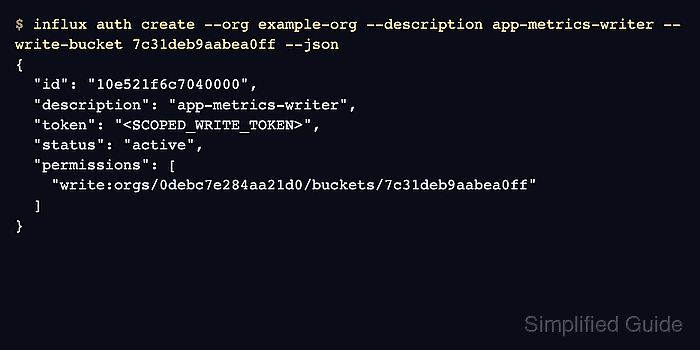
The influx auth create command creates the token authorization. Bucket-scoped flags such as --read-bucket and --write-bucket take bucket IDs, so list the bucket first and use a management token that can create authorizations.
The plaintext token value appears when the authorization is created and is not shown again by normal token listings. Store the real value immediately, then verify the scope with a permitted request and a request that fails outside the selected bucket.
Steps to create a scoped InfluxDB v2 API token:
- List the bucket ID for the target bucket.
$ influx bucket list --host http://localhost:8086 --org example-org --token <ADMIN_TOKEN>
ID			Name		Retention	Shard group duration	Organization ID		Schema Type
9b864fd131aec9bc	_monitoring	168h0m0s	24h0m0s			0debc7e284aa21d0	implicit
a0901cb43862cdb0	_tasks		72h0m0s		24h0m0s			0debc7e284aa21d0	implicit
7c31deb9aabea0ff	app-metrics	infinite	168h0m0s		0debc7e284aa21d0	implicit
Use a token with write: authorizations permission for token creation. Add --read-bucket later when the workload must query the same bucket.
Related: How to create an InfluxDB v2 bucket with retention - Create a write token scoped to the bucket ID.
$ influx auth create --host http://localhost:8086 --org example-org --token <ADMIN_TOKEN> --description app-metrics-writer --write-bucket 7c31deb9aabea0ff --json
{
	"id": "10e521f6c7040000",
	"description": "app-metrics-writer",
	"token": "<SCOPED_WRITE_TOKEN>",
	"status": "active",
	"userName": "admin",
	"userID": "10e520f7961e4000",
	"permissions": [
		"write:orgs/0debc7e284aa21d0/buckets/7c31deb9aabea0ff"
	]
}
Copy the real token value to a secret manager before closing the terminal. Token listings show authorization metadata later, but they do not return the plaintext token value.
- Save the scoped token for the current terminal session.
$ export APP_METRICS_TOKEN='<SCOPED_WRITE_TOKEN>'
Replace <SCOPED_WRITE_TOKEN> with the token returned by influx auth create. Keep real tokens out of shared transcripts, screenshots, shell history, and committed scripts.
- Check the saved authorization metadata.
$ influx auth list --host http://localhost:8086 --org example-org --token <ADMIN_TOKEN> --id 10e521f6c7040000
ID			Description		Token	User Name	User ID			Permissions
10e521f6c7040000	app-metrics-writer		admin		10e520f7961e4000	[write:orgs/0debc7e284aa21d0/buckets/7c31deb9aabea0ff]
The empty Token column is expected. Match the authorization ID, description, user, and bucket permission instead.
- Write one point to the allowed bucket with the scoped token.
$ curl --silent --show-error --include --request POST "http://localhost:8086/api/v2/write?org=example-org&bucket=app-metrics&precision=s" \
  --header "Authorization: Token ${APP_METRICS_TOKEN}" \
  --header "Content-Type: text/plain" \
  --data-raw "scoped_token_test,source=cli value=1 1735689600"
HTTP/1.1 204 No Content
X-Influxdb-Build: OSS
X-Influxdb-Version: v2.9.1
Date: Sat, 20 Jun 2026 10:20:00 GMT
HTTP 204 means InfluxDB OSS v2 accepted the write for the bucket named in the request. Use a disposable measurement or tag value when validating against a shared bucket.
Related: How to write line protocol to InfluxDB v2 - Confirm the same token cannot write outside its scope.
$ curl --silent --show-error --include --request POST "http://localhost:8086/api/v2/write?org=example-org&bucket=_tasks&precision=s" \
  --header "Authorization: Token ${APP_METRICS_TOKEN}" \
  --header "Content-Type: text/plain" \
  --data-raw "scoped_token_test,source=cli value=2 1735689600"
HTTP/1.1 403 Forbidden
Content-Type: application/json; charset=utf-8
X-Influxdb-Build: OSS
X-Influxdb-Version: v2.9.1
X-Platform-Error-Code: forbidden
Date: Sat, 20 Jun 2026 10:20:01 GMT
Content-Length: 67

{"code":"forbidden","message":"insufficient permissions for write"}
HTTP 403 confirms the token is active but lacks write permission for the requested bucket.