How to configure Telegraf to write to InfluxDB 3 Core
Configuring Telegraf to write to InfluxDB 3 Core sends collected host or application metrics into a Core database. This is useful after deploying a new Core server, adding an agent to a host, or moving metrics ingestion to InfluxDB 3 while keeping Telegraf's plugin-based collection model.
Current Telegraf releases include the outputs.influxdb_v3 plugin for InfluxDB 3 Core and InfluxDB 3 Enterprise. The output sends line protocol over the InfluxDB 3 HTTP API, and the database setting selects the Core database that receives each flushed batch.
Use a token with write permission, keep the token outside the configuration file, and test a single Telegraf collection before restarting a long-running service. For InfluxDB OSS v2, InfluxDB Cloud TSM, or older Telegraf agents, use outputs.influxdb_v2 with organization and bucket instead of the v3 database setting.
Steps to configure Telegraf output for InfluxDB 3 Core:
- Set the InfluxDB write token for the current shell.
$ export INFLUX_TOKEN='INFLUXDB_WRITE_TOKEN'
Use a token scoped for writes to the target database. Keep the real token out of shared transcripts, screenshots, issue comments, and committed files.
- Generate a Telegraf configuration with a CPU input and InfluxDB 3 output.
$ telegraf --input-filter cpu --output-filter influxdb_v3 config > telegraf.conf
The generator creates complete plugin sections for inputs.cpu and outputs.influxdb_v3. Keep existing production inputs in place when Telegraf already collects real metrics.
- Open the generated Telegraf configuration.
$ vi telegraf.conf
- Set the InfluxDB 3 output values.
- telegraf.conf
  urls = ["http://127.0.0.1:8181"]
  token = "${INFLUX_TOKEN}"
  database = "sensors"
Replace http://127.0.0.1:8181 with the Core URL that Telegraf reaches, and replace sensors with the target database.
- Set the smoke-test CPU input values.
- telegraf.conf
  percpu = false
  totalcpu = true
  collect_cpu_time = false
- Install the edited configuration as the active Telegraf file.
$ sudo install -m 640 telegraf.conf /etc/telegraf/telegraf.conf
Packaged Linux installs normally use /etc/telegraf/telegraf.conf as the main file and /etc/telegraf/telegraf.d as the config directory. If the service uses a custom --config or --config-directory path, install or edit that active path instead.
- Store the token where the packaged Telegraf service can read it.
$ sudo vi /etc/default/telegraf
- /etc/default/telegraf
INFLUX_TOKEN="INFLUXDB_WRITE_TOKEN"
DEB and RPM packages read /etc/default/telegraf for environment variables. Use your service manager or Telegraf secret store when your deployment keeps agent credentials somewhere else.
- Restrict the Telegraf environment file.
$ sudo chmod 600 /etc/default/telegraf
The environment file contains a credential. Limit read access to administrators and the service startup path.
- Test that Telegraf can load the input and configuration.
$ telegraf --config /etc/telegraf/telegraf.conf --test
2026-06-20T04:01:20Z I! Loading config: /etc/telegraf/telegraf.conf
2026-06-20T04:01:20Z I! Loaded inputs: cpu
2026-06-20T04:01:20Z W! Outputs are not used in testing mode!
> cpu,cpu=cpu-total,host=metrics-host usage_idle=99.25,usage_system=0.25,usage_user=0.25 1781928081000000000
--test proves the input plugin emits metrics and the file parses, but it intentionally does not send data to configured outputs.
- Run one Telegraf collection against the InfluxDB output.
$ telegraf --config /etc/telegraf/telegraf.conf --once
2026-06-20T04:01:21Z I! Loading config: /etc/telegraf/telegraf.conf
2026-06-20T04:01:21Z I! Loaded inputs: cpu
2026-06-20T04:01:21Z I! Loaded outputs: influxdb_v3
2026-06-20T04:01:22Z I! [agent] Stopping running outputs
--once collects one batch and sends it to the configured output, so authentication, URL reachability, and database selection are tested before the service restart.
- Restart the Telegraf service after the one-shot write succeeds.
$ sudo systemctl restart telegraf
Skip this step when Telegraf is launched by a container, supervisor, or custom unit. Restart through the runtime that owns the long-running agent process.
- Confirm the service is running.
$ systemctl is-active telegraf
active
- Set the query token for the InfluxDB CLI check.
$ export INFLUXDB3_AUTH_TOKEN="$INFLUX_TOKEN"
- Set the InfluxDB host URL when the server is not on the default local listener.
$ export INFLUXDB3_HOST_URL=http://127.0.0.1:8181
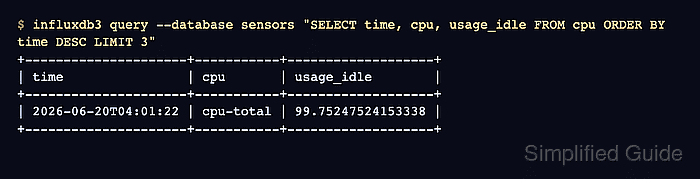
- Query the database for the metric written by Telegraf.
$ influxdb3 query --database sensors "SELECT time, cpu, usage_idle FROM cpu ORDER BY time DESC LIMIT 3"
+---------------------+-----------+-------------------+
| time                | cpu       | usage_idle        |
+---------------------+-----------+-------------------+
| 2026-06-20T04:01:22 | cpu-total | 99.75247524153338 |
+---------------------+-----------+-------------------+
A returned cpu row proves the output plugin flushed a metric into the sensors database.
Related: How to run an SQL query in InfluxDB 3 Core - Remove the temporary working copy after the active configuration is installed.
$ rm telegraf.conf