How to check InfluxDB systemd sandboxing
Checking InfluxDB 3 Core systemd sandboxing confirms that the packaged service is running with the isolation directives shipped by InfluxData. It is a read-only review for Linux operators who need to verify service confinement before placing the database on a shared or production host.
DEB and RPM installs use the influxdb3-core unit, not a hand-written service file. The unit defines the service account, writable directories, filesystem protections, namespace and syscall limits, and process visibility settings that systemd applies when the service starts.
Full sandbox support requires systemd 248 or later, and older managers can ignore unknown directives while still starting the service. Check the loaded unit, the effective security analysis, and the journal so a package upgrade or local drop-in does not silently weaken the sandbox.
Steps to check InfluxDB systemd sandboxing:
- Check the host systemd version.
$ systemctl --version
systemd 259 (259.5-0ubuntu3)
+PAM +AUDIT +SELINUX +APPARMOR +IMA +IPE +SMACK +SECCOMP +GCRYPT -GNUTLS +OPENSSL +ACL +BLKID +CURL +ELFUTILS +FIDO2 +IDN2 -IDN +KMOD +LIBCRYPTSETUP +LIBCRYPTSETUP_PLUGINS +LIBFDISK +PCRE2 +PWQUALITY +P11KIT +QRENCODE +TPM2 +BZIP2 +LZ4 +XZ +ZLIB +ZSTD +BPF_FRAMEWORK +BTF -XKBCOMMON -UTMP +SYSVINIT +LIBARCHIVE
InfluxData documents full package sandbox support for systemd 248 or later. Older managers can log Unknown lvalue for unsupported directives and continue without the affected protection.
- Inspect the loaded InfluxDB 3 Core unit and any local drop-ins.
$ systemctl --no-pager cat influxdb3-core
# /usr/lib/systemd/system/influxdb3-core.service
[Unit]
Description=InfluxDB 3 Core
After=network-online.target

[Service]
ExecStart=/usr/lib/influxdb3/python/bin/python3 /usr/lib/influxdb3/influxdb3-launcher --exec=/usr/bin/influxdb3 --flavor=core --stamp-dir=/var/lib/influxdb3 --config-toml=/etc/influxdb3/influxdb3-core.conf -- serve
StateDirectory=influxdb3
LogsDirectory=influxdb3
User=influxdb3
Group=influxdb3
UMask=0027
ProtectSystem=strict
ProtectHome=true
PrivateTmp=true
PrivateDevices=true
##### snipped #####
Any file listed under /etc/systemd/system/influxdb3-core.service.d/ overrides the packaged unit. Review those drop-ins before trusting only the vendor file.
- Confirm the service account and writable service directories.
$ systemctl show -p User -p Group -p StateDirectory -p LogsDirectory -p UMask influxdb3-core
User=influxdb3
Group=influxdb3
StateDirectory=influxdb3
LogsDirectory=influxdb3
UMask=0027
StateDirectory=influxdb3 gives the service a managed writable area under /var/lib, while LogsDirectory=influxdb3 reserves /var/log/influxdb3 even though the packaged unit writes to the journal by default.
- Confirm the host filesystem and process-view protections.
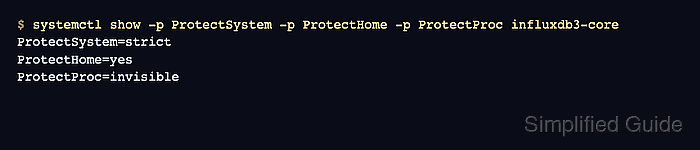
$ systemctl show -p ProtectSystem -p ProtectHome -p PrivateTmp -p PrivateDevices -p PrivateIPC -p ProtectKernelLogs -p ProtectProc -p TemporaryFileSystem influxdb3-core
ProtectSystem=strict
ProtectHome=yes
PrivateTmp=yes
PrivateDevices=yes
PrivateIPC=yes
ProtectKernelLogs=yes
ProtectProc=invisible
TemporaryFileSystem=/dev/shm:mode=1777
ProtectSystem=strict makes most host paths read-only for the service. Keep custom data and plugin paths under /var/lib/influxdb3 unless a reviewed drop-in adds the needed writable path.
- Confirm the privilege, capability, namespace, and socket-family restrictions.
$ systemctl show -p NoNewPrivileges -p RestrictSUIDSGID -p CapabilityBoundingSet -p AmbientCapabilities -p RestrictAddressFamilies -p RestrictNamespaces -p SystemCallArchitectures -p LockPersonality influxdb3-core
NoNewPrivileges=yes
RestrictSUIDSGID=yes
CapabilityBoundingSet=
AmbientCapabilities=
RestrictAddressFamilies=AF_INET AF_INET6 AF_UNIX
RestrictNamespaces=yes
SystemCallArchitectures=native
LockPersonality=yes
Empty capability sets mean the service does not receive elevated Linux capabilities. The allowed address families keep normal IP and local UNIX socket use while excluding lower-level socket families.
- Run the systemd security analyzer for the loaded unit.
$ systemd-analyze security --no-pager influxdb3-core.service
  NAME                                                        DESCRIPTION                                                                                         EXPOSURE
✓ User=/DynamicUser=                                          Service runs under a static non-root user identity
✓ NoNewPrivileges=                                            Service processes cannot acquire new privileges
✓ ProtectSystem=                                              Service has strict read-only access to the OS file hierarchy
✓ PrivateTmp=                                                 Service has no access to other software's temporary files
✓ RestrictNamespaces=~user                                    Service cannot create user namespaces
##### snipped #####
→ Overall exposure level for influxdb3-core.service: 2.2 OK :-)
The exposure score is a review aid, not a pass/fail policy. Compare the key rows and score before and after local drop-ins so intentional network, path, or plugin exceptions are visible.
- Check the journal for unsupported sandbox directives.
$ sudo journalctl --unit=influxdb3-core --grep 'Unknown lvalue' --no-pager
-- No entries --
If Unknown lvalue appears, systemd ignored that directive. Upgrade the host or remove the unsupported directive only after deciding which protection is being lost.
- Confirm the service is active under the loaded unit.
$ systemctl is-active influxdb3-core
active
The sandbox directives apply to the running service process. If the service is inactive, the unit can still be inspected, but the sandbox is not currently confining an InfluxDB process.