How to set InfluxDB 3 Core query concurrency
Setting the InfluxDB 3 Core query concurrency limit caps how many queries can run at the same time. Use it when dashboard refreshes, ad hoc SQL, or client traffic can make query execution compete with writes and background work.
For packaged Linux installs, /etc/influxdb3/influxdb3-core.conf is the service configuration file for the influxdb3-core unit. The package launcher converts TOML keys into INFLUXDB3_* environment values before it starts influxdb3 serve, so max-concurrent-queries in that file maps to the server's --max-concurrent-queries option.
A service restart is required after changing the packaged Core configuration. Pick a limit that leaves enough query slots for dashboards and operator checks, then verify the service starts cleanly and a normal query still returns rows before depending on the new limit.
Steps to set InfluxDB 3 Core query concurrency:
- Confirm the server is running a Core release that supports the query concurrency option.
$ curl --silent --show-error --header "Authorization: Bearer $INFLUX_TOKEN" http://localhost:8181/ping
{"product_name":"InfluxDB 3 Core","version":"3.10.0","revision":"a1e8994464","process_id":"58bb48d4-788d-4829-970d-eab4f9f72b54"}
Use an admin or service token with access to the local server. The max-concurrent-queries option was introduced in InfluxDB 3 Core 3.10.
- Back up the packaged Core configuration file.
$ sudo cp -a /etc/influxdb3/influxdb3-core.conf /etc/influxdb3/influxdb3-core.conf.bak
- Open the packaged Core configuration file.
$ sudoedit /etc/influxdb3/influxdb3-core.conf
- Set the query concurrency limit.
max-concurrent-queries=2
Start with a small integer that matches the host's query workload and CPU budget. This setting limits running queries; it does not change write concurrency, the query file limit, or the number of DataFusion execution threads. For Docker or a direct influxdb3 serve process, pass --max-concurrent-queries 2 after serve instead of editing the packaged TOML file.
- Confirm the saved value.
$ sudo grep --fixed-strings 'max-concurrent-queries' /etc/influxdb3/influxdb3-core.conf
max-concurrent-queries=2
- Restart the influxdb3-core service.
$ sudo systemctl restart influxdb3-core
Restarting InfluxDB 3 Core interrupts in-flight writes and queries while the process stops and starts.
- Confirm systemd reports the service as active.
$ systemctl is-active influxdb3-core
active
- Review the service log for startup errors.
$ sudo journalctl --unit=influxdb3-core --no-pager
Jun 20 09:45:31 db01 influxdb3[1842]: server starting node_id=core-01 version=3.10.0 product_name="InfluxDB 3 Core"
Jun 20 09:45:34 db01 influxdb3[1842]: startup time: 2826ms address=0.0.0.0:8181
##### snipped #####
An invalid value such as a word instead of an integer stops startup with an invalid --max-concurrent-queries error. Restore the backup or correct the value before retrying.
- Run a normal query against an existing database.
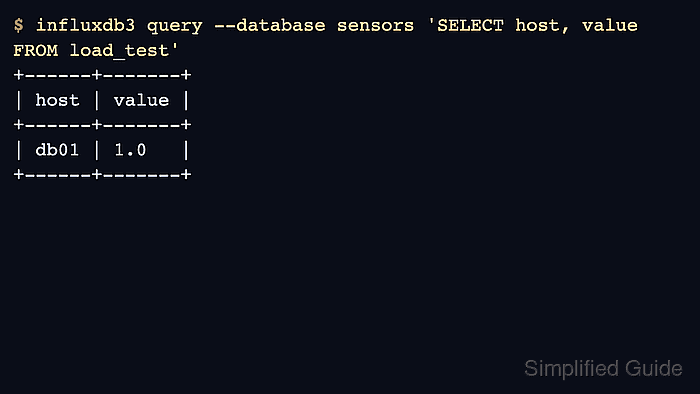
$ influxdb3 query --database sensors 'SELECT host, value FROM load_test'
+------+-------+
| host | value |
+------+-------+
| db01 | 1.0   |
+------+-------+
Replace sensors and load_test with a small table that already exists on the server. A returned row confirms the restarted query path still works.
Related: How to run an SQL query in InfluxDB 3 Core