How to create a Hyperledger Fabric ledger snapshot
A Hyperledger Fabric ledger snapshot captures a peer's channel state at a selected block height so another peer can join from that point or administrators can compare state across peers. Creating one before peer onboarding or state-integrity checks gives operators a completed snapshot directory instead of relying only on peer logs or channel height.
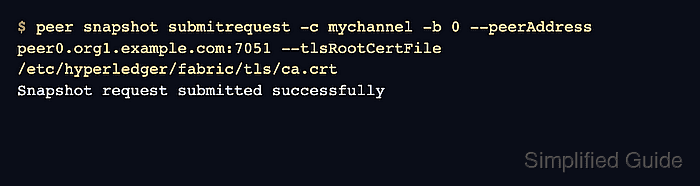
The peer snapshot command schedules the snapshot on a running peer. A request for a future block remains pending until that block is committed, while -b 0 asks the peer to snapshot the latest committed block immediately.
Snapshot generation is resource-intensive. The peer can continue answering endorsements and queries, but it does not commit blocks on that channel while the snapshot is being generated, and the snapshot is not a full peer backup because private data values, MSP material, and peer configuration are not included.
Steps to create a Hyperledger Fabric ledger snapshot:
- Open an admin shell for the peer that will create the snapshot.
The shell must use a peer MSP identity with permission to administer the target peer. Replace mychannel, peer0.org1.example.com:7051, and /etc/hyperledger/fabric/tls/ca.crt with values from the peer deployment.
- Check the current ledger height on the channel.
$ peer channel getinfo -c mychannel Blockchain info: {"height":3,"currentBlockHash":"yclwrdzBu80EjIoJgXEkCMSwGqrpn3vTnuTFBFcbTfE=","previousBlockHash":"2WtLN0J8lsNx1eMvkAtPeuo9cBdxq+OFi1hDm4FmUA8="} - Submit an immediate snapshot request.
$ peer snapshot submitrequest -c mychannel -b 0 --peerAddress peer0.org1.example.com:7051 --tlsRootCertFile /etc/hyperledger/fabric/tls/ca.crt
Snapshot request submitted successfully
Use a specific block number instead of -b 0 when multiple peers must produce snapshots at the same agreed height. Fabric rejects a snapshot request below the current channel height.
- Check pending snapshot requests for the channel.
$ peer snapshot listpending -c mychannel --peerAddress peer0.org1.example.com:7051 --tlsRootCertFile /etc/hyperledger/fabric/tls/ca.crt
Successfully got pending snapshot requests: []
An empty list after an immediate request means no scheduled snapshot is still waiting. A future-height request remains listed until that block is committed.
- List completed snapshot heights in the peer snapshot root.
$ sudo ls /var/hyperledger/production/snapshots/completed/mychannel
2
Fabric writes completed snapshots under {ledger.snapshots.rootDir}/completed/<channel>/<height>. If ledger.snapshots.rootDir is not set, the root defaults to {peer.fileSystemPath}/snapshots, commonly /var/hyperledger/production/snapshots.
- Check the files in the completed snapshot directory.
$ sudo ls /var/hyperledger/production/snapshots/completed/mychannel/2
_snapshot_additional_metadata.json
_snapshot_signable_metadata.json
public_state.data
public_state.metadata
txids.data
txids.metadata
Channels without private data collections may omit collection or private-data files. The metadata files should be present in a completed snapshot.
- Inspect the snapshot metadata.
$ sudo cat /var/hyperledger/production/snapshots/completed/mychannel/2/_snapshot_additional_metadata.json
{
    "snapshot_hash": "1390f5af8947640cad08b4bbe4e310bb628fb4ba9afedde442d8dbd12b8e21ce",
    "last_block_commit_hash": "5f88b61407b149a48413433f4670c46531e5c4a8febdc339a9536ff8716a559e"
}
Use snapshot_hash to compare snapshots produced by other peers at the same height before using the snapshot for a peer join or integrity check.