How to list installed Homebrew packages
A Homebrew prefix can grow through direct formula installs, cask apps, and dependency packages pulled in by other formulae. Reading the installed inventory before cleanup, migration, or upgrade work shows what Homebrew currently manages instead of what the shell happens to find on PATH.
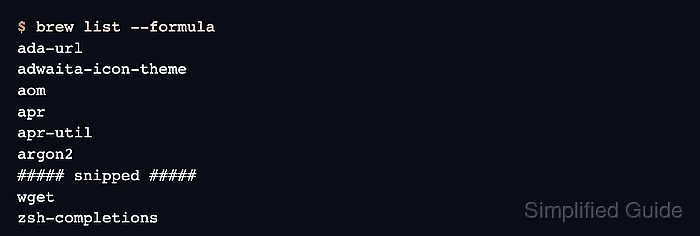
Formulae and casks use different records. Formulae usually provide command-line tools and libraries, while casks manage app bundles, fonts, plugins, and other artifacts. brew list can show both, but separated views make audits and handoffs easier to read.
Leaves narrow the formula inventory to items that are not dependencies of another installed formula or cask. That view is useful before cleanup because dependency packages can still be required even when they look unfamiliar in the full list.
Steps to list installed Homebrew packages:
- List all installed Homebrew entries.
$ brew list
ada-url
adwaita-icon-theme
aom
apr
apr-util
argon2
##### snipped #####
zsh-completions
zstd
anydesk
betterdisplay
##### snipped #####
zoom
brew list combines formulae and casks in one read-only inventory. Use the separated formula and cask lists when the package type matters.
- List only installed formulae.
$ brew list --formula
ada-url
adwaita-icon-theme
aom
apr
apr-util
argon2
##### snipped #####
wget
zsh-completions
Formulae are Homebrew packages for command-line tools, libraries, and dependencies. Use --formula when a cleanup, upgrade, or audit task should ignore app-style casks.
- List only installed casks.
$ brew list --cask
firefox
google-chrome
iterm2
postman
##### snipped #####
vlc
zed
zoom
Casks are Homebrew-managed apps, fonts, plugins, and similar artifacts. No output means Homebrew has no installed casks in the current prefix.
- Show installed formula versions.
$ brew list --versions --formula
ada-url 3.4.4
adwaita-icon-theme 50.0
aom 3.14.1
apr 1.7.6
##### snipped #####
wget 1.25.0
zsh-completions 0.36.0
--versions adds local formula versions to the inventory. For a fuller package record, inspect the package directly with brew info.
Related: How to check Homebrew package information - List formula leaves.
$ brew leaves
awscli
bash
bash-completion
dos2unix
dosbox-x
##### snipped #####
wget
zsh-completions
brew leaves lists installed formulae that are not dependencies of another installed formula or cask. Casks are not part of the leaf list.
- Limit the leaf list to formulae installed on request.
$ brew leaves --installed-on-request
awscli
bash
bash-completion
dos2unix
##### snipped #####
wget
zsh-completions
--installed-on-request keeps the final list focused on formulae Homebrew records as manually requested. If this output is shorter than brew leaves, the omitted leaf formulae were installed as dependencies.