Homebrew package names can refer to formulae, casks, aliases, or similarly named entries from different taps. Inspecting package information before an install, upgrade, pin, or troubleshooting session confirms the exact target, current version, source file, dependencies, artifacts, and install state that Homebrew knows about.
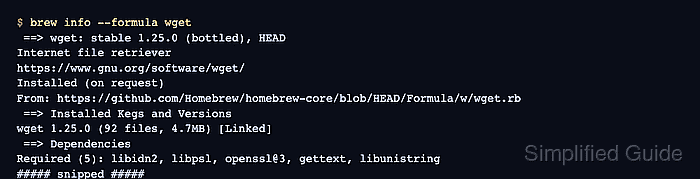
The human-readable brew info output shows the package summary, install state, source, dependencies, requirements, artifacts, caveats, and analytics without changing package state. Use --formula or --cask when the name could match more than one package type, or when the decision depends on whether Homebrew will treat the target as a command-line formula or a graphical cask.
Formula metadata and cask metadata expose different fields. A formula such as wget shows dependencies and linked kegs, while a cask such as visual-studio-code shows application artifacts and platform requirements. Version numbers, analytics counts, and source paths change over time, so match the package name and source line before using the result.
Steps to check Homebrew package information:
- Check a formula's package information.
$ brew info --formula wget
==> wget: stable 1.25.0 (bottled), HEAD
Internet file retriever
https://www.gnu.org/software/wget/
Installed (on request)
From: https://github.com/Homebrew/homebrew-core/blob/HEAD/Formula/w/wget.rb
License: GPL-3.0-or-later
==> Installed Kegs and Versions
wget 1.25.0 (92 files, 4.7MB) [Linked]
==> Dependencies
Required (5): libidn2, libpsl, openssl@3, gettext, libunistring
##### snipped #####
The first line identifies the package, current stable version, bottle availability, and optional HEAD build. The Installed and Installed Kegs and Versions sections appear only when the formula is installed locally.
Related: How to install a Homebrew formula - Check a cask's package information.
$ brew info --cask visual-studio-code
==> visual-studio-code (Microsoft Visual Studio Code, VS Code): 1.127.0 (auto_updates)
Open-source code editor
https://code.visualstudio.com/
Not installed
From: https://github.com/Homebrew/homebrew-cask/blob/HEAD/Casks/v/visual-studio-code.rb
==> Requirements
Required: macOS
==> Artifacts
Visual Studio Code.app (App)
/Applications/Visual Studio Code.app/Contents/Resources/app/bin/code (Binary)
/Applications/Visual Studio Code.app/Contents/Resources/app/bin/code-tunnel (Binary)
##### snipped #####
Cask output focuses on the application name, install state, platform requirement, and files Homebrew will place or link. Use --cask when checking desktop applications, fonts, plugins, or other cask tokens.
Related: How to install a Homebrew cask - Check the installed size for a package that is already present.
$ brew info --sizes --formula wget
==> Formulae sizes:
wget  4.7MB
Total 4.7MB
--sizes reports local installed size. It does not estimate the full download or dependency footprint for a package that is not installed.
- Print structured package metadata when another tool needs to read the result.
$ brew info --json=v2 wget visual-studio-code
{
  "formulae": [
    {
      "name": "wget",
      "full_name": "wget",
      "tap": "homebrew/core",
      "desc": "Internet file retriever",
      "versions": {
        "stable": "1.25.0",
        "head": "HEAD",
        "bottle": true
      },
##### snipped #####
  "casks": [
    {
      "token": "visual-studio-code",
      "tap": "homebrew/cask",
      "desc": "Open-source code editor",
      "version": "1.127.0",
##### snipped #####
Use --json=v2 when casks are part of the result. Homebrew's default JSON schema is v1, which is formula-only.

Mohd Shakir Zakaria is a cloud architect with deep roots in software development and open-source advocacy. Certified in AWS, Red Hat, VMware, ITIL, and Linux, he specializes in designing and managing robust cloud and on-premises infrastructures.


