How to configure an Ollama chat generator in Haystack
Local language models are useful in Haystack when prompts should stay on a workstation or private server instead of going to a hosted model API. An Ollama chat generator gives Haystack a component that sends ChatMessage prompts to a running Ollama model and returns an assistant message for the rest of a pipeline.
The current Haystack Ollama integration is installed from ollama-haystack and provides the OllamaChatGenerator class. The component needs the model name, the Ollama URL, and any generation options that should be sent with each request.
Start with a model already listed by ollama list and a project Python environment that owns the Haystack dependencies. The smoke test uses one prompt and checks the returned ChatMessage role and text so configuration errors show up before the generator is added to a larger RAG pipeline.
Steps to configure an Ollama chat generator in Haystack:
- Check that Ollama has a local chat model available.
$ ollama list
NAME           ID              SIZE     MODIFIED
gpt-oss:20b    17052f91a42e    13 GB    6 months ago
Use a model name from your own list. If no model is listed, pull one with ollama pull before configuring the Haystack generator.
- Install the Haystack Ollama integration in the project environment.
$ python -m pip install ollama-haystack
Collecting ollama-haystack
  Downloading ollama_haystack-6.7.0-py3-none-any.whl.metadata
##### snipped #####
Successfully installed haystack-ai-2.30.2 ollama-0.6.2 ollama-haystack-6.7.0
##### snipped #####
Run this command inside the virtual environment that should own the Haystack application dependencies.
Related: How to install Haystack with pip - Set the model name for the smoke test.
$ export OLLAMA_MODEL=gpt-oss:20b
Replace gpt-oss:20b with the model name returned by ollama list. Set OLLAMA_URL only when Python cannot reach Ollama at http://localhost:11434.
- Create a small generator test script.
$ cat > ollama_chat_generator_demo.py <<'PY'
import os

from haystack.dataclasses import ChatMessage
from haystack_integrations.components.generators.ollama import OllamaChatGenerator


model = os.environ.get("OLLAMA_MODEL", "gpt-oss:20b")
url = os.environ.get("OLLAMA_URL", "http://localhost:11434")

generator = OllamaChatGenerator(
    model=model,
    url=url,
    generation_kwargs={
        "temperature": 0,
        "num_predict": 256,
    },
    timeout=180,
    keep_alive="2m",
    think=False,
)

result = generator.run(
    messages=[
        ChatMessage.from_user(
            "Reply with exactly: Haystack reached Ollama over HTTP."
        )
    ]
)
reply = result["replies"][0]

print(f"model: {model}")
print(f"role: {reply.role.value}")
print(f"reply: {reply.text}")
PY
generation_kwargs passes model options to Ollama. A larger num_predict budget helps thinking-capable models finish their final answer instead of stopping after reasoning text.
- Run the script and confirm Haystack receives an assistant reply.
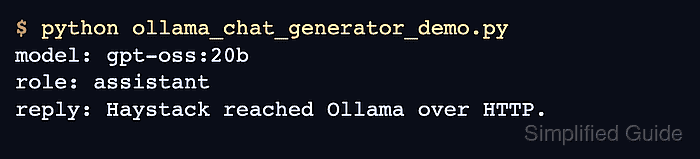
$ python ollama_chat_generator_demo.py
model: gpt-oss:20b
role: assistant
reply: Haystack reached Ollama over HTTP.
A role value of assistant and a non-empty reply line show that Haystack reached the Ollama HTTP API and converted the response into a ChatMessage.
- Remove the temporary smoke-test script after copying the configuration into the application.
$ rm ollama_chat_generator_demo.py