How to build an indexing pipeline in Haystack
Raw files do not become searchable in Haystack until an indexing pipeline converts them into Document objects and writes them to a document store. Building that path early gives a RAG or search project a repeatable ingestion boundary before retrieval and generation components depend on it.
A Pipeline connects components by named inputs and outputs. The indexing path uses TextFileToDocument for the file boundary, DocumentCleaner for normalization, DocumentSplitter for chunks, and DocumentWriter for the store handoff.
The first pass uses word-based splitting so it works with the base haystack-ai package. Sentence splitting and some converter types can need optional packages, so start with a small text fixture, prove the writer count, and add heavier converters or persistent stores after the indexing path works.
Steps to build a Haystack indexing pipeline:
- Create a folder for source documents.
$ mkdir -p source_docs
Use a Python environment where haystack-ai is installed.
Related: How to install Haystack with pip - Create a source text file for the first indexing run.
$ cat > source_docs/haystack-overview.txt <<'TXT'
Haystack pipelines connect document conversion, cleanup, splitting, and writing components.
Indexing pipelines prepare documents before a retrieval or RAG pipeline uses them.
TXT
- Create build_index.py with the pipeline components and connections.
- build_index.py
from pathlib import Path

from haystack import Pipeline
from haystack.components.converters import TextFileToDocument
from haystack.components.preprocessors import DocumentCleaner, DocumentSplitter
from haystack.components.writers import DocumentWriter
from haystack.document_stores.in_memory import InMemoryDocumentStore
from haystack.document_stores.types import DuplicatePolicy


source_file = Path("source_docs/haystack-overview.txt")
document_store = InMemoryDocumentStore()

indexing_pipeline = Pipeline()
indexing_pipeline.add_component("converter", TextFileToDocument())
indexing_pipeline.add_component("cleaner", DocumentCleaner())
indexing_pipeline.add_component(
    "splitter",
    DocumentSplitter(split_by="word", split_length=12, split_overlap=0),
)
indexing_pipeline.add_component(
    "writer",
    DocumentWriter(document_store=document_store, policy=DuplicatePolicy.OVERWRITE),
)

indexing_pipeline.connect("converter.documents", "cleaner.documents")
indexing_pipeline.connect("cleaner.documents", "splitter.documents")
indexing_pipeline.connect("splitter.documents", "writer.documents")

result = indexing_pipeline.run({"converter": {"sources": [source_file]}})

print(f"documents_written={result['writer']['documents_written']}")
print(f"documents_in_store={document_store.count_documents()}")
DuplicatePolicy.OVERWRITE keeps reruns from failing in stores that reuse document IDs. Choose a stricter policy when duplicate detection should block repeated writes.
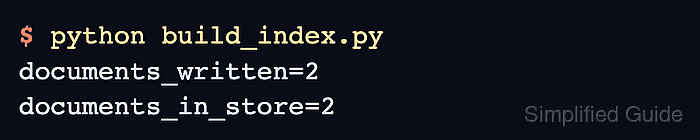
- Run the indexing pipeline and confirm that the writer count matches the store count.
$ python build_index.py
documents_written=2
documents_in_store=2
documents_written comes from DocumentWriter, and documents_in_store comes from InMemoryDocumentStore.count_documents(). Matching values confirm that the pipeline wrote both split chunks.