How to enable the HAProxy stats page
When HAProxy is already routing traffic, operators often need a quick live view of frontends, backends, server health, and counters without opening the runtime socket. The built-in stats page exposes that view over HTTP, so the access path and authentication need to be deliberate before it is enabled.
The stats page is configured inside a proxy section with stats enable, a listener address from bind, and a URL path from stats uri. A dedicated frontend stats section keeps the dashboard separate from application traffic and makes it clear which address and port should answer stats requests.
Bind the example listener to loopback unless a private management network and firewall rule are already in place. Add stats auth for Basic authentication, hide the HAProxy version, validate the complete configuration, and prove both the unauthenticated challenge and the authenticated HTML response after the reload.
Steps to enable the HAProxy stats page:
- Choose the stats listener address, URL path, and credentials.
The example uses 127.0.0.1:8404 and /stats so the page is reachable only from the HAProxy host or through a tunnel. Use a private management address only when network access is restricted to trusted operators or monitoring systems.
- Open the active HAProxy configuration file.
$ sudoedit /etc/haproxy/haproxy.cfg
Package-managed Debian and Ubuntu hosts commonly use /etc/haproxy/haproxy.cfg. Use the exact file or file list loaded by the HAProxy service on other platforms.
- Add a dedicated stats frontend.
frontend stats
    mode http
    bind 127.0.0.1:8404
    stats enable
    stats uri /stats
    stats refresh 10s
    stats realm HAProxy\ Statistics
    stats auth admin:change-this-password
    stats hide-version
Directive What it controls bind 127.0.0.1:8404 Sets the address and port that serve the dashboard. stats enable Enables the stats page in this proxy section. stats uri /stats Sets the dashboard path. stats refresh 10s Adds browser auto-refresh to the HTML page. stats realm HAProxy\ Statistics Sets the Basic authentication realm shown by browsers. Escape spaces with a backslash. stats auth admin:change-this-password Requires Basic authentication for the dashboard. Replace the sample password before reloading. stats hide-version Removes the HAProxy version from the page output. Do not add stats admin to a read-only dashboard. Administrative stats actions can change backend server state and should be limited to a separate, tightly restricted operator path when needed.
- Validate the complete HAProxy configuration.
$ sudo haproxy -c -V -f /etc/haproxy/haproxy.cfg
Configuration file is valid
-c parses the configuration and exits before replacing the running process. -V prints the success line; automation should still rely on the command exit status.
- Reload HAProxy after the validation succeeds.
$ sudo systemctl reload haproxy
A failed validation blocks the reload. Fix the reported file and line before trying to apply the stats listener.
Related: How to reload HAProxy gracefully
- Request the stats page without credentials.
$ curl -sS -o /dev/null -w "%{http_code}\n" http://127.0.0.1:8404/stats
401
HTTP 401 confirms that the listener is present and Basic authentication is being requested. If the endpoint returns 200 without credentials, review the stats auth line before exposing the page beyond an isolated local test.
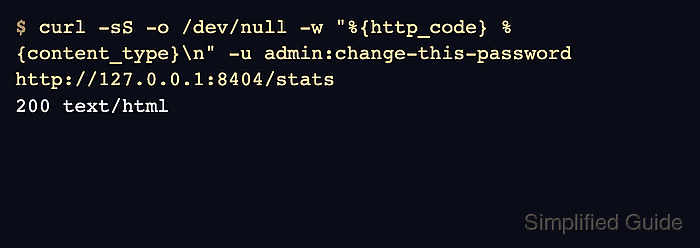
- Request the stats page with the configured credentials.
$ curl -sS -o /dev/null -w "%{http_code} %{content_type}\n" -u admin:change-this-password http://127.0.0.1:8404/stats
200 text/html
Use the real operator account and password after replacing the sample credential in the configuration.
- Check the CSV stats view when a script or monitoring probe needs machine-readable output.
$ curl -sS -u admin:change-this-password 'http://127.0.0.1:8404/stats;csv'
# pxname,svname,qcur,qmax,scur,smax,slim,stot,bin,bout ##### snipped #####
stats,FRONTEND,,,1,2,256,3 ##### snipped #####
web,FRONTEND,,,0,0,256,0 ##### snipped #####
app_servers,app1,0,0,0,0,,0 ##### snipped ##### DOWN ##### snipped #####
app_servers,BACKEND,0,0,0,0,26,0 ##### snipped ##### DOWN ##### snipped #####
The CSV output lists the stats listener and the other proxy sections from the same running HAProxy process. Backend rows marked DOWN usually mean the stats page is working and the backend health state needs separate review.