How to route HTTP traffic by hostname with HAProxy
Multiple web applications can share one HAProxy listener only when each hostname is sent to the backend that owns it. A missing or broad host rule can make app.example.com reach an API pool, send an unknown host to a production app, or hide the mistake until DNS starts pointing real users at the proxy.
HAProxy makes this decision in an HTTP frontend. An ACL can inspect the request Host header with req.hdr(host), and use_backend sends matching requests to a named backend before the default_backend handles everything else.
HAProxy must already be installed, the listener must run in mode http, and each backend must be reachable from the HAProxy host. For HTTPS traffic, terminate TLS in HAProxy before using HTTP Host-header ACLs; pure TCP pass-through can route by SNI, but it cannot inspect the decrypted HTTP Host header.
Steps to route HTTP traffic by hostname with HAProxy:
- Confirm that each backend application responds from the HAProxy host.
$ curl -sS http://10.0.20.11:8080/
app backend
$ curl -sS http://10.0.20.21:8080/
api backend
$ curl -sS http://10.0.20.31:8080/
default backend
Use the same backend address, port, scheme, and readiness path that HAProxy will use. A hostname route can validate cleanly and still fail at runtime if the selected backend is unreachable from the proxy network.
- Open the HAProxy configuration file.
$ sudoedit /etc/haproxy/haproxy.cfg
Package-managed Debian and Ubuntu hosts commonly load /etc/haproxy/haproxy.cfg through the haproxy service. Keep existing global settings, logging, user, group, and runtime socket lines unless the deployment manages them in another included file.
- Add the HTTP frontend ACLs, backend selection rules, and backend pools.
- /etc/haproxy/haproxy.cfg
defaults
    log global
    mode http
    option httplog
    timeout connect 5s
    timeout client 30s
    timeout server 30s

frontend fe_http
    bind :80
    acl host_app req.hdr(host) -i app.example.com www.app.example.com
    acl host_api req.hdr(host) -i api.example.com
    use_backend be_app if host_app
    use_backend be_api if host_api
    default_backend be_default

backend be_app
    mode http
    balance roundrobin
    server app1 10.0.20.11:8080 check
    server app2 10.0.20.12:8080 check

backend be_api
    mode http
    balance roundrobin
    server api1 10.0.20.21:8080 check

backend be_default
    mode http
    server fallback1 10.0.20.31:8080 check
Line What it controls acl host_app req.hdr(host) -i app.example.com www.app.example.com Matches the HTTP Host header for the application hostnames, ignoring case. use_backend be_app if host_app Sends matching requests to the application backend. default_backend be_default Handles hosts that do not match a specific rule. server app1 10.0.20.11:8080 check Adds a backend target and enables a basic active health check. Keep a deliberate default_backend. Sending unmatched hosts to a small fallback page or error service is easier to audit than accidentally serving one of the real applications.
If another process already listens on port 80, change the HAProxy bind address or stop the conflicting service before reload.
Tool: HAProxy Backend Config Generator can prepare the backend pool blocks, but the hostname ACLs and use_backend rules still need to match the frontend's routing policy.
- Validate the complete HAProxy file before touching the running service.
$ sudo haproxy -c -V -f /etc/haproxy/haproxy.cfg
Configuration file is valid
-c checks the configuration and exits. -V prints the visible success message; scripts should still use the command exit status.
- Reload HAProxy after the configuration check passes.
$ sudo systemctl reload haproxy
A failed validation blocks the reload. Fix the reported file and line, then run the same haproxy -c -V -f command again before applying the change.
Related: How to reload HAProxy gracefully
- Request the HAProxy listener with the application hostname.
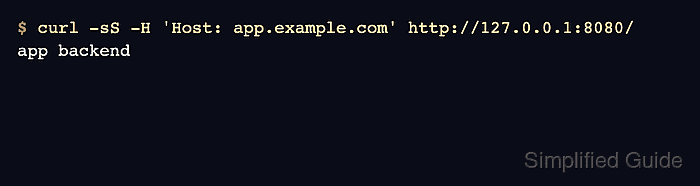
$ curl -sS -H 'Host: app.example.com' http://127.0.0.1:8080/
app backend
Replace 127.0.0.1:8080 with the HAProxy listener address being tested. Supplying the Host header explicitly is useful for local tests before DNS points the hostname at the proxy.
- Request the same listener with the API hostname.
$ curl -sS -H 'Host: api.example.com' http://127.0.0.1:8080/
api backend
- Request the same listener with an unmatched hostname.
$ curl -sS -H 'Host: unknown.example.com' http://127.0.0.1:8080/
default backend
If every request reaches the default backend, check the incoming Host value, the spelling of each ACL value, mode http on the frontend, and whether the test URL is adding a port to the Host header.