How to troubleshoot HAProxy HTTP 503 backend errors
An HAProxy HTTP 503 response with the default message usually means the frontend accepted the request but HAProxy could not hand it to a usable backend server. The browser symptom can look like an application outage, but first prove whether HAProxy selected no server, a health check marked every server down, or the backend listener stopped answering from the HAProxy host.
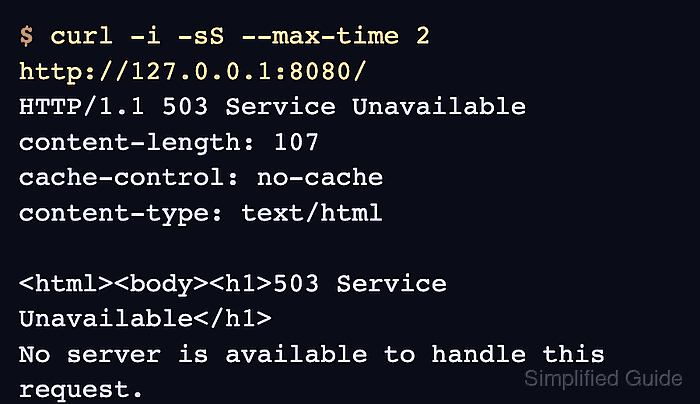
For backend-driven 503 errors, the evidence comes from the same failing request, the HAProxy request log, and the live backend state. A log entry that shows be_app/<NOSRV> points at server selection or backend availability, while the runtime socket or stats page shows whether each server is UP, DOWN, drained, or in maintenance.
Commands assume a package-managed HAProxy service on a Linux host, with the main configuration at /etc/haproxy/haproxy.cfg and a runtime socket at /run/haproxy/admin.sock. Do not reload HAProxy until a changed configuration validates cleanly; if the root cause is an application server that stopped listening, restore that backend first and let the configured health checks bring it back into rotation.
Steps to troubleshoot HAProxy HTTP 503 backend errors:
- Reproduce the failing request from a shell so the response is captured exactly.
$ curl -i -sS --max-time 5 http://www.example.com/
HTTP/1.1 503 Service Unavailable
content-length: 107
cache-control: no-cache
content-type: text/html

<html><body><h1>503 Service Unavailable</h1>
No server is available to handle this request.
</body></html>
Use the real URL, port, path, and Host header that users hit. A 503 from HAProxy proves that the proxy answered, but it does not yet prove whether the backend process, health check, route rule, queue, or server state caused the failure.
- Identify the frontend and backend that should handle the URL.
frontend fe_app
    bind :80
    acl host_app hdr(host) -i www.example.com
    use_backend be_app if host_app

backend be_app
    option httpchk GET /healthz
    http-check expect status 200
    server app1 10.0.10.11:8080 check
    server app2 10.0.10.12:8080 check
If the request is routed by host, path, SNI, or another ACL, confirm the rule that chooses the backend before changing server lines. A wrong backend selection can create the same 503 symptom even when another pool is healthy.
- Check the HAProxy log for the same request window.
$ sudo journalctl -u haproxy --no-pager --since "10 minutes ago"
##### snipped
Jun 05 21:53:47 proxy01 haproxy[3141]: backend 'be_app' has no server available!
Jun 05 21:53:47 proxy01 haproxy[3141]: 192.0.2.50:53260 [05/Jun/2026:21:53:47.987] fe_app be_app/<NOSRV> 0/-1/-1/-1/0 503 217 - - SC-- 1/1/0/0/0 0/0 "GET / HTTP/1.1"
In the standard HTTP log format, be_app/<NOSRV> means the request reached backend be_app but HAProxy did not select a server for it. Health-check messages near the same time often name the server and the lower-level reason, such as a Layer 4 connection failure or an HTTP readiness status mismatch.
Related: How to configure HAProxy logging
- Inspect live server state for the affected backend.
$ printf "show servers state be_app\n" | sudo socat - UNIX-CONNECT:/run/haproxy/admin.sock
1
# be_id be_name srv_id srv_name srv_addr srv_op_state ##### snipped srv_port
3 be_app 1 app1 10.0.10.11 0 ##### snipped 8080
3 be_app 2 app2 10.0.10.12 0 ##### snipped 8080
In show servers state output, srv_op_state value 0 means the server is down and value 2 means it is fully up. If the runtime socket is not enabled, open the HAProxy stats page and check the same backend/server rows there.
Related: How to enable the HAProxy runtime socket
Related: How to enable the HAProxy stats page - Test the backend readiness endpoint from the HAProxy host or the same network path.
$ curl -i -sS --max-time 5 http://10.0.10.11:8080/healthz
curl: (7) Failed to connect to 10.0.10.11 port 8080 after 0 ms: Could not connect to server
Match the server address, port, scheme, path, and Host header used by the HAProxy health check. A TCP connection failure points at the backend listener, firewall, route, or configured address; an HTTP response such as 404 or 500 points at the health-check URI, Host header, application readiness logic, or expected-status rule.
- Apply the smallest fix that matches the observed signal.
Observed signal Focused fix to test be_app/<NOSRV> and every server has srv_op_state 0 Restore at least one server, remove unintended drain or maintenance state, or correct the backend selected by the frontend rule. Health check reports Layer4 connection problem or Connection refused Start the application listener, correct the server address or port, or fix the network path from the HAProxy host to the backend. Health check reaches the server but fails on HTTP status Correct option httpchk, http-check send, http-check expect, Host header, or the application's readiness endpoint. $ sudo systemctl restart app.service $ curl -i -sS --max-time 5 http://10.0.10.11:8080/healthz HTTP/1.1 200 OK Content-Type: text/plain ok
Do not disable health checks or force a server up to hide the 503 unless an incident owner has accepted the risk. HAProxy may then send user traffic to a backend that is still unreachable or failing readiness.
- If a backend configuration line changed, validate the complete HAProxy file before reloading.
$ sudo haproxy -c -V -f /etc/haproxy/haproxy.cfg
Configuration file is valid
-c parses the configuration and exits without replacing the running process. -V prints the success message; without it, a clean check may only return exit status 0.
- Reload HAProxy only when the validation passes and the fix touched HAProxy configuration.
$ sudo systemctl reload haproxy
If only the backend application was restarted or its readiness endpoint recovered, a HAProxy reload is not required. Wait for the configured rise count so HAProxy can mark the server up again.
Related: How to reload HAProxy gracefully
- Confirm that HAProxy has at least one usable server in the affected backend.
$ printf "show servers state be_app\n" | sudo socat - UNIX-CONNECT:/run/haproxy/admin.sock
1
# be_id be_name srv_id srv_name srv_addr srv_op_state ##### snipped srv_port
3 be_app 1 app1 10.0.10.11 2 ##### snipped 8080
3 be_app 2 app2 10.0.10.12 0 ##### snipped 8080
A mixed state is acceptable when the backend pool is designed to run with more than one server and at least one eligible server can serve the request. Investigate any remaining 0 rows before closing the incident if redundancy is part of the service requirement.
- Retest the original request and confirm that it no longer returns HAProxy's 503 page.
$ curl -i -sS --max-time 5 http://www.example.com/
HTTP/1.1 200 OK
Content-Type: text/plain

backend ok
Use the same URL and Host header from the first step. A successful backend response plus a runtime state of 2 for at least one server proves that the original 503 symptom has been cleared for that route.