How to configure connection limits in HAProxy
A traffic spike can fill HAProxy connection slots or pin a slow backend before CPU or memory alarms explain the outage. Connection limits set ceilings at the process, listener, and server layers so excess work is queued or rejected instead of letting one frontend or backend consume every available slot.
HAProxy applies maxconn in different places. The global value caps the whole process, a frontend or listen value caps one listener, and a server line value caps work sent to a backend target. In current HAProxy HTTP mode, server maxconn limits concurrent requests unless strict-maxconn is used on HAProxy 3.2 or newer to enforce a hard server-side TCP connection cap.
Pick numbers from measured backend capacity, open-file headroom, queue tolerance, and traffic shape rather than copying one high value into every section. A missing global maxconn can fall back to the process open-file limit, while a server limit that is too low creates HAProxy queues and eventually 503 Service Unavailable responses when timeout queue expires.
Steps to configure HAProxy connection limits:
- Choose the HAProxy layer that should enforce each cap.
Layer Setting Scope Process global maxconn Total active connections handled by the HAProxy process. Listener frontend maxconn or listen maxconn Connections accepted by one public entry point before new connections wait in the socket queue. Backend server server ... maxconn Work sent to one backend target before requests or connections queue behind that server. - Open the active HAProxy configuration file.
$ sudoedit /etc/haproxy/haproxy.cfg
- Add process, listener, queue, and backend server limits.
global
    maxconn 60000

defaults
    mode http
    timeout connect 5s
    timeout client 50s
    timeout server 50s
    timeout queue 10s

frontend fe_web
    bind :80
    maxconn 20000
    default_backend be_web

backend be_web
    balance roundrobin
    server app01 10.0.10.11:8080 check maxconn 800 strict-maxconn
    server app02 10.0.10.12:8080 check maxconn 800 strict-maxconn
Remove strict-maxconn on HAProxy packages older than 3.2, or when server maxconn only needs to cap concurrent HTTP requests instead of total server-side TCP connections.
Do not tune every limit upward at once. A larger process limit may also need a matching service or operating-system open-file limit, while a smaller server limit can turn normal bursts into queues and 503 responses.
- Validate the configuration file before reloading HAProxy.
$ sudo haproxy -c -f /etc/haproxy/haproxy.cfg
The command exits successfully when HAProxy finds no fatal configuration error. Some packages also print Configuration file is valid.
- Reload HAProxy to apply the validated limits.
$ sudo systemctl reload haproxy
Related: How to reload HAProxy gracefully
- Check the active process cap when the runtime socket is enabled.
$ printf 'show info\n' | sudo socat - /run/haproxy/admin.sock
Name: HAProxy
Version: 3.2.9-1ubuntu2.1
##### snipped #####
Maxconn: 8
Hard_maxconn: 8
CurrConns: 0
##### snipped #####
The low Maxconn value shown here comes from a staging proof with deliberately small limits. On a production host, Maxconn and Hard_maxconn should match the process limit configured in the global section.
- Hold one request open through a staging listener whose backend server limit is intentionally low.
$ curl -sS http://127.0.0.1:8080/ > /tmp/haproxy-held-request.txt
Use a disposable or staging listener for this low-limit test. Do not force artificial 503 responses through a production frontend just to prove the cap.
- Request the same staging listener from a second terminal.
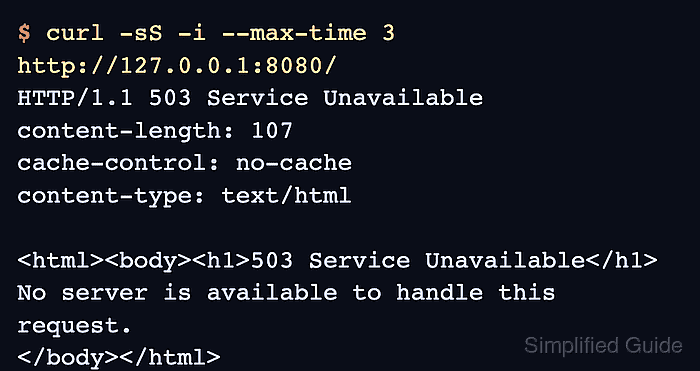
$ curl -sS -i --max-time 3 http://127.0.0.1:8080/
HTTP/1.1 503 Service Unavailable
content-length: 107
cache-control: no-cache
content-type: text/html

<html><body><h1>503 Service Unavailable</h1>
No server is available to handle this request.
</body></html>
The second request is rejected after the held request occupies the only backend slot and timeout queue expires. If the second request waits and then succeeds, another server slot was available or the queue timeout is longer than the client timeout.
- Confirm the held request completed.
$ cat /tmp/haproxy-held-request.txt
slow backend ok
- Remove the temporary staging output file.
$ rm /tmp/haproxy-held-request.txt