How to migrate a Grafana API key to a service account token
Migrating a legacy Grafana API key to a service account token moves automation away from a deprecated credential type while keeping the same HTTP API authentication pattern. Service account tokens belong to named non-human accounts, so scripts, CI jobs, and integrations can be audited, rotated, and disabled without depending on a user account.
The replacement token should keep only the role the automation needs. A legacy API key may have been created with Admin, Editor, or Viewer access, but the migration is a good point to choose the narrowest service account role that still lets the job call its required endpoints.
Service account tokens are shown only when they are created. Store the new token in the automation secret store, test the same API request that used the old key, and revoke the old key or migrated token only after every client has switched.
Steps to migrate a Grafana API key to a service account token:
- Identify the API request that still uses the legacy key.
$ curl --header "Authorization: Bearer $GRAFANA_API_KEY" https://grafana.example.com/api/org
{"id":1,"name":"Main Org.","address":{"address1":"","address2":"","city":"","zipCode":"","state":"","country":""}}
The service account token uses the same Authorization: Bearer header format, so this check identifies the request that must still succeed after the credential swap.
- Create a service account for the automation.
$ curl --request POST --user "$GRAFANA_ADMIN_USER:$GRAFANA_ADMIN_PASSWORD" --header "Content-Type: application/json" --data '{"name":"ci-dashboard-sync","role":"Viewer"}' https://grafana.example.com/api/serviceaccounts
{"id":2,"name":"ci-dashboard-sync","login":"sa-1-ci-dashboard-sync","orgId":1,"isDisabled":false,"role":"Viewer","tokens":0,"avatarUrl":""}
Use an administrator account or another identity with service account writer permission. If the API Keys page still shows the old key, Administration → Users and access → API Keys can migrate that key into a service account before you rotate clients to a fresh token.
- Generate a token for the service account.
$ curl --request POST --user "$GRAFANA_ADMIN_USER:$GRAFANA_ADMIN_PASSWORD" --header "Content-Type: application/json" --data '{"name":"ci-dashboard-sync-token","secondsToLive":2592000}' https://grafana.example.com/api/serviceaccounts/2/tokens
{"id":8,"name":"ci-dashboard-sync-token","key":"glsa_xxxxxxxxxxxxxxxxxxxxxxxxxxxxxxxx_01234567"}
Copy the token immediately. Grafana shows the token secret only once, and anyone with the value can use the service account permissions until the token expires or is revoked.
- Store the service account token where the automation reads secrets.
Use the CI secret store, deployment secret manager, or application-specific credential vault used by the existing job. Do not commit the token value to source control.
- Replace the old API key variable in the client configuration.
GRAFANA_URL=https://grafana.example.com
GRAFANA_TOKEN=glsa_xxxxxxxxxxxxxxxxxxxxxxxxxxxxxxxx_01234567
The request header normally does not change when the old code already used Authorization: Bearer. The secret value changes from the legacy API key to the service account token.
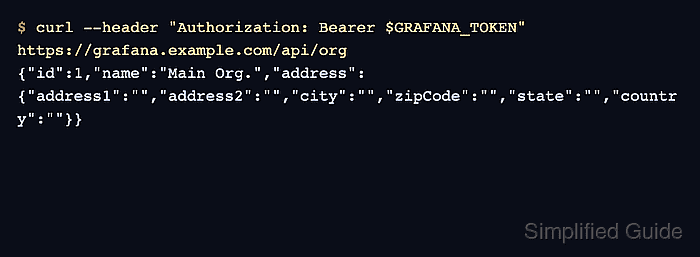
- Test the service account token against a simple Grafana API endpoint.
$ curl --header "Authorization: Bearer $GRAFANA_TOKEN" https://grafana.example.com/api/org {"id":1,"name":"Main Org.","address":{"address1":"","address2":"","city":"","zipCode":"","state":"","country":""}} - Run the original automation API call with the service account token.
$ curl --header "Authorization: Bearer $GRAFANA_TOKEN" https://grafana.example.com/api/folders
[{"id":-1,"uid":"sharedwithme","title":"Shared with me"}]
Use the endpoint that the old key actually supported. A read-only job might check folders or dashboards, while a provisioning job should test the create, update, or import action it performs in production.
- Check token metadata after the successful request.
$ curl --user "$GRAFANA_ADMIN_USER:$GRAFANA_ADMIN_PASSWORD" https://grafana.example.com/api/serviceaccounts/2/tokens
[{"id":7,"name":"legacy-dashboard-sync-key","created":"2026-06-18T10:15:00Z","lastUsedAt":"2026-06-18T12:01:30Z","expiration":null,"secondsUntilExpiration":0,"hasExpired":false,"isRevoked":false},{"id":8,"name":"ci-dashboard-sync-token","created":"2026-06-19T22:33:15Z","lastUsedAt":"2026-06-19T22:33:15Z","expiration":"2026-07-19T22:33:15Z","secondsUntilExpiration":2591990,"hasExpired":false,"isRevoked":false}]
lastUsedAt on the new token should update after the smoke test. Keep the old token until every scheduled job, integration, and deployment environment has run with the replacement.
- Delete the old migrated token after every client has switched.
$ curl --request DELETE --user "$GRAFANA_ADMIN_USER:$GRAFANA_ADMIN_PASSWORD" https://grafana.example.com/api/serviceaccounts/2/tokens/7 --write-out "%{http_code}\n"
200
Delete only the old token ID. Removing the new token immediately breaks every client that already switched to the service account token.
- Remove automation that creates legacy API keys.
Replace calls to the old /api/auth/keys endpoint with service account and token creation through Grafana's service account API, or manage tokens through the Service accounts UI when creation is a manual administration task.