How to add a Git worktree for a branch
Switching branches inside one checkout can interrupt unfinished work, test runs, or review context. A Git worktree gives the branch its own directory, so the main checkout can stay on main while the branch files sit beside it.
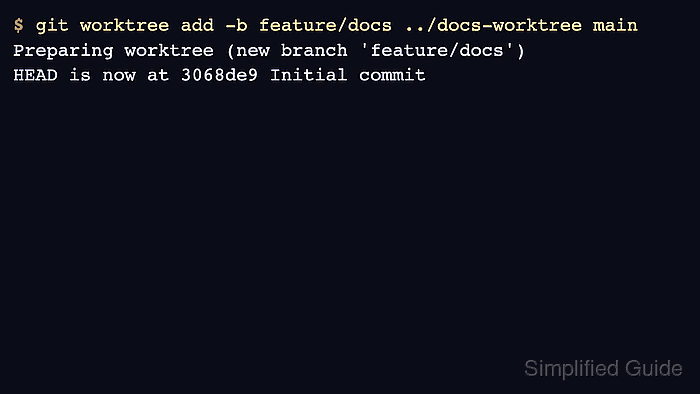
git worktree add -b <branch> <path> <start-point> creates a new branch from the chosen start point and checks it out in the new directory. The linked worktree shares the same repository objects and refs, but it has its own HEAD, index, and working tree files.
Use this from an existing repository when the new branch should start from a known point such as main. The examples use feature/docs and ../docs-worktree; replace both with names that match the branch and sibling directory needed for the task.
Related: How to create and switch to a Git branch
Related: How to configure sparse checkout in Git
Related: How to delete a local Git branch
Steps to add a Git worktree for a branch:
- Open a terminal in the existing repository that should own the linked worktree.
$ cd project
- Confirm the current branch and check for local changes before creating another checkout.
$ git status --short --branch
## main
No file-status lines below ## main means Git sees no staged, unstaged, or untracked files in this checkout.
- Add a linked worktree and create the branch in that directory.
$ git worktree add -b feature/docs ../docs-worktree main
Preparing worktree (new branch 'feature/docs')
HEAD is now at 3068de9 Initial commit
-b feature/docs creates the branch, ../docs-worktree is the new directory, and main is the start point. Omit the final start point only when the branch should start at the current HEAD.
- List worktrees from the original repository.
$ git worktree list
/tmp/project       3068de9 [main]
/tmp/docs-worktree 3068de9 [feature/docs]
The original worktree remains on main, and the linked worktree has feature/docs checked out.
- Confirm the original checkout still reports its original branch.
$ git status --short --branch
## main
- Enter the linked worktree and confirm that it is on the new branch.
$ cd ../docs-worktree
$ git status --short --branch
## feature/docs
- Make the branch-specific change in the linked worktree, then commit it there.
$ git add notes.md
$ git commit -m 'Add docs notes'
[feature/docs b5fa9f6] Add docs notes
 1 file changed, 1 insertion(+)
 create mode 100644 notes.md
The branch name in the commit output confirms the commit was recorded on feature/docs.
- Check that the new commit belongs to the linked worktree branch while main still marks the starting commit.
$ git log --oneline --decorate -2
b5fa9f6 (HEAD -> feature/docs) Add docs notes
3068de9 (main) Initial commit
- Remove the linked worktree when the branch directory is no longer needed.
$ cd ../project
$ git worktree remove ../docs-worktree
$ git worktree list
/tmp/project 3068de9 [main]
git worktree remove removes only the linked worktree directory. Delete or merge the branch separately when the branch itself is no longer needed.
Related: How to delete a local Git branch