How to prune stale remote branches in Git
Stale Git remote-tracking branches appear when a branch has been deleted on the remote repository but a local clone still lists the old origin/<branch> name. Pruning removes those local tracking names so remote branch lists match what the remote currently advertises. It does not delete local branches or branch names that still exist on the remote server.
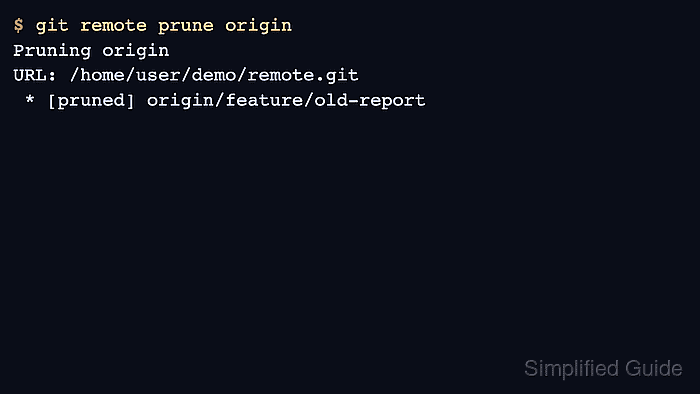
git remote prune origin contacts the configured remote, compares its advertised refs with the local refs/remotes/origin/... refs, and deletes local entries that no longer have a matching remote branch. The dry-run option reports the names that would be removed before changing the local repository.
These steps assume the clone already has a reachable remote named origin and uses the normal branch-tracking refspec created by an ordinary clone. Mirror-style remotes or explicit tag refspecs can make pruning affect more than remote-tracking branch names, so check the remote configuration before pruning a specialized mirror repository.
Related: How to delete a remote Git branch
Related: How to delete a local Git branch
Steps to prune stale remote branches in Git:
- Open a terminal inside the repository clone that still shows deleted remote branch names.
- List the current remote-tracking branches.
$ git branch -r
  origin/feature/old-report
  origin/main
- Preview which stale remote-tracking refs Git would prune from origin.
$ git remote prune origin --dry-run
Pruning origin
URL: /home/user/demo/remote.git
 * [would prune] origin/feature/old-report
If the dry run prints no [would prune] lines, the remote is still advertising the branch names or the local remote-tracking refs are already clean.
- Prune the stale remote-tracking refs from the local clone.
$ git remote prune origin
Pruning origin
URL: /home/user/demo/remote.git
 * [pruned] origin/feature/old-report
Pruning removes local origin/<branch> tracking names only. Do not treat it as a merge check or as proof that branch work can be discarded.
Use git fetch --prune origin instead when you also want to fetch current remote updates during the same network operation.
- Confirm the stale branch no longer appears in the remote branch list.
$ git branch -r
  origin/main