How to amend the last Git commit
Amending the last Git commit replaces the current branch tip when the newest commit needs corrected content, a clearer message, or fixed author metadata before it is shared. Use it for local or private commits because the amended commit receives a new hash and the old tip stops being the branch head.
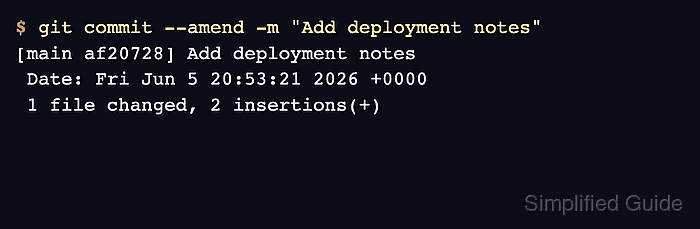
git commit –amend builds the replacement commit from the current index, starts from the previous commit message unless a new message is supplied, and keeps the same parent commit. The branch name moves to the replacement commit after the command succeeds, so git log should show a different short hash at the top.
Start from the repository that owns the commit, stage only the correction that belongs in that commit, and decide whether the message should change. If the commit has already been pushed, coordinate with teammates before rewriting the shared branch and use the team's force-push policy instead of amending quietly.
Related: How to stage file changes in Git
Related: How to stage part of a file in Git
Related: How to view Git commit history
Related: How to recover a lost Git commit with reflog
Steps to amend the last Git commit:
- Open a terminal and change into the repository that contains the commit to amend.
$ cd /home/user/project
- Check the working tree so only the intended correction is included.
$ git status --short
 M docs/notes.md
No output means there are no unstaged or untracked changes. If unrelated files appear, stash, commit, or discard them before amending. Related: How to stash uncommitted changes in Git
- Stage the file correction that should become part of the last commit.
$ git add docs/notes.md
Use partial staging when only some hunks in the file belong in the amended commit. Related: How to stage part of a file in Git
- Record the current tip so the hash change is visible after the amend.
$ git log --oneline -1
961349f Add release notes
- Amend the last commit with the staged content and corrected message.
$ git commit --amend -m "Add deployment notes"
[main af20728] Add deployment notes
 Date: Fri Jun 5 20:53:21 2026 +0000
 1 file changed, 2 insertions(+)
Use --no-edit instead of -m when the existing commit message should stay. Add --author="Example User <user@example.net>" only when the author line is the part being corrected.
git commit –amend rewrites the current branch tip. Do not amend a commit that teammates have already based work on unless the team has agreed to rewrite that branch.
- Confirm that the newest commit now has the replacement hash and message.
$ git log --oneline -2
af20728 Add deployment notes
e6d8203 Create deployment checklist
- Inspect the amended commit summary before pushing or continuing.
$ git show --stat --oneline HEAD
af20728 Add deployment notes
 docs/notes.md | 2 ++
 1 file changed, 2 insertions(+)
- Confirm the working tree is clean after the amend.
$ git status --short
No output from git status --short means the staged correction was included in the amended commit and no new file changes remain.