How to remove untracked files with git clean
Untracked files can be scratch notes, generated build output, or accidental local files that are visible in a repository but not part of any commit. git clean removes those paths from the working tree, so preview the exact removal list before running the command that deletes files.
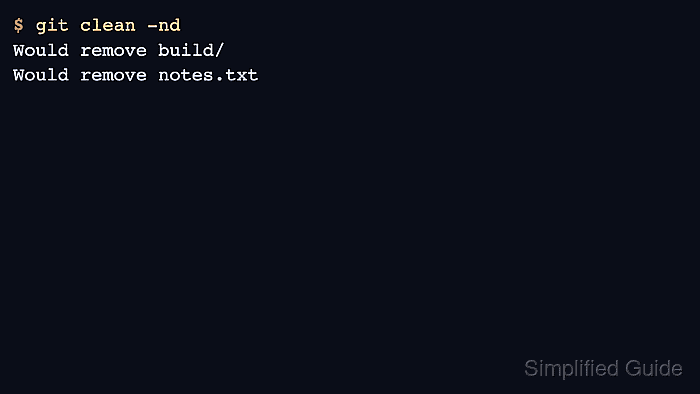
git clean -n prints what would be removed without deleting anything. Add -d when untracked directories should be included, and use -f only after the dry-run list matches the files and directories that should disappear.
Regular git clean -fd runs leave ignored files in place. Use -X only when ignored build output should be removed, or -x when both ignored and non-ignored untracked files should be included. Tracked changes are not affected by git clean; stash, commit, or restore them separately before cleaning the working tree.
Related: Stash uncommitted changes in Git
Related: Ignore files with .gitignore
Related: Discard tracked file changes with git restore
Steps to remove untracked files with git clean:
- Open a terminal in the repository and check which untracked paths are visible.
$ git status --short
?? build/
?? notes.txt
In short status output, ?? marks paths that Git does not track. Ignored files do not appear in this normal status view.
- Preview the untracked files that git clean would remove.
$ git clean -n
Would remove notes.txt
Without -d, git clean does not recurse into untracked directories when no path is specified. The dry run lists only the untracked file in this checkout.
- Include untracked directories in the dry run when generated folders should also be removed.
$ git clean -nd
Would remove build/
Would remove notes.txt
Review every path in the dry-run output before continuing. Files removed by git clean are not restored from commit history because Git was not tracking them.
- Delete the listed untracked files and directories after the dry run matches the intended cleanup.
$ git clean -fd
Removing build/
Removing notes.txt
The -f flag is required unless clean.requireForce has been disabled in Git configuration. To clean only selected paths, name them after --, for example git clean -fd -- build/ notes.txt.
- Confirm that short status no longer lists untracked paths.
$ git status --short
No output from git status –short means there are no staged, unstaged, or non-ignored untracked paths in the working tree.
- Check for ignored files when build output or logs still need cleanup.
$ git status --ignored --short
!! cache/
!! debug.log
In ignored status output, !! marks paths hidden by ignore rules such as .gitignore, .git/info/exclude, or a global ignore file.
- Preview ignored-file cleanup before deleting ignored paths.
$ git clean -ndX
Would remove cache/
Would remove debug.log
git clean -fdX removes only ignored files and directories. git clean -fdx removes ignored files plus any other untracked files that still exist, so use the lowercase form only when that broader cleanup is intended.
- Remove the ignored files after the ignored dry run matches the intended cleanup.
$ git clean -fdX
Removing cache/
Removing debug.log
- Verify that ignored paths are gone as well.
$ git status --ignored --short
No output from the ignored status check means the working tree has no visible untracked files and no ignored files left to report.