How to back up and restore a Git repository with a bundle
A Git bundle is useful when a repository must move through an offline handoff, backup medium, or air-gapped review path without exposing a network remote. The restore test matters because a bundle file can exist while still missing the refs needed to recreate the repository state the next operator expects.
git bundle create writes Git objects and refs into one file that git clone, git fetch, git pull, and git ls-remote can read like a read-only repository. For a full repository backup, --all packages the repository refs and records HEAD so a plain clone can check out the default branch.
The command sequence was verified in a fresh Ubuntu 26.04 container with Git 2.53.0. Commit or otherwise preserve work outside the refs being bundled, because the bundle is not a filesystem backup of ignored files, uncommitted changes, hooks, or per-repository config.
Related: How to create an archive from a Git repository
Related: How to clone a Git repository
Related: How to create a Git release tag
Steps to back up and restore a Git repository with a bundle:
- Open a terminal in the repository that needs a bundle backup.
- Confirm the source repository is on the expected branch and has no uncommitted file changes.
$ git status --short --branch
## main
Commit, stash, or discard working-tree changes before creating the backup. A bundle stores committed history reachable from refs, not unsaved file edits.
- List the local branches that should be present in the restored repository.
$ git branch --list
  feature/docs
* main
If an important branch is missing, create or fetch it before creating the bundle.
- List the tags that should travel with the backup.
$ git tag --list
v1.0.0
Tags are included by --all because they are refs. If release tags are required for restore verification, confirm them before moving the bundle file.
- Create the bundle outside the repository directory.
$ git bundle create ../project.bundle --all
Replace ../project.bundle with the backup path or transfer path for the bundle file. The --all option is the full-backup shape from the Git bundle documentation.
- Verify that the bundle is readable and self-contained.
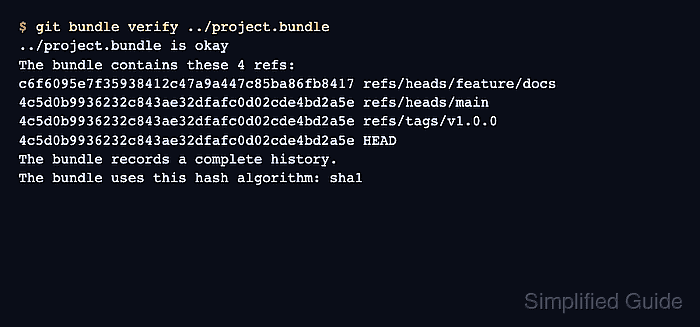
$ git bundle verify ../project.bundle
../project.bundle is okay
The bundle contains these 4 refs:
c6f6095e7f35938412c47a9a447c85ba86fb8417 refs/heads/feature/docs
4c5d0b9936232c843ae32dfafc0d02cde4bd2a5e refs/heads/main
4c5d0b9936232c843ae32dfafc0d02cde4bd2a5e refs/tags/v1.0.0
4c5d0b9936232c843ae32dfafc0d02cde4bd2a5e HEAD
The bundle records a complete history.
The bundle uses this hash algorithm: sha1
Look for is okay and records a complete history. A bundle with prerequisites must be verified in the recipient repository before it can be treated as restorable there.
- Inspect the refs exposed by the bundle before moving it.
$ git ls-remote ../project.bundle
4c5d0b9936232c843ae32dfafc0d02cde4bd2a5e	HEAD
4c5d0b9936232c843ae32dfafc0d02cde4bd2a5e	refs/tags/v1.0.0
4c5d0b9936232c843ae32dfafc0d02cde4bd2a5e	refs/heads/main
c6f6095e7f35938412c47a9a447c85ba86fb8417	refs/heads/feature/docs
This check uses the bundle as a read-only Git source. Confirm that the expected branch and tag refs are listed before storing or transferring the file.
- Restore-test the bundle by cloning it into a fresh directory.
$ cd ..
$ git clone project.bundle project-restored
Cloning into 'project-restored'...
Clone into a new directory for the restore test. Do not restore over an existing working tree unless the old directory has already been backed up or removed intentionally.
- Open the restored clone and confirm the branch refs.
$ cd project-restored
$ git branch --all
* main
  remotes/origin/HEAD -> origin/main
  remotes/origin/feature/docs
  remotes/origin/main
The default branch is checked out as main. Other bundled branches appear as remote-tracking refs under origin until they are checked out locally.
- Confirm that the expected tag is available in the restored clone.
$ git tag --list
v1.0.0
- Check the restored history across all bundled refs.
$ git log --oneline --decorate --all --graph
* 4c5d0b9 (HEAD -> main, tag: v1.0.0, origin/main, origin/HEAD) Update README
| * c6f6095 (origin/feature/docs) Add bundle notes
|/
* e6d57c9 Initial project
The restored clone is ready when the default branch, tag, and non-default branch history match the source repository expectations.