A release tag gives a chosen Git commit a version name that build scripts, deployment records, and other developers can resolve later. Use an annotated tag for a release because the tag stores its own message, tagger identity, timestamp, and object ID instead of only acting as a temporary pointer.
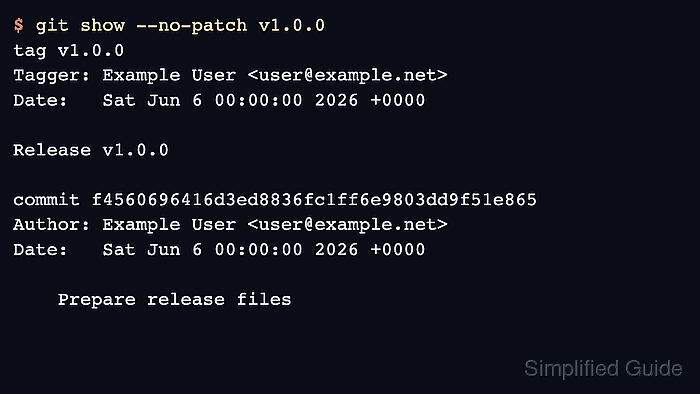
git tag -a creates the annotated tag in the local repository, and git show proves which commit the tag names before anything is pushed. Tags do not travel with a normal branch push by default, so publish the specific release tag to origin when other clones, CI jobs, or package workflows need to see it.
These steps assume the release commit is already committed on the branch that should be tagged and the clone can push tags to origin. Do not reuse an existing public tag name for a different commit; create a new release tag or coordinate a documented correction with the project owner.
Steps to create a Git release tag:
- Open a terminal inside the repository clone that contains the release commit.
- Confirm the branch and working tree before tagging.
$ git status --short --branch
## main...origin/main
No file rows below the branch line means no staged or unstaged changes are waiting to be included before the release tag is created.
- Resolve the commit that should receive the release tag.
$ git rev-parse --short HEAD
f456069
Replace HEAD with a commit ID when the release tag should point at an earlier committed revision.
- Create an annotated release tag.
$ git tag -a v1.0.0 -m 'Release v1.0.0'
Use the version naming pattern required by the project, such as v1.0.0, 2026.06.06, or release-2026-06. Omit -m only when the editor should open for a longer tag message.
- Confirm that the tag exists locally.
$ git tag --list 'v1.0.0'
v1.0.0
- Inspect the tag object before publishing it.
$ git show --no-patch v1.0.0
tag v1.0.0
Tagger: Example User <user@example.net>
Date:   Sat Jun 6 00:00:00 2026 +0000

Release v1.0.0

commit f4560696416d3ed8836fc1ff6e9803dd9f51e865
Author: Example User <user@example.net>
Date:   Sat Jun 6 00:00:00 2026 +0000

    Prepare release files
The commit ID should match the release commit resolved before the tag was created. The tag section above the commit confirms that this is an annotated tag rather than a lightweight tag.
- Push only the new release tag to the remote.
$ git push origin v1.0.0
To git@repo.example.net:team/project.git
 * [new tag]         v1.0.0 -> v1.0.0
Use a single tag name instead of --tags when the task is publishing one release. --tags sends every local tag that the remote does not already have.
- Verify that the remote advertises the tag.
$ git ls-remote --tags origin v1.0.0
6c8e2df0c7b0d22f76f0e8adb2a847c3d9d89ea3	refs/tags/v1.0.0
The object ID on this line is the remote tag object for the annotated tag. Use git fetch --tags from another clone when another operator needs to confirm the tag from their workstation.

Mohd Shakir Zakaria is a cloud architect with deep roots in software development and open-source advocacy. Certified in AWS, Red Hat, VMware, ITIL, and Linux, he specializes in designing and managing robust cloud and on-premises infrastructures.


