How to merge a Git branch into main
A completed branch is not part of the release line until main points at the branch history or records a merge commit that includes it. Merging from the main branch keeps the target explicit, reduces the chance of merging in the wrong direction, and gives one final check that the working tree is clean before the branch is deleted or pushed.
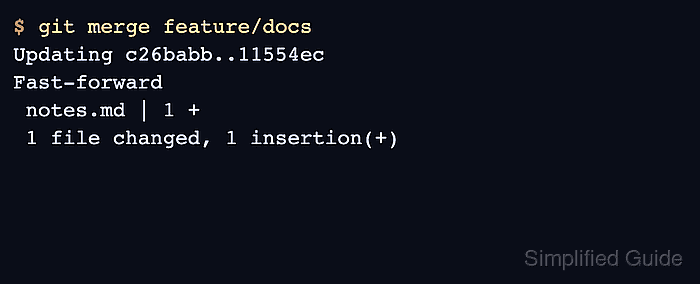
git merge incorporates commits from the named branch into the current branch. When main has not moved since the branch was created, Git normally fast-forwards main to the branch tip; when both branches have new commits, Git may create a merge commit or stop for conflict resolution.
The commands below were verified in an isolated Ubuntu 26.04 container with the distribution Git package. Start with the feature branch committed and reviewed, use the project's actual branch name in place of feature/docs, and fetch or pull first when a shared remote branch must be current before the local merge.
Related: How to create and switch to a Git branch
Related: How to rebase a Git branch onto main
Steps to merge a Git branch into main:
- Open a terminal in the repository that contains the completed branch.
- Confirm that the feature branch has no uncommitted changes before merging it.
$ git status --short --branch
## feature/docs
Commit, stash, or discard unrelated work before switching branches so the merge result only contains committed branch history.
- Review the commits that are on the feature branch but not yet on main.
$ git log --oneline --decorate main..feature/docs
11554ec (HEAD -> feature/docs) Add docs notes
The range main..feature/docs lists commits reachable from feature/docs that are not reachable from main.
- Switch to main as the merge target.
$ git switch main
Switched to branch 'main'
If main tracks a remote branch, update it with the project's normal fetch or pull policy before merging local work.
- Merge the completed branch into main.
$ git merge feature/docs
Updating c26babb..11554ec
Fast-forward
 notes.md | 1 +
 1 file changed, 1 insertion(+)
Default Git behavior fast-forwards when possible. If project policy requires a merge commit, use git merge --no-ff feature/docs; if it requires refusing non-fast-forward merges, use git merge --ff-only feature/docs.
- Verify that main now points at the branch commit.
$ git log --oneline --decorate --graph -3
* 11554ec (HEAD -> main, feature/docs) Add docs notes
* c26babb Initial project
In a fast-forward merge, HEAD -> main and feature/docs can point at the same commit. In a merge-commit result, HEAD -> main points at the new merge commit instead.
- Confirm that the working tree is clean after the merge.
$ git status --short --branch
## main
If Git stops with conflicts instead of completing the merge, resolve the files and continue the merge before deleting the branch.
Related: How to resolve a Git merge conflict
Related: How to delete a local Git branch