How to update the Gentoo system profile
A Gentoo profile update changes the defaults that Portage uses to resolve packages, USE flags, toolchain assumptions, init-system choices, and filesystem layout expectations. Selecting the wrong replacement profile can leave Portage building for the wrong target even when the symlink change itself appears to work.
Related: How to switch a Gentoo profile
Related: How to read Gentoo news items
Related: How to update a Gentoo world set
Profile updates are announced through Gentoo news because some releases require more than a simple eselect profile set. The 23.0 profile transition, for example, keeps split-usr and merged-usr layouts separate during the profile change, then rebuilds toolchain packages before the full world rebuild.
Treat the profile path, CHOST value, and usr layout as pre-change evidence before modifying anything. The profile selection should match the current system role first, then the rebuild should prove that Portage, the toolchain, and the world set are using the new profile.
Steps to update the Gentoo system profile:
- Sync the Gentoo repository and read any profile-update news item before changing the active profile.
$ sudo emaint --auto sync
>>> Syncing repository 'gentoo' ...
>>> Sync completed for gentoo

$ sudo eselect news list
News items:
  [1]  2024-03-22  Profile upgrade to version 23.0 available
Run sudo eselect news read <number> for any profile-upgrade item that matches the system. Gentoo profile news can contain architecture-specific rebuild, CHOST, binhost, or filesystem-layout instructions that override a generic profile switch.
- Record the current profile and CHOST value before selecting a replacement profile.
$ eselect profile show
Current /etc/portage/make.profile symlink:
  default/linux/amd64/17.1/desktop

$ emerge --info
Portage 3.0.66 (default/linux/amd64/17.1/desktop, gcc-13, glibc-2.39-r7, 6.6.21-gentoo-dist x86_64)
=================================================================
System uname: Linux-6.6.21-gentoo-dist-x86_64-AMD_Ryzen
##### snipped #####
CBUILD="x86_64-pc-linux-gnu"
CHOST="x86_64-pc-linux-gnu"
USE="X acl alsa cups dbus gtk ipv6 qt6 udev wayland"
##### snipped #####
Keep the old profile path and CHOST value available until the rebuild is complete. For the 23.0 transition, Gentoo instructs users to remove manually set CHOST lines from /etc/portage/make.conf before selecting the new profile.
- Bring the current profile fully up to date and review depclean before the profile change.
$ sudo emerge --ask --verbose --update --deep --newuse @world
These are the packages that would be merged, in order:

Calculating dependencies... done!
##### snipped #####

$ sudo emerge --ask --depclean
Calculating dependencies... done!
>>> No packages selected for removal by depclean
Do not proceed if the update or depclean proposal removes expected system, toolchain, boot, network, or desktop packages. Resolve that under the old profile first.
- List available profiles and choose the matching replacement profile by full path.
$ eselect profile list
Available profile symlink targets:
  [1]   default/linux/amd64/23.0 (stable)
  [2]   default/linux/amd64/23.0/split-usr (stable)
  [3]   default/linux/amd64/23.0/desktop (stable)
  [4]   default/linux/amd64/23.0/split-usr/desktop (stable)
  [5]   default/linux/amd64/23.0/systemd (stable)
##### snipped #####

$ sudo eselect profile set default/linux/amd64/23.0/split-usr/desktop
When moving from 17.1 to 23.0, do not change split-usr to merged-usr during the profile selection. Gentoo's 23.0 profile news item says an old split-usr OpenRC profile should move to the matching 23.0/split-usr profile first; any usr-merge migration is a separate task after the profile update.
- Confirm that eselect now points Portage at the new profile.
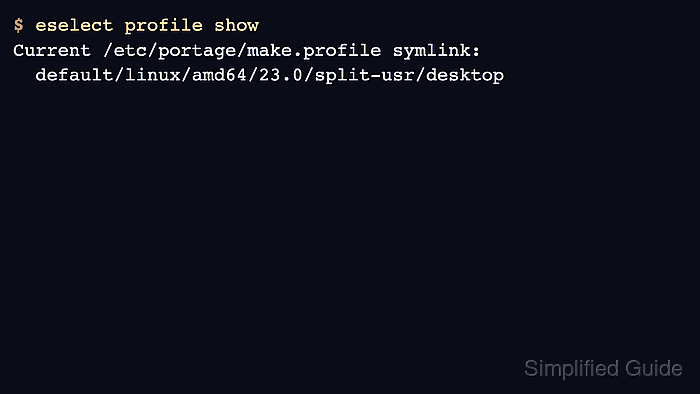
$ eselect profile show
Current /etc/portage/make.profile symlink:
  default/linux/amd64/23.0/split-usr/desktop
If the path is wrong, set the correct profile before rebuilding packages. The number assigned to a profile can change as repository profiles change, so the full path is safer in saved procedures.
- Run the rebuild sequence required by the profile news item.
$ sudo rm -r /var/cache/binpkgs/*

$ sudo emerge --ask --oneshot sys-devel/binutils
Calculating dependencies... done!
>>> Emerging (1 of 1) sys-devel/binutils-2.42-r6

$ sudo emerge --ask --oneshot sys-devel/gcc
Calculating dependencies... done!
>>> Emerging (1 of 1) sys-devel/gcc-13.3.1_p20240614

$ sudo emerge --ask --oneshot sys-libs/glibc
Calculating dependencies... done!
>>> Emerging (1 of 1) sys-libs/glibc-2.39-r7

$ sudo env-update
>>> Regenerating /etc/ld.so.cache...
$ source /etc/profile

$ sudo emerge --ask --oneshot libtool
Calculating dependencies... done!
>>> Emerging (1 of 1) dev-build/libtool-2.4.7-r3

$ sudo rm -r /var/cache/binpkgs/*

$ sudo emerge --ask --emptytree @world
Calculating dependencies... done!
##### snipped #####
The command block above follows the current 23.0 glibc profile-update sequence. Musl systems rebuild sys-libs/musl instead of sys-libs/glibc. For a smaller same-generation profile switch, the news item may only require emerge –ask –verbose –update –deep –newuse @world.
- Remove unused packages after the rebuild only after reviewing the package list.
$ sudo emerge --ask --depclean
Calculating dependencies... done!
>>> No packages selected for removal by depclean
Stop and inspect the dependency graph if depclean proposes removing packages that provide boot, network, login, compiler, or desktop functionality you still use.
- Verify that Portage reports the new profile and the expected CHOST after the rebuild.
$ eselect profile show
Current /etc/portage/make.profile symlink:
  default/linux/amd64/23.0/split-usr/desktop

$ emerge --info
Portage 3.0.66 (default/linux/amd64/23.0/split-usr/desktop, gcc-13, glibc-2.39-r7, 6.6.21-gentoo-dist x86_64)
=================================================================
System uname: Linux-6.6.21-gentoo-dist-x86_64-AMD_Ryzen
##### snipped #####
CBUILD="x86_64-pc-linux-gnu"
CHOST="x86_64-pc-linux-gnu"
USE="X acl alsa cups dbus gtk ipv6 qt6 udev wayland"
##### snipped #####
The profile path should show the selected 23.0 profile, and CHOST should either match the pre-change value or match the change explicitly required by the profile news item.