How to read Gentoo news items
Gentoo news items carry repository-delivered notices for profile migrations, package removals, security-sensitive transitions, and other changes that should be reviewed before the next package merge. When Portage reports unread news after a repository sync, clear the news state only after the item has been read and any required follow-up has been noted.
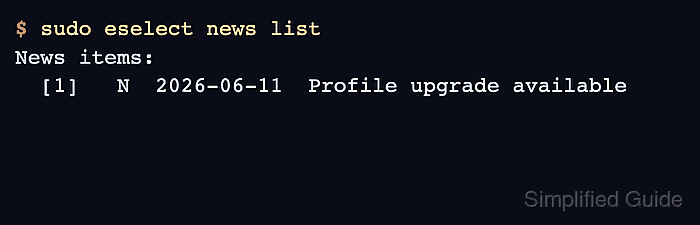
The eselect news module reads items from the repositories known to Portage and tracks read state under /var/lib/gentoo/news. An unread item appears with N in the list output, and reading it moves the item from the unread state to the read state for that repository.
Run the read command with privileges when the item should be marked read, because updating the read and unread lists requires write access to the news state directory. Use a specific item number when only one notice is ready to acknowledge, or new when every unread item is being handled during the same maintenance pass.
Related: How to sync the Gentoo repository
Related: How to update a Gentoo world set
Related: How to update the Gentoo system profile
Steps to read Gentoo news items:
- Count unread news items before starting a package maintenance pass.
$ sudo eselect news count
1
Portage also reports unread news after repository syncs and some package calculations. A count of 0 means there are no unread items to acknowledge.
Related: How to sync the Gentoo repository
- List the news items and note the number of any unread entry.
$ sudo eselect news list
News items:
  [1]   N  2026-06-11  Profile upgrade available
The N marker identifies unread news. Use the number in brackets with eselect news read <number> when only one item should be read.
- Read the selected news item before accepting the related package or profile change.
$ sudo eselect news read 1
2026-06-11-profile-upgrade
  Title                     Profile upgrade available
  Author                    Gentoo Authors <dev@gentoo.org>
  Posted                    2026-06-11
  Revision                  1

Read the profile migration notes before accepting the next world update.
Do not mark a news item read until migration instructions, rebuild requirements, profile notes, or configuration changes in the body have been handled or recorded for follow-up.
Related: How to update a Gentoo world set
Related: How to update the Gentoo system profile - Read all unread items in one pass only when every listed notice can be reviewed together.
$ sudo eselect news read new
With no item number, eselect news read defaults to unread news. The explicit new selector makes the batch-read intent clearer in maintenance notes and shell history.
- Confirm that no unread news remains for the repositories on the system.
$ sudo eselect news count
0
If the count is still greater than 0, run sudo eselect news list again and read the remaining unread item numbers before continuing with the package operation.