How to install GRUB on Gentoo
A Gentoo install is not ready to boot just because sys-boot/grub has been emerged. Portage places the GRUB utilities in the target filesystem, while grub-install writes the firmware-facing loader and grub-mkconfig creates the menu that points at the installed kernel. The unsafe failure mode is a successful package merge followed by a reboot into firmware, another operating system, or a blank GRUB prompt because the EFI System Partition, boot disk, or kernel detection step was wrong.
Current Gentoo amd64 installs usually boot through native UEFI with the EFI System Partition mounted at /efi. That layout lets grub-install copy support files into /boot/grub, place the GRUB EFI loader under the EFI System Partition, and create a firmware boot entry through efibootmgr. Legacy BIOS systems use the same package and configuration flow, but the install command targets the whole boot disk, such as /dev/sda, instead of an EFI System Partition mount point.
The kernel and any required initramfs must already exist under /boot before generating the GRUB configuration. Do not reboot until grub-mkconfig reports at least one Linux image, because an empty generated menu can leave the machine at a GRUB shell or firmware boot screen. Dual-boot detection is optional on Gentoo and may require sys-boot/os-prober plus an explicit /etc/default/grub setting.
Related: How to enter a Gentoo chroot
Related: How to configure a Gentoo kernel with genkernel
Related: How to edit Gentoo make.conf
Steps to install GRUB on Gentoo:
- Work from the installed Gentoo system or from the installation chroot.
When using live media, enter the target system first so the commands write /boot, /etc/default/grub, and /etc/grub.d in the installed Gentoo tree.
- Confirm that EFI variables are available on a UEFI install.
# findmnt /sys/firmware/efi/efivars
TARGET                         SOURCE    FSTYPE   OPTIONS
/sys/firmware/efi/efivars      efivarfs  efivarfs rw,nosuid,nodev,noexec,relatime
If this path is missing on a UEFI system, boot the live image in UEFI mode or remount efivarfs read-write before running grub-install. Legacy BIOS installs do not use efivarfs.
- Mount the EFI System Partition.
# mount /efi
Use the mount point from /etc/fstab. If the EFI System Partition is mounted at /boot/efi, use /boot/efi in the later grub-install command instead of /efi.
- Verify the EFI System Partition mount.
# findmnt /efi
TARGET SOURCE         FSTYPE OPTIONS
/efi   /dev/nvme0n1p1 vfat   rw,noatime
Do not run grub-install until the mounted path is the real EFI System Partition. A missing or wrong mount can put the EFI loader in an ordinary directory and leave firmware unable to boot Gentoo.
- Check the GRUB platform that Portage will build.
# portageq envvar GRUB_PLATFORMS
efi-64
Current amd64 profiles normally include efi-64 for UEFI. If a UEFI system prints only pc or omits efi-64, set GRUB_PLATFORMS="efi-64" in /etc/portage/make.conf before installing GRUB. For Legacy BIOS installs, pc is the expected platform.
- Install the GRUB package.
# emerge --ask --verbose --newuse --deep sys-boot/grub
The --newuse and --deep options rebuild GRUB when GRUB_PLATFORMS changes. With an EFI platform enabled, sys-boot/grub also pulls in sys-boot/efibootmgr for firmware boot-entry handling.
- Install GRUB to the UEFI boot path.
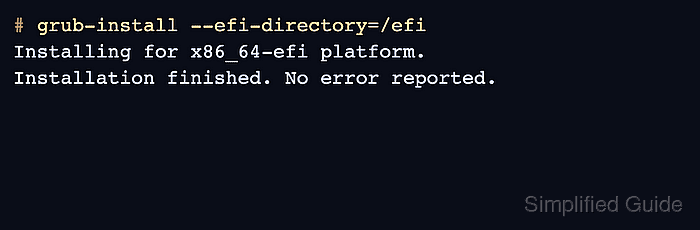
# grub-install --efi-directory=/efi
Installing for x86_64-efi platform.
Installation finished. No error reported.
If the EFI System Partition is mounted at /boot/efi, run grub-install without an extra option or pass --efi-directory=/boot/efi. On Legacy BIOS systems, install to the whole boot disk instead, for example grub-install /dev/sda, not to a partition such as /dev/sda1.
- Generate the GRUB configuration.
# grub-mkconfig -o /boot/grub/grub.cfg
Generating grub.cfg ...
Found linux image: /boot/vmlinuz-6.12.21-gentoo
Found initrd image: /boot/initramfs-genkernel-amd64-6.12.21-gentoo
done
If no Linux image is found, stop and check that /boot is mounted and that the Gentoo kernel files exist before rebooting.
- Verify the UEFI boot entry.
# efibootmgr
BootCurrent: 0003
Timeout: 1 seconds
BootOrder: 0004,0003
Boot0004* gentoo HD(1,GPT,12345678-1234-1234-1234-123456789abc)File(\EFI\gentoo\grubx64.efi)
##### snipped #####
Legacy BIOS systems do not have efibootmgr output. For those systems, the successful grub-install message and a successful reboot from the selected disk are the relevant checks.
- Exit the chroot when using live media.
# exit
- Unmount the installed Gentoo tree.
# umount -R /mnt/gentoo
Skip this step when the commands were run from the installed system itself rather than from live media.
- Reboot the machine.
# reboot
- Boot from the internal disk.
- Confirm that the GRUB menu appears and that Gentoo starts from the listed kernel.