How to remove a service from firewalld
Removing a firewalld service from a zone closes the predefined port and helper allowance represented by that service profile. Check the zone first, because removing http from the wrong zone has no effect on the traffic path, while removing it from the active zone can immediately block clients.
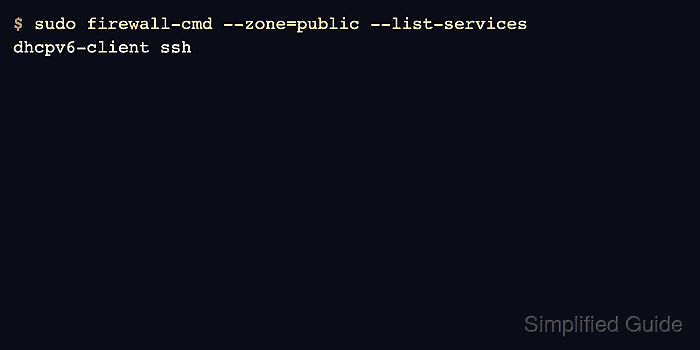
The example removes the http service from the public zone. A service removal does not stop the web server; it only removes the firewalld service allowance that let clients reach it through that zone.
Remove both runtime and permanent entries when the service should close now and stay closed after reloads. If a raw port, rich rule, source-zone assignment, policy, or direct rule still allows the same traffic, remove that separate allowance as well.
Related: Allow a service in firewalld
Related: Close a port in firewalld
Related: Troubleshoot blocked firewalld connections
Steps to remove a firewalld service:
- Confirm that firewalld is running before changing service rules.
$ sudo firewall-cmd --state
running
- Identify the zone that handles the service traffic.
$ sudo firewall-cmd --get-active-zones
public (default)
  interfaces: enp1s0
Related: Check active firewalld zones
- Check whether the service is active in the runtime zone.
$ sudo firewall-cmd --zone=public --query-service=http
yes
- Check whether the service is saved permanently.
$ sudo firewall-cmd --permanent --zone=public --query-service=http
yes
- Remove the service from the runtime zone for immediate effect.
$ sudo firewall-cmd --zone=public --remove-service=http
success
- Remove the service from permanent configuration.
$ sudo firewall-cmd --permanent --zone=public --remove-service=http
success
- Validate the saved firewalld configuration.
$ sudo firewall-cmd --check-config
success
- Reload firewalld so runtime state matches permanent policy.
$ sudo firewall-cmd --reload
success
- Verify that the runtime zone no longer includes the service.
$ sudo firewall-cmd --zone=public --query-service=http
no
- List the permanent services for the zone.
$ sudo firewall-cmd --permanent --zone=public --list-services
dhcpv6-client ssh
- Test the application from a client path that previously used the service.
$ curl -m 3 http://app01.example.net/
curl: (28) Connection timed out after 3000 milliseconds
A timeout proves only that this client path cannot reach the listener. If the request still succeeds, check raw ports, rich rules, policies, direct rules, upstream firewalls, and any alternate zone binding.