How to save firewalld runtime rules permanently
A firewalld runtime rule is a safe way to test a firewall change before writing it to disk. If the rule stays only in runtime, a reload, service restart, or reboot replaces it with the permanent configuration and the tested allowance disappears.
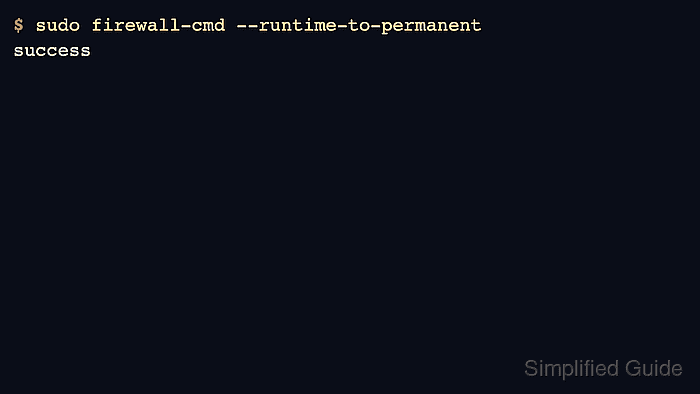
firewall-cmd --runtime-to-permanent copies the active runtime configuration into the permanent configuration. It is meant for the moment after runtime rules have been tested and before the host is reloaded, restarted, patched, or handed over to normal maintenance.
The command saves the runtime view as a whole, not one selected port or service. Compare the runtime and permanent output for the affected zone first, especially on hosts where another administrator may have staged permanent-only changes that have not been loaded into runtime.
Related: Check firewalld status
Related: Open a permanent port in firewalld
Related: Allow a service in firewalld
Steps to save firewalld runtime rules permanently:
- Confirm that firewalld is running.
$ firewall-cmd --state
running
- Identify the zone that contains the tested runtime rule.
$ firewall-cmd --get-active-zones
public
  interfaces: enp1s0
If the host has more than one active zone, save only after checking the zone where the runtime rule was tested.
Related: Check active firewalld zones
- Review the active runtime rule inventory for that zone.
$ firewall-cmd --zone=public --list-all
public (active)
  target: default
  icmp-block-inversion: no
  interfaces: enp1s0
  sources:
  services: dhcpv6-client ssh
  ports: 8080/tcp
  protocols:
  forward: yes
  masquerade: no
  forward-ports:
  source-ports:
  icmp-blocks:
  rich rules:
The example uses a tested runtime port rule. The same save command also persists runtime services, rich rules, masquerade settings, and other runtime changes in the active configuration.
- Compare the permanent configuration for the same zone before saving.
$ firewall-cmd --permanent --zone=public --list-all
public
  target: default
  icmp-block-inversion: no
  interfaces:
  sources:
  services: dhcpv6-client ssh
  ports:
  protocols:
  forward: yes
  masquerade: no
  forward-ports:
  source-ports:
  icmp-blocks:
  rich rules:
Do not run --runtime-to-permanent if the permanent output contains staged changes that should be kept but are missing from runtime. Reloading first would discard unpersisted runtime rules, so decide which side is the intended source before continuing.
- Query the specific rule when a concise yes-or-no check is easier than reading the full zone output.
$ firewall-cmd --zone=public --query-port=8080/tcp
yes
$ firewall-cmd --permanent --zone=public --query-port=8080/tcp
no
- Save the active runtime configuration to permanent configuration.
$ sudo firewall-cmd --runtime-to-permanent
success
This overwrites permanent firewalld configuration with the active runtime configuration. Run it only after the runtime rules are the intended policy.
- Confirm that the permanent configuration now contains the tested rule.
$ firewall-cmd --permanent --zone=public --query-port=8080/tcp
yes
$ firewall-cmd --permanent --zone=public --list-ports
8080/tcp
- Check the saved permanent configuration for firewalld syntax and semantic errors.
$ sudo firewall-cmd --check-config
success
- Reload firewalld so the permanent configuration is rebuilt into runtime rules.
$ sudo firewall-cmd --reload
success
A reload normally replaces runtime-only changes with permanent configuration. After --runtime-to-permanent, the tested rule should return because it is now permanent.
- Verify that the rule still exists after the reload.
$ firewall-cmd --zone=public --query-port=8080/tcp
yes
$ firewall-cmd --zone=public --list-ports
8080/tcp
If the rule disappears after reload, it was saved in a different zone, removed before --runtime-to-permanent ran, or replaced by a later permanent configuration change.