How to assign a network interface to a firewalld zone
A firewalld zone assignment decides which rule set handles traffic arriving on a specific network interface. Move the interface only after checking the target zone, because the change can immediately alter SSH, web, database, or application access on that link.
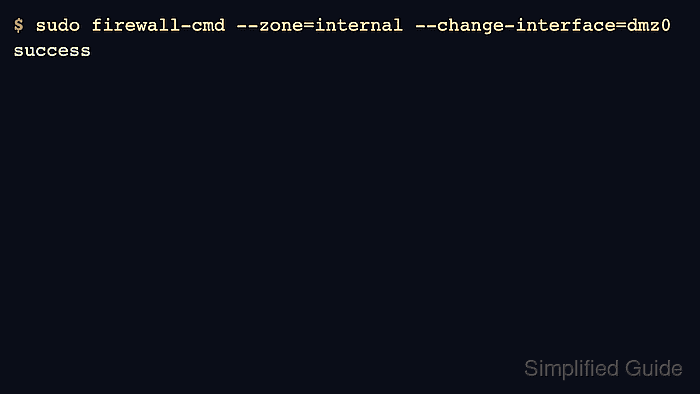
Use firewall-cmd --zone=<zone> --change-interface=<interface> when firewalld is running and the interface needs to move from its current zone to another one. The runtime command changes the active firewall state, while the permanent command records the binding so the same interface is assigned again after reloads or reconnects.
NetworkManager-managed devices can also carry a zone in the connection profile. Verify the firewalld active-zone view and the NetworkManager profile when the host uses NetworkManager, because a profile reconnect can reapply its stored zone to the interface.
Related: Check active firewalld zones
Related: Change the default firewalld zone
Related: Allow a service in firewalld
Steps to assign a network interface to a firewalld zone:
- Confirm firewalld is running before changing interface bindings.
$ firewall-cmd --state
running
- List the zones available on the host.
$ firewall-cmd --get-zones
block dmz drop external home internal public trusted work
Use a zone that already matches the trust level for the interface network. The examples use dmz0 as the interface and internal as the target zone.
- Check the current active zone bindings.
$ firewall-cmd --get-active-zones
dmz
  interfaces: dmz0
public
  interfaces: enp1s0
An active zone has at least one matching interface or source. Related: Check active firewalld zones
- Confirm the current zone for the interface that will move.
$ firewall-cmd --get-zone-of-interface=dmz0
dmz
If the command returns no zone, the interface is using the default zone or is not currently bound in firewalld.
- Inspect the target zone before assigning the interface to it.
$ firewall-cmd --zone=internal --list-all
internal
  target: default
  icmp-block-inversion: no
  interfaces:
  sources:
  services: dhcpv6-client mdns samba-client ssh
  ports:
  protocols:
  forward: yes
  masquerade: no
  forward-ports:
  source-ports:
  icmp-blocks:
  rich rules:
Do not move a remote management interface into a restrictive zone until SSH or the required administration service is allowed in that zone or another access path is available.
- Change the active interface binding to the target zone.
$ sudo firewall-cmd --zone=internal --change-interface=dmz0
success
--change-interface removes the interface from its previous zone and binds it to the named zone. If the interface was not explicitly bound before, it behaves like adding the interface to that zone.
- Make the interface binding permanent.
$ sudo firewall-cmd --permanent --zone=internal --change-interface=dmz0
success
On NetworkManager-managed interfaces, firewalld can ask NetworkManager to store the zone on the connection that owns the interface. On unmanaged interfaces, firewalld records the permanent binding in its own configuration.
- Validate the permanent firewalld configuration.
$ sudo firewall-cmd --check-config
success
- Check the runtime binding after the change.
$ firewall-cmd --zone=internal --query-interface=dmz0
yes
- Check the permanent binding as well.
$ firewall-cmd --permanent --get-zone-of-interface=dmz0
internal
- Verify the active zone inventory now shows the interface under the target zone.
$ firewall-cmd --get-active-zones
internal
  interfaces: dmz0
public
  interfaces: enp1s0
- On NetworkManager hosts, identify the connection profile that owns the interface.
$ nmcli -f GENERAL.CONNECTION device show dmz0
GENERAL.CONNECTION:                     Wired DMZ
- Confirm the NetworkManager connection profile has the same zone.
$ nmcli -f connection.zone connection show "Wired DMZ"
connection.zone:                        internal
If the connection profile still shows an empty zone, set it with sudo nmcli connection modify "Wired DMZ" connection.zone internal and reactivate the profile during a maintenance window.
- List the target zone after the assignment.
$ firewall-cmd --zone=internal --list-all
internal
  target: default
  icmp-block-inversion: no
  interfaces: dmz0
  sources:
  services: dhcpv6-client mdns samba-client ssh
  ports:
  protocols:
  forward: yes
  masquerade: no
  forward-ports:
  source-ports:
  icmp-blocks:
  rich rules:
- Test an allowed service from a client that reaches the host through the moved interface.
$ nc -vz server.example.net 22
Connection to server.example.net (192.0.2.10) 22 port [tcp/ssh] succeeded!
The client test must enter through the interface that was assigned to the zone. A local test from the server itself can bypass the incoming interface path and does not prove that the zone handles external traffic.