How to install firewalld on RHEL-compatible Linux
Minimal RHEL-compatible servers do not always include firewalld, especially lean cloud images, Kickstart builds, and container-derived baselines. Installing the package through DNF adds the daemon, systemd unit, and firewall-cmd client needed before zones, services, ports, or rich rules can be managed through the supported firewall frontend.
On RHEL, Rocky Linux, AlmaLinux, and CentOS Stream, the server package is firewalld. It pulls in the command-line client and the backend libraries needed for the default nftables ruleset, while optional graphical packages such as firewall-config are separate and unnecessary on a headless server.
Starting firewalld can immediately apply the default zone rules on a remote host, so keep console or out-of-band access available when the server has custom network policy or uncertain SSH allowance. A successful install leaves firewalld.service active and enabled, and firewall-cmd --state reports running on a normal systemd host.
Steps to install firewalld on RHEL-compatible Linux:
- Open a terminal on the target RHEL-compatible host with sudo privileges.
- Install the firewalld package from the enabled DNF repositories.
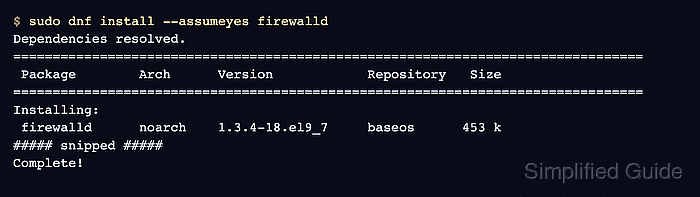
$ sudo dnf install --assumeyes firewalld
Dependencies resolved.
================================================================================
 Package        Arch      Version            Repository   Size
================================================================================
Installing:
 firewalld      noarch    1.3.4-18.el9_7     baseos      453 k
##### snipped #####
Complete!
The exact version and repository can differ between RHEL, Rocky Linux, AlmaLinux, CentOS Stream, and Fedora. Install firewall-config separately only when the host needs the graphical configuration tool.
- Confirm the package is installed.
$ rpm -q firewalld
firewalld-1.3.4-18.el9_7.noarch
The version suffix is package-specific. The important result is that rpm returns an installed firewalld package instead of reporting that the package is not installed.
- Clear a previous service mask if the host had firewalld explicitly disabled.
$ sudo systemctl unmask firewalld.service
This command is safe when the unit is not masked; it simply leaves firewalld.service available for normal systemd management.
- Enable firewalld at boot and start it now.
$ sudo systemctl enable --now firewalld.service
If the server is being managed over SSH, confirm that console access is available or that SSH is allowed by the intended zone before changing firewall state on a production host.
- Confirm that systemd reports the service active.
$ systemctl is-active firewalld
active
- Confirm that systemd enables firewalld after reboot.
$ systemctl is-enabled firewalld
enabled
- Confirm that firewall-cmd can reach the running daemon.
$ firewall-cmd --state
running
Containers and chroots that do not run systemd, D-Bus, or a usable firewall backend can install the package but cannot prove the daemon state with this command. Run the service checks on the actual host or a systemd-capable VM. Related: How to check firewalld status and active rules