How to debug a flaky Espresso test
Flaky Espresso failures usually hide one unstable condition behind a familiar assertion message. Reproducing the same failing test method on the same device, then reading the runner output and device log together, keeps the investigation tied to timing, selectors, animations, or leftover app state instead of guesswork.
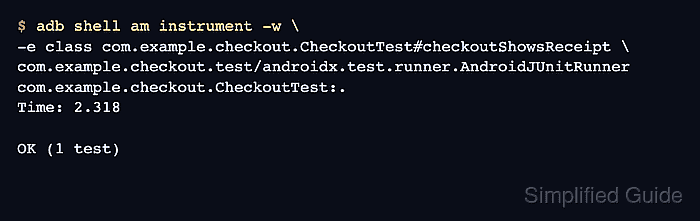
A connected Android test task captures the failed class and method, and adb shell am instrument reruns only that method through the installed AndroidJUnitRunner. Keeping the run narrow makes each failure easier to compare against the matching logcat entries and any JUnit report artifact from the same attempt.
The checkout example uses an assertion that sometimes looks for Receipt before the screen finishes updating. Apply the final fix only when the captured signal points to that cause; a matcher collision, enabled animation, or dirty test account needs a different focused correction.
Steps to debug a flaky Espresso test:
- Run the connected Espresso task that exposes the intermittent failure.
$ ./gradlew :app:connectedDebugAndroidTest
> Task :app:connectedDebugAndroidTest

com.example.checkout.CheckoutTest > checkoutShowsReceipt[emulator-5554] FAILED
    androidx.test.espresso.NoMatchingViewException: No views in hierarchy found matching: with text: "Receipt"

FAILURE: Build failed with an exception.
##### snipped #####
Use the module and build variant from the project, such as :app:connectedDebugAndroidTest or :mobile:connectedReleaseAndroidTest. Keep the failing method name and device name from this output for the focused rerun.
- Identify the installed test instrumentation for the target app.
$ adb shell pm list instrumentation
instrumentation:com.example.checkout.test/androidx.test.runner.AndroidJUnitRunner (target=com.example.checkout)
The value before the space is the runner component used by am instrument. If more than one line appears, choose the runner whose target= package matches the app under test.
- Clear the device log before rerunning the selected method.
$ adb logcat -c
logcat stores circular buffers. Clearing them before a focused rerun keeps unrelated app and system activity out of the failure record.
- Rerun only the flaky method through AndroidJUnitRunner.
$ adb shell am instrument -w \
-e class com.example.checkout.CheckoutTest#checkoutShowsReceipt \
com.example.checkout.test/androidx.test.runner.AndroidJUnitRunner
com.example.checkout.CheckoutTest:
Failure in checkoutShowsReceipt:
androidx.test.espresso.NoMatchingViewException: No views in hierarchy found matching: with text: "Receipt"
##### snipped #####

FAILURES!!!
Tests run: 1,  Failures: 1
The -e class value accepts ClassName#methodName. Rerunning one method removes noise from unrelated tests and makes retries comparable.
- Dump the focused device log for that run.
$ adb logcat -d -v threadtime -b main,system,crash "TestRunner:I Espresso:D Checkout:I *:S"
06-29 10:14:22.418  7341  7396 I TestRunner: started: checkoutShowsReceipt(com.example.checkout.CheckoutTest)
06-29 10:14:24.062  7341  7396 E TestRunner: failed: checkoutShowsReceipt(com.example.checkout.CheckoutTest)
06-29 10:14:24.064  7341  7396 E Espresso: NoMatchingViewException: with text: "Receipt"
06-29 10:14:24.811  7341  7341 I Checkout: receipt screen rendered
The app log line appears after the Espresso failure, so this sample points to synchronization or view-state timing rather than a missing view ID.
- Match the observed signal to one correction.
NoMatchingViewException before the app finishes rendering -> add synchronization.
AmbiguousViewMatcherException or multiple matches -> tighten the matcher.
Failure only with transitions enabled -> disable animations for test devices.
Failure only after another test runs first -> reset test data or isolate tests.
Change only the cause that the runner output and device log support. Adding retries before classifying the signal can hide the unstable layer.
- Add the missing synchronization point before the failing assertion.
- CheckoutTest.kt
onView(withId(R.id.payButton)).perform(click())

onView(isRoot()).perform(
    waitUntil(
        allOf(
            withId(R.id.receiptTitle),
            withText("Receipt"),
            isDisplayed()
        )
    )
)

onView(withId(R.id.receiptTitle)).check(matches(withText("Receipt")))
Use an IdlingResource when app-owned background work controls the state. A bounded view wait belongs only to UI state that should already be moving through the current view hierarchy.
Related: How to add an Espresso IdlingResource
Related: How to wait for UI elements in Espresso - Retest the same method after the focused fix.
$ adb shell am instrument -w \
-e class com.example.checkout.CheckoutTest#checkoutShowsReceipt \
com.example.checkout.test/androidx.test.runner.AndroidJUnitRunner
com.example.checkout.CheckoutTest:.
Time: 2.318

OK (1 test)
Keep the failure record, log excerpt, chosen cause, code change, and final single-method retest together in the ticket or commit so a future failure can be compared against the same signal.