How to configure a Logstash syslog output
Forwarding selected Logstash events to a syslog receiver keeps older collectors, SIEM relays, and network appliances in the loop without replacing the existing pipeline. A dedicated syslog output is also useful when the same events must be mirrored into another operations system alongside the primary destination.
The syslog output plugin opens a client connection to a remote collector and formats each event as an RFC 3164 or RFC 5424 message. Current plugin builds require host and port, default to UDP transport and RFC3164 formatting, and also support TCP or ssl-tcp when the receiver expects a stateful or TLS-protected stream. Setting use_labels to false and priority to 134 gives the receiver a predictable PRI value.
On Debian and RPM installs, pipeline files with a .conf extension under /etc/logstash/conf.d are loaded into the default main pipeline. Current Logstash releases also default allow_superuser to false, so configuration tests are safest under the logstash service account with a temporary --path.data directory. Use UDP only when occasional loss is acceptable, and switch to TCP or ssl-tcp when the collector must confirm delivery or requires TLS.
Steps to configure a Logstash syslog output:
- Check whether the logstash-output-syslog plugin is already installed.
$ sudo /usr/share/logstash/bin/logstash-plugin list --verbose logstash-output-syslog
Using bundled JDK: /usr/share/logstash/jdk
ERROR: No plugins found
Continue with the install step when the command prints ERROR: No plugins found or no matching plugin entry. Some current Logstash images and lean installs do not include this output plugin by default.
- Install the logstash-output-syslog plugin.
$ sudo /usr/share/logstash/bin/logstash-plugin install logstash-output-syslog
Using bundled JDK: /usr/share/logstash/jdk
Validating logstash-output-syslog
Resolving mixin dependencies
Updating mixin dependencies logstash-mixin-normalize_config_support
Installing logstash-output-syslog
Installation successful
Plugin installation changes the Logstash runtime and takes effect only after the service is restarted, so plan the restart around the maintenance window for the pipeline.
Related: How to install Logstash plugins
- Confirm the logstash-output-syslog plugin is available after installation.
$ sudo /usr/share/logstash/bin/logstash-plugin list --verbose logstash-output-syslog
Using bundled JDK: /usr/share/logstash/jdk
logstash-output-syslog (3.1.0)
The plugin entry confirms Logstash can load the output before syntax testing the pipeline.
- Create a dedicated sample source directory so the output can be verified without waiting for production traffic.
$ sudo install -d -o logstash -g logstash -m 0750 /var/lib/logstash/examples
- Create the sample source file for the smoke test.
$ sudo install -o logstash -g logstash -m 0640 /dev/null /var/lib/logstash/examples/syslog-output.log
- Create 70-syslog-output.conf under /etc/logstash/conf.d.
input {
  file {
    path => ["/var/lib/logstash/examples/syslog-output.log"]
    start_position => "end"
    sincedb_path => "/var/lib/logstash/syslog-output-demo.sincedb"
  }
}

output {
  syslog {
    id => "syslog_forwarder"
    host => "syslog.example.net"
    port => 5514
    protocol => "udp"
    rfc => "rfc5424"
    appname => "logstash"
    sourcehost => "loghost01"
    use_labels => false
    priority => "134"
  }
}
The explicit id makes this output easy to identify in the Logstash monitoring API. sourcehost keeps the hostname predictable, and priority set to 134 emits local0.info when use_labels is disabled. Switch protocol to tcp or ssl-tcp only when the receiver requires that transport.
If an existing pipeline already produces the events to forward, keep only the syslog output block and add it to that pipeline instead of creating the sample file input.
The output block forwards every event from the pipeline unless it is wrapped in conditionals, which can overwhelm a collector if a high-volume pipeline is mirrored without filtering.
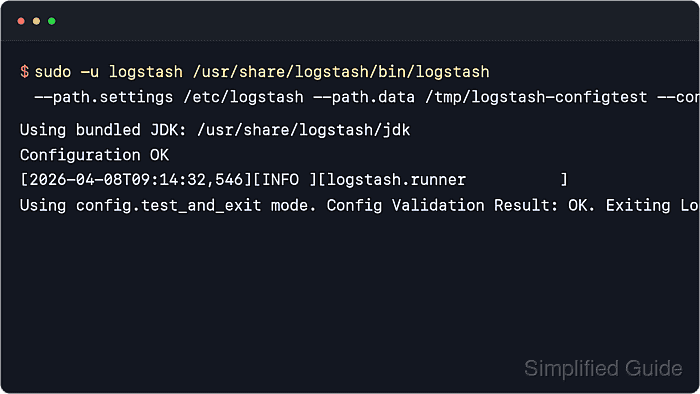
- Test the pipeline configuration with the packaged settings directory and a temporary data path.
$ sudo -u logstash /usr/share/logstash/bin/logstash --path.settings /etc/logstash --path.data /tmp/logstash-configtest --config.test_and_exit
Using bundled JDK: /usr/share/logstash/jdk
Configuration OK
[2026-06-18T10:24:51,546][INFO ][logstash.runner          ] Using config.test_and_exit mode. Config Validation Result: OK. Exiting Logstash
The temporary --path.data directory keeps the syntax check away from the live service state under /var/lib/logstash.
Running the same command as root fails on current releases unless allow_superuser is explicitly enabled in /etc/logstash/logstash.yml.
- Restart the Logstash service to load the updated pipeline.
$ sudo systemctl restart logstash
Restarting Logstash restarts every active pipeline in the service, which can briefly pause ingestion while inputs and outputs reopen.
- Confirm the Logstash service is active after the restart.
$ sudo systemctl status logstash --no-pager ● logstash.service - logstash Loaded: loaded (/usr/lib/systemd/system/logstash.service; enabled; preset: enabled) Active: active (running) since Thu 2026-06-18 10:24:59 UTC; 6s ago Main PID: 21844 (java) Tasks: 104 (limit: 28486) Memory: 1.1G (peak: 1.1G) CPU: 32.441s ##### snipped ##### - Start a temporary listener on the syslog collector host if shell access is available there.
$ sudo nc -klu 5514
Run the listener on the receiving host, not on the Logstash host, when the goal is to watch the forwarded datagram directly.
If the collector already runs its own syslog daemon, watch that service log or packet capture instead of replacing it with nc.
- Append a new line to the sample source file so the pipeline has an event to forward.
$ printf '2026-06-18T10:25:00Z logstash-syslog-test syslog output example\n' | sudo tee -a /var/lib/logstash/examples/syslog-output.log
2026-06-18T10:25:00Z logstash-syslog-test syslog output example
Because the file input uses start_position ⇒ “end”, append the test line after the service is already running so Logstash treats it as new input.
- Verify the collector receives the forwarded syslog frame.
$ sudo nc -klu 5514
<134>1 2026-06-18T10:25:03.421+00:00 loghost01 logstash - - - 2026-06-18T10:25:00Z logstash-syslog-test syslog output example
The priority 134 decodes to local0.info. Paste the captured line into the analyzer if the collector owner wants the priority, facility, and severity checked before handoff.
If no message arrives, verify the collector host, port, firewall rules, and transport choice first, then check journalctl –unit logstash –since “5 minutes ago” –no-pager for plugin or DNS errors.
- Check the output plugin counters in the Logstash monitoring API.
$ curl -s 'http://127.0.0.1:9600/_node/stats/pipelines?filter_path=pipelines.main.plugins.outputs&pretty'
{
  "pipelines" : {
    "main" : {
      "plugins" : {
        "outputs" : [ {
          "id" : "syslog_forwarder",
          "name" : "syslog",
          "events" : {
            "in" : 1,
            "out" : 1,
            "duration_in_millis" : 18
          }
        } ]
      }
    }
  }
}
Current Logstash defaults keep the monitoring API on 127.0.0.1 and choose a port from 9600-9700 unless /etc/logstash/logstash.yml changes api.http.host or api.http.port.