How to configure Logstash output to Kafka
Sending Logstash events to Kafka turns a pipeline output into a producer that writes processed events to a topic for downstream consumers. The pattern fits ingestion systems that need a buffer between parsing and indexing, or a shared event stream that several applications can read without coupling every consumer to Logstash.
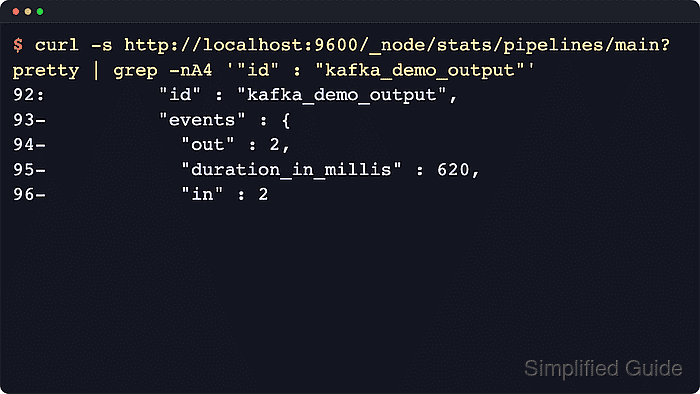
The kafka output plugin uses bootstrap_servers to discover broker metadata and then sends records to the broker addresses Kafka advertises. topic_id names the destination topic, codec ⇒ json serializes the full event as JSON, and a named id makes the output easier to find in Logstash monitoring API metrics.
Package-based Logstash installs usually already include Kafka support through logstash-integration-kafka. The topic, advertised listeners, ACLs, and TLS or SASL credentials must be ready before runtime testing, because a clean Logstash syntax test proves the plugin block parses but does not prove that Kafka will accept produced records.
Steps to configure Logstash output to Kafka:
- Confirm the Kafka output plugin is available.
$ sudo /usr/share/logstash/bin/logstash-plugin list --verbose logstash-output-kafka
Using bundled JDK: /usr/share/logstash/jdk
logstash-integration-kafka (11.8.9)
 ├── logstash-input-kafka
 └── logstash-output-kafka
Current packages commonly report the bundled logstash-integration-kafka package instead of a standalone logstash-output-kafka gem. If no Kafka output appears, install the plugin before creating the pipeline.
Related: How to install Logstash plugins - Create a readable example input directory for the logstash service account.
$ sudo install -d -o logstash -g logstash -m 0750 /var/lib/logstash/examples
The example input keeps the Kafka output test separate from production inputs.
- Create the example input file.
$ sudo install -o logstash -g logstash -m 0640 /dev/null /var/lib/logstash/examples/kafka-output.log
- Create the Kafka output pipeline file.
$ sudoedit /etc/logstash/conf.d/60-kafka-output.conf
input { file { path => ["/var/lib/logstash/examples/kafka-output.log"] start_position => "end" sincedb_path => "/var/lib/logstash/kafka-output-demo.sincedb" tags => ["kafka_output_demo"] } } output { if "kafka_output_demo" in [tags] { kafka { id => "kafka_demo_output" bootstrap_servers => "kafka-1.example.net:9092,kafka-2.example.net:9092" topic_id => "logstash-events" codec => json acks => "all" client_id => "logstash-kafka-demo" # security_protocol => "SASL_SSL" # sasl_mechanism => "SCRAM-SHA-512" # sasl_jaas_config => "org.apache.kafka.common.security.scram.ScramLoginModule required username='logstash' password='${KAFKA_PASSWORD}';" # ssl_truststore_location => "/etc/logstash/kafka.client.truststore.jks" # ssl_truststore_password => "${KAFKA_TRUSTSTORE_PASSWORD}" } } } - Confirm the Kafka topic and broker listener requirements.
The topic in topic_id must already exist unless the cluster intentionally permits topic auto-creation. Choose the partition count before enabling the output on a busy pipeline.
Tool: Kafka Partition Count Calculatorbootstrap_servers is only the metadata seed list. The broker addresses returned by Kafka must resolve and connect from the Logstash host, or the producer can fail after the initial metadata lookup.
- Test the pipeline configuration with the packaged settings directory.
$ sudo -u logstash /usr/share/logstash/bin/logstash --path.settings /etc/logstash --path.data /tmp/logstash-kafka-output-configtest --config.test_and_exit -f /etc/logstash/conf.d/60-kafka-output.conf
Using bundled JDK: /usr/share/logstash/jdk
Sending Logstash logs to /var/log/logstash which is now configured via log4j2.properties
##### snipped #####
[2026-06-18T20:17:14,783][INFO ][logstash.javapipeline    ][main] Pipeline `main` is configured with `pipeline.ecs_compatibility: v8` setting. All plugins in this pipeline will default to `ecs_compatibility => v8` unless explicitly configured otherwise.
Configuration OK
[2026-06-18T20:17:14,785][INFO ][logstash.runner          ] Using config.test_and_exit mode. Config Validation Result: OK. Exiting Logstash
The syntax test parses the Kafka output block and plugin settings only. Broker DNS, advertised listeners, ACLs, TLS trust, SASL credentials, and topic permissions still need runtime proof.
Related: How to test a Logstash pipeline configuration - Remove the temporary validation data path.
$ sudo rm --recursive --force /tmp/logstash-kafka-output-configtest
- Restart the Logstash service.
$ sudo systemctl restart logstash.service
Restarting logstash.service stops and starts every pipeline in the instance, so inputs and outputs briefly reopen.
- Confirm the Logstash service is active after the restart.
$ sudo systemctl status logstash.service --no-pager --lines=0 ● logstash.service - logstash Loaded: loaded (/usr/lib/systemd/system/logstash.service; enabled; preset: enabled) Active: active (running) since Thu 2026-06-18 20:18:02 UTC; 8s ago Main PID: 24018 (java) Tasks: 108 (limit: 28486) Memory: 946.7M CPU: 27.219s - Append a fresh event to the example input file.
$ printf 'kafka-output-test 2026-06-18T20:18:30Z\n' | sudo tee -a /var/lib/logstash/examples/kafka-output.log
kafka-output-test 2026-06-18T20:18:30Z
With start_position set to end, append the test line after the pipeline is running so the file input treats it as new data.
- Check the named Kafka output in Logstash pipeline stats.
$ curl -s 'http://localhost:9600/_node/stats/pipelines/main?pretty'
{
  "pipelines" : {
    "main" : {
##### snipped #####
      "plugins" : {
        "outputs" : [ {
          "id" : "kafka_demo_output",
          "events" : {
            "in" : 1,
            "out" : 1,
            "duration_in_millis" : 48
          },
          "name" : "kafka"
        } ]
      }
    }
  }
}
A rising events.out value for kafka_demo_output shows that Logstash is handing events to the Kafka producer. A counter that stays flat after the test line usually points to file input state, pipeline routing, or output errors in /var/log/logstash/logstash-plain.log.
- Read one message from the topic when Kafka CLI access is available.
$ kafka-console-consumer.sh --bootstrap-server kafka-1.example.net:9092 --topic logstash-events --from-beginning --max-messages 1 --timeout-ms 10000
{"log":{"file":{"path":"/var/lib/logstash/examples/kafka-output.log"}},"@timestamp":"2026-06-18T20:18:31.204Z","@version":"1","host":{"name":"logstash-1.example.net"},"message":"kafka-output-test 2026-06-18T20:18:30Z","tags":["kafka_output_demo"],"event":{"original":"kafka-output-test 2026-06-18T20:18:30Z"}}
The consumer check proves the JSON event reached the Kafka topic. Run it from a broker host or administration workstation with the same security settings required by the topic.