How to create a Kibana webhook connector
Webhook connectors in Kibana send alert payloads to ticketing systems, chat relays, incident routers, and custom HTTP endpoints. Creating one connector for a destination keeps the URL, authentication method, and TLS behavior in one saved object that rules can reuse.
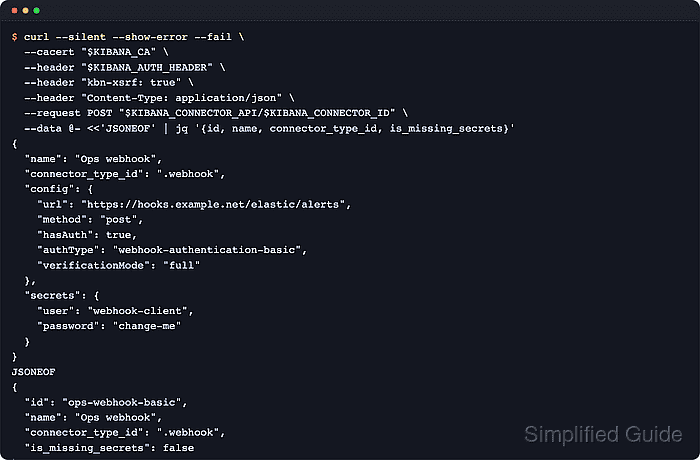
Kibana stores connectors per space and exposes them from Stack Management → Connectors. The same connector can also be created through the Actions API when the connector id needs to be predictable across environments or created from automation.
Before creating the connector, confirm that Kibana uses a fixed encrypted saved objects key, the target hostname is permitted by xpack.actions.allowedHosts when that setting is restricted, and any proxy or private certificate behavior is covered by xpack.actions.customHostSettings. The .webhook connector type must also be enabled by Kibana configuration and license before the create request can succeed.
Steps to create a Kibana webhook connector with the Actions API:
- Set the Kibana Actions API URL, connector id, and API key.
$ export KIBANA_URL="https://kibana.example.net:5601"
$ export KIBANA_API_KEY="BASE64_ENCODED_API_KEY"
$ export KIBANA_ACTIONS_API="$KIBANA_URL/api/actions"
$ export KIBANA_CONNECTOR_ID="ops-webhook-basic"
$ export KIBANA_AUTH="Authorization: ApiKey $KIBANA_API_KEY"
Include any configured server.basePath in KIBANA_URL, such as https://kibana.example.net/kibana. For a non-default space, build KIBANA_ACTIONS_API with the space prefix before api/actions, such as /s/ops/api/actions. Add --cacert /path/to/http-ca.crt to the curl calls only when the deployment uses a private certificate authority.
Related: How to create a Kibana space - Confirm the deployment exposes the .webhook connector type.
$ curl --silent --show-error --fail \
  --header "$KIBANA_AUTH" \
  "$KIBANA_ACTIONS_API/connector_types" |
  jq '.[] | select(.id == ".webhook")'
{
  "id": ".webhook",
  "name": "Webhook",
  "enabled": true,
  "enabled_in_config": true,
  "enabled_in_license": true
}
The connector type response includes enabled_in_config and enabled_in_license. An empty result or a false value means Kibana will reject the connector create request for this type.
- Create the webhook connector.
$ curl --silent --show-error --fail \
  --header "$KIBANA_AUTH" \
  --header "kbn-xsrf: true" \
  --header "Content-Type: application/json" \
  --request POST "$KIBANA_ACTIONS_API/connector/$KIBANA_CONNECTOR_ID" \
  --data @- <<'EOF' | jq '{id, name, connector_type_id, is_missing_secrets}'
{
  "name": "Ops webhook",
  "connector_type_id": ".webhook",
  "config": {
    "url": "https://hooks.example.net/elastic/alerts",
    "method": "post",
    "hasAuth": true,
    "authType": "webhook-authentication-basic",
    "verificationMode": "full"
  },
  "secrets": {
    "user": "webhook-client",
    "password": "replace-this-password"
  }
}
EOF
{
  "id": "ops-webhook-basic",
  "name": "Ops webhook",
  "connector_type_id": ".webhook",
  "is_missing_secrets": false
}
Current Kibana creates the connector at /api/actions/connector/<id>, and non-GET Kibana API calls require the kbn-xsrf header. Basic webhook authentication uses hasAuth, authType, and the secrets user and password fields.
Related: How to set Kibana encryption keys - Fetch the connector details and confirm Kibana stored the request settings.
$ curl --silent --show-error --fail \
  --header "$KIBANA_AUTH" \
  "$KIBANA_ACTIONS_API/connector/$KIBANA_CONNECTOR_ID" |
  jq '{id, name, connector_type_id, config}'
{
  "id": "ops-webhook-basic",
  "name": "Ops webhook",
  "connector_type_id": ".webhook",
  "config": {
    "url": "https://hooks.example.net/elastic/alerts",
    "method": "post",
    "hasAuth": true,
    "verificationMode": "full"
  }
}
Kibana does not return secret values from connector detail requests. Seeing is_missing_secrets: false during creation and the expected non-secret config here confirms the connector object is saved.
- Open Stack Management → Connectors, select the new connector, click Test, and send a small JSON payload to confirm the remote endpoint accepts the request.
{
  "short_description": "Elastic alert test",
  "description": "Webhook connector test from Kibana"
}
The test sends a raw JSON body to the configured URL. A failed test usually points to endpoint credentials, xpack.actions.allowedHosts, proxy reachability, or TLS trust settings rather than the saved connector object.
Related: How to create Kibana alerts from Elasticsearch data
Tool: API Testing Tool