How to set the Kibana public base URL
Setting the Kibana public base URL makes generated links point to the address users open in their browser, not to an internal listener, container hostname, or reverse proxy upstream. It matters for notifications, redirects, and any feature that needs an absolute link back to the web UI.
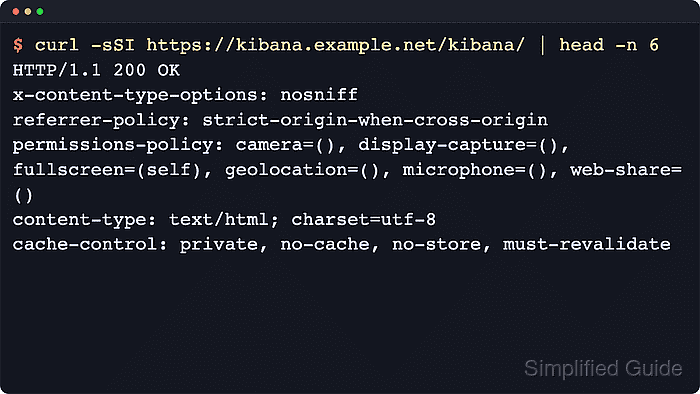
Kibana reads server.publicBaseUrl from its active configuration during startup. Package installs normally use /etc/kibana/kibana.yml, while container and archive installs commonly use /usr/share/kibana/config/kibana.yml or environment-derived settings.
Use the public URL exactly as clients reach it. Include http:// or https://, the hostname, a non-default port when used, and the full server.basePath when Kibana is mounted under a subpath; do not end the value with / because startup validation rejects it.
Related: How to configure the Kibana base path
Related: How to set the Kibana server host
Related: How to check Kibana status
Steps to set the Kibana public base URL:
- Confirm the client-facing Kibana URL.
Use https://kibana.example.net for a root-mounted public host, https://kibana.example.net/kibana when server.basePath is /kibana, or https://kibana.example.net:8443/kibana when the published listener uses a non-default port.
Tool: URL Parser - Back up the current Kibana configuration file.
$ sudo cp /etc/kibana/kibana.yml /etc/kibana/kibana.yml.bak
- Open the Kibana configuration file in a root-owned editor.
$ sudoedit /etc/kibana/kibana.yml
Use the active path for the installation. Docker and archive installs commonly use /usr/share/kibana/config/kibana.yml instead of /etc/kibana/kibana.yml.
- Set server.publicBaseUrl to the exact published URL.
server.publicBaseUrl: "https://kibana.example.net/kibana"
Include the scheme, hostname, non-default port, and configured server.basePath. Do not add a trailing / to server.publicBaseUrl.
- Restart the Kibana service to load the updated setting.
$ sudo systemctl restart kibana.service
- Confirm Kibana accepted the setting and returned to an active service state.
$ systemctl is-active kibana.service
active
If the service is not active, check the journal before retrying the browser URL. Missing schemes, omitted base paths, and trailing slashes in server.publicBaseUrl fail during startup validation.
- Request the status API through the same public URL path.
$ curl --silent --show-error --output /dev/null --write-out "%{http_code}\n" https://kibana.example.net/kibana/api/status
200
A 200 response confirms the published path reaches Kibana. If security is enabled, add the authentication or API key header required by the deployment.
Related: How to check Kibana status - Review recent Kibana logs if the service or public URL check fails.
$ sudo journalctl --unit=kibana.service --since "5 minutes ago" --no-pager
Jun 18 13:22:11 kibana-node kibana[1487]: FATAL Error: [config validation of [server]]: [publicBaseUrl] must contain the [basePath]: / !== /kibana
Jun 18 13:22:11 kibana-node systemd[1]: kibana.service: Main process exited, code=exited, status=1/FAILURE
Jun 18 13:22:11 kibana-node systemd[1]: kibana.service: Failed with result 'exit-code'.